
With the introduction of the IBIS activation wizard there is new look and feel for provisioning BGAN services. This caters to the ViaSat/Inmarsat provisioning migration to the Self Service Delivery Portal (SDP).
Please check the following prerequisites of provisioning:
- SIM card details meet all criteria, like provisioning account, IMSI etc. For more information check here.
- The customer to activate the device for has been created. If not, go to customer creation.
- The price plan to activate the device on has been created and is made available to this customer. If not, go to create price plan.
- The default firewall settings for the customer are known and set up, if not, go to Create Firewall Rules.
To activate a sim card, go to the Installed Base, either from the main menu or the customer page. Select an ‘Inactive card’, either a SIM card with Not activated or Deactivated status. From the list, select which card to activate by clicking on the ICCID from the list. This opens the specifics of the SIM Card. The SIM must be assigned to the customer.
To activate multiple SIM cards in bulk, please see batch provisioning Template Based Provisioning (SDP)
The activation wizard will follow these steps:
1. Select customer, price plan and start date
*Depending on the permissions of the user, details of the vendor plan and DP will be visible. Selection of the vendor plan will bring up the default information or link to the DP folder and Billing ID per the Viasat/Inmarsat API.
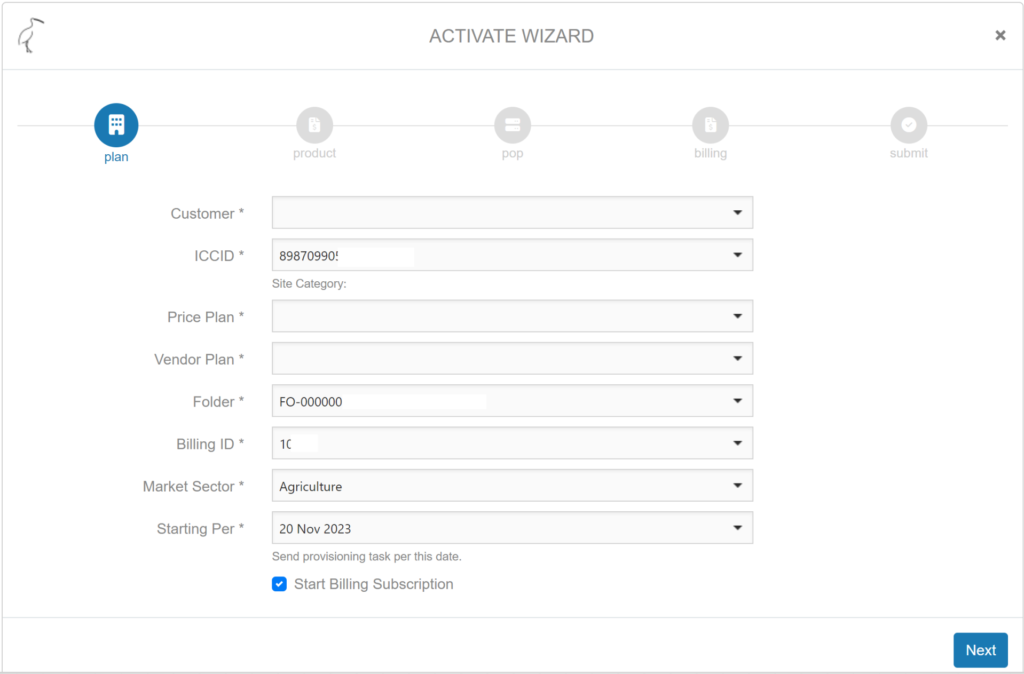
NOTE: when the SIM card is already provisioned (in Inmarsat Self Service Portal) and a billing only activation is required, use Bulk Activation in the Billing menu. Always make sure the SIM card has been synchronized via API, see Synchronise SIM with SDP.
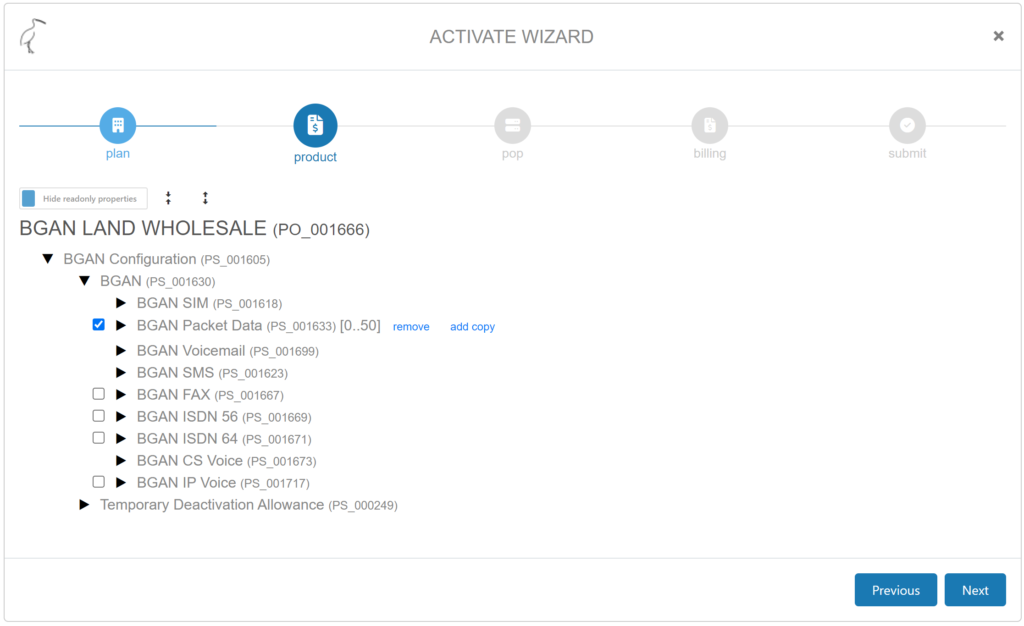
2. Product configuration
The configuration page provides provisioning details for mandatory and optional configurations. The mandatory configurations, such as selection of IMSI, MSISDN, SMS transfer, Voicemail are pre-filled. The optional configuration, BGAN data configuration, is pre-filled based on the default APN settings in IBIS. Other configurations are optional and can be manually selected. The data configuration and other configurations can be manually selected at time of activation or afterwards in a change configuration order.
All configuration details can be viewed by expanding the collapsed menu items.
*Temporary Deactivation Allowance, inherited GX configuration from SDP, is not applicable for BGAN and BGAN M2M products.
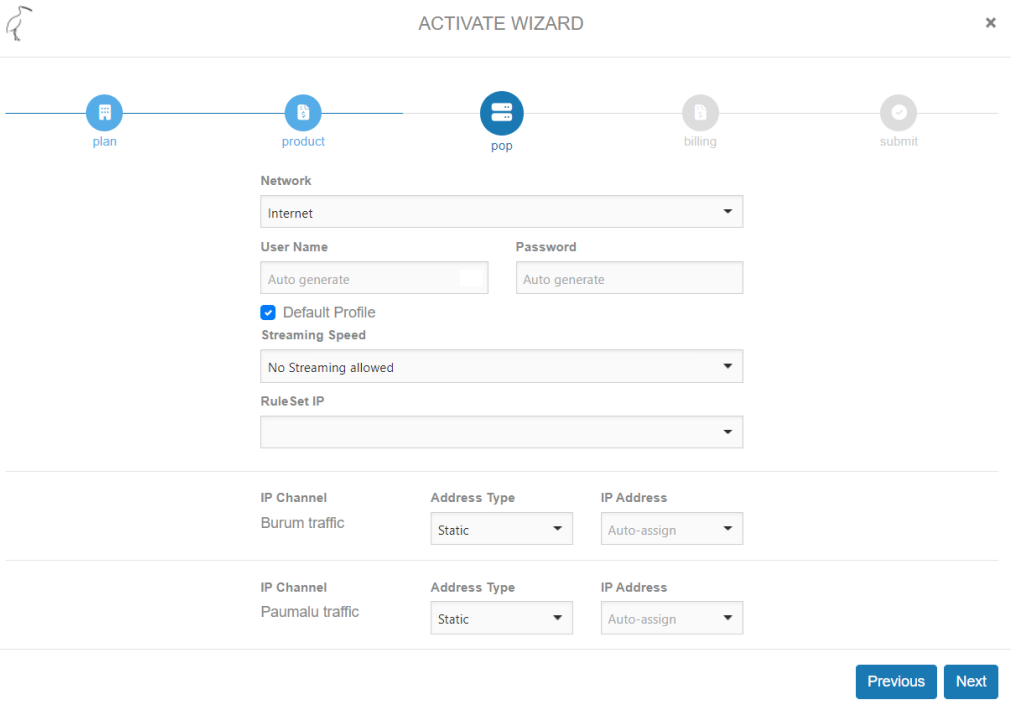
3. PoP configuration
Select Network, select the network created for this activation. For information on creating a network, check here.
Select Streaming speed as required for the service.
RuleSet IP, select the preferred firewall rule set here, for instructions on creating firewall rule sets, check here.
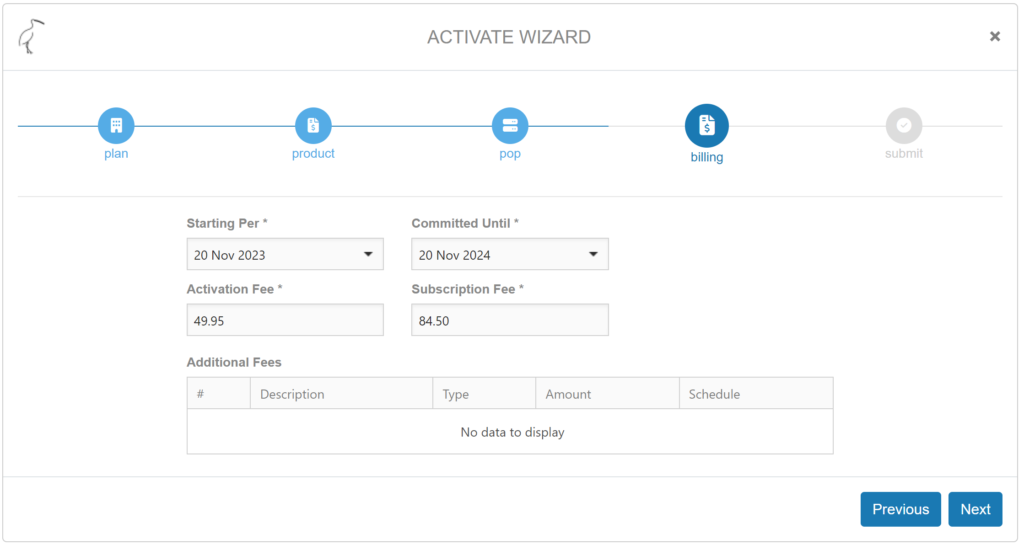
4. Billing
This page presents the billing components of the activation, that are pulled from the selected price plan.
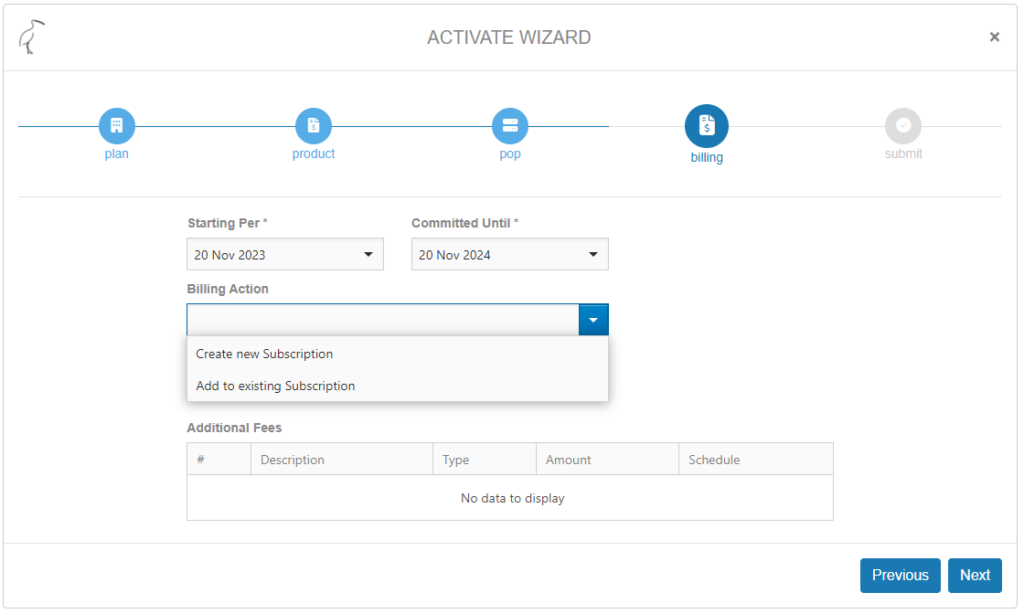
If the activation involves a pool/SCAP, the screen will prompt to create a new subscription or to add to an existing subscription. Selecting ‘Add to existing subscription’ will provide a dropdown of existing subscription(s) on this price plan.
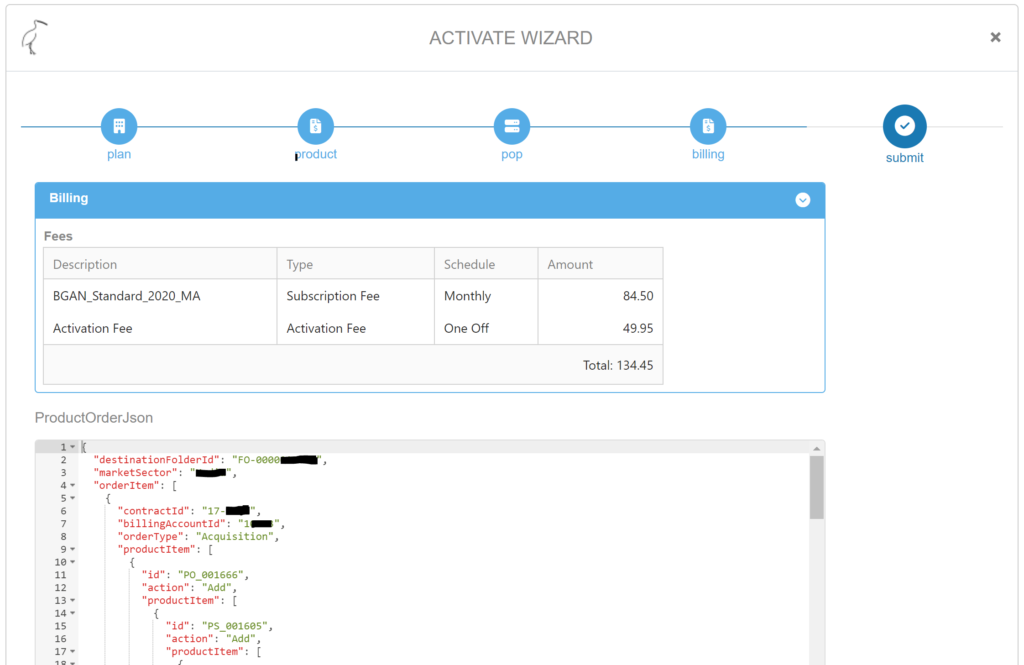
5. Submit
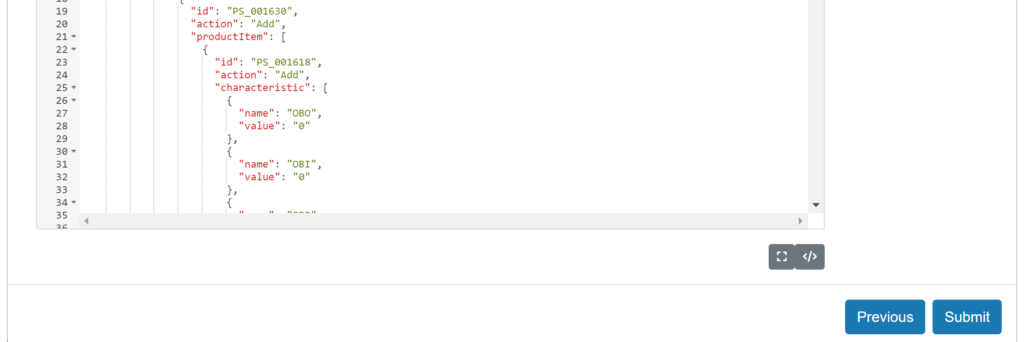
This is the final summary screen including the ProductOrderJason script that is send via API. Depending on user permissions this script is visible or not.
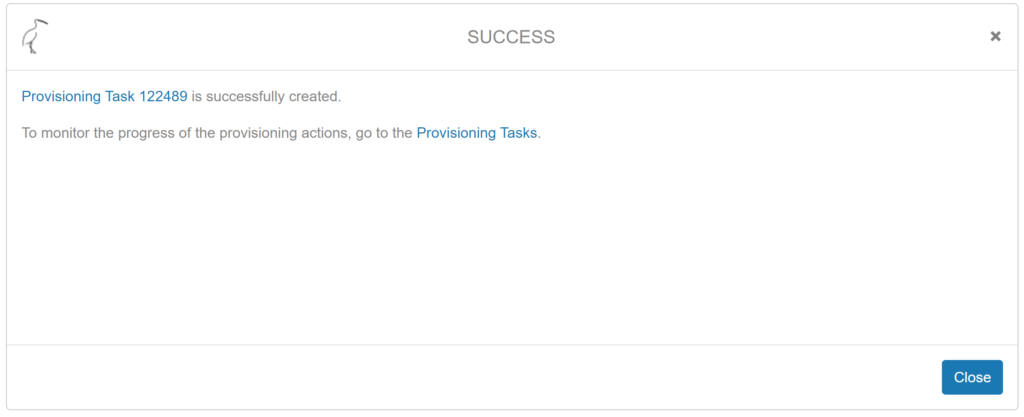
When Submit is selected the following screen will appear with information on the Provisioning task ID. It is advised to monitor provisioning tasks regularly. For instructions what to do with a failed provisioning task, see here.
NOTE: if for any reason the provisioning to the SIM card has been completed without generating a subscription, please refer to create subscription without provisioning.