
Change service configuration allows a user to do the following actions
- Add or remove APNs on a single SIM card
- Enable/disable voice service on an EM Advantage SIM card
- Re-sync a single SIM with the EM database (used when a change has been made to the SIM at network level only)
Add a additional APN/s to an activated SIM
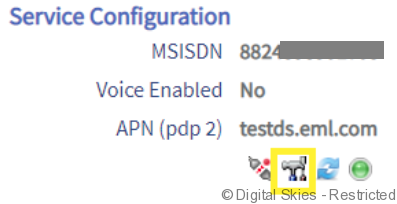
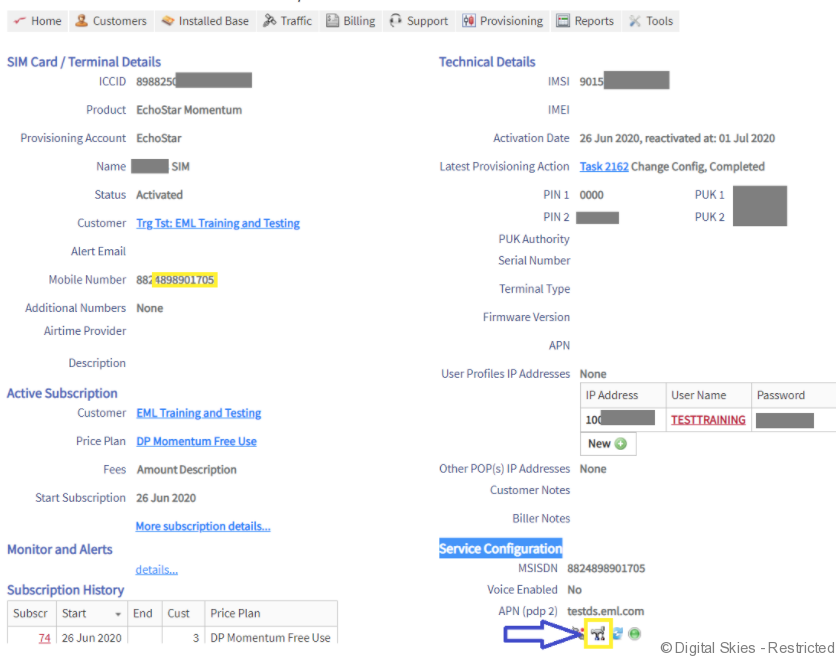
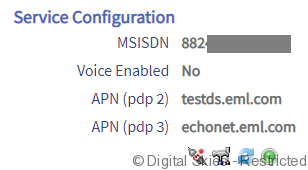
From the SIM card details page, click on the ‘Tools’ icon under the heading ‘Service Configuration’
In the next screen, click on the APN 2 or 3 drop down list and select the additional APN required. You can add up to 10 APNs in total.
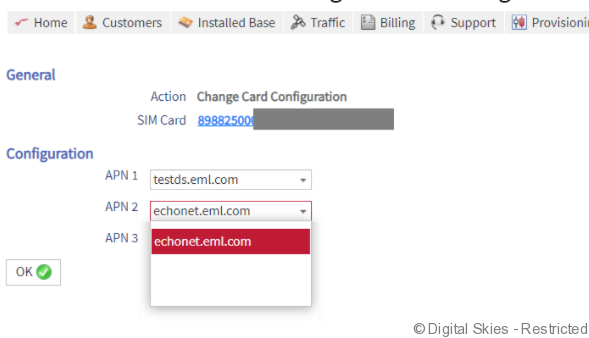
Click ‘OK’
The following warning will pop up.

Click ‘OK’
The following message will appear advising that this provisioning task can take up to 10 minutes to completed.
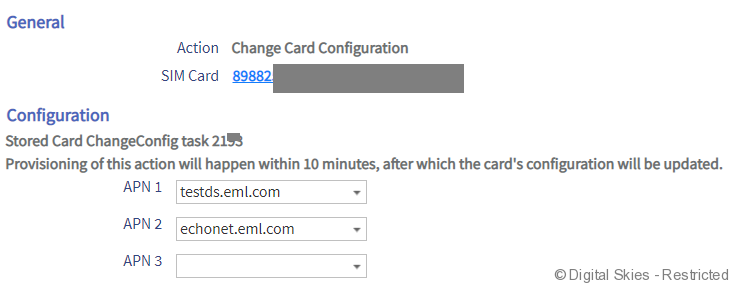
Once the Task has completed the APN will be added under the ‘Service Configuration’ of the SIM card.
Enable or disable voice service on an EM Advantage SIM.
From the SIM card details page, click on the ‘Tools’ icon under the heading ‘Service Configuration’
Enable or disable the Voice service by checking (enable) or unchecking (disable) the voice check box.
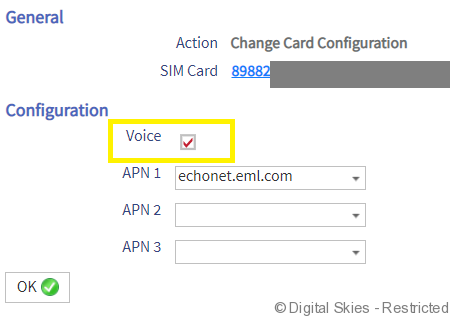
Click ‘OK’
The following warning will pop up.

Click ‘OK’
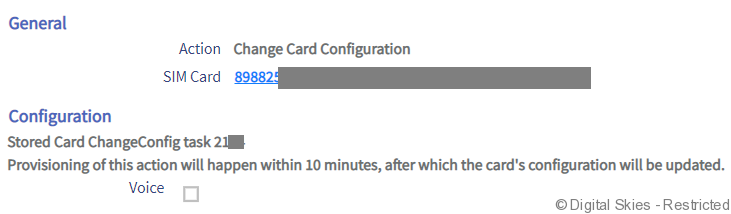
The following message will appear advising that this provisioning task can take up to 10 minutes to completed.
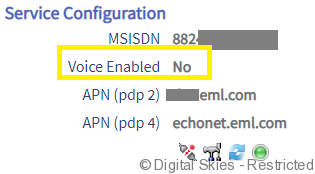
Once the Task has completed, the voice service can be checked under ‘Service Configuration’ of the SIM card.
Re-sync a single SIM with the EM database
From the SIM card details page, click on the ‘Refresh’ icon under the heading ‘Service Configuration’
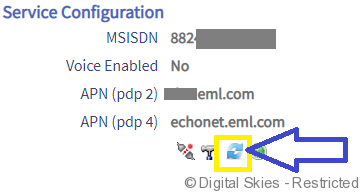
The following screen will appear.
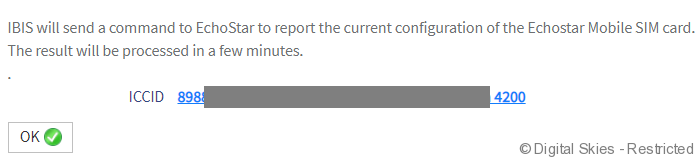
Click ‘OK’ to proceed, this will create a provisioning task to refresh the data for that specific SIM card.

Once the task has completed, any updates will be visible on the SIM card details page.