
Value Added Services
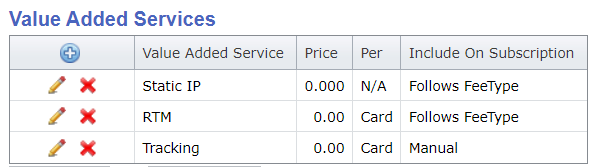
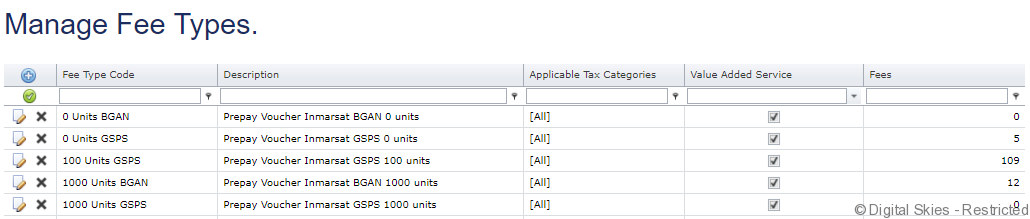
In the set up of a Price Plan there is a section for Value Added Services where additional fees can be defined. Only fees that are set as VAS fees in the Fee Type are available.
Example of VAS to price plan:
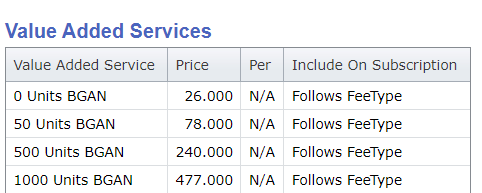
Prepay topups Depending on the prepay products the biller wants to provision through the platform, prepay vouchers are presented in Fee Types (VAS) so they can be selected and rated when a Prepay Price Plan is created.
Example prepay fees to price plan:
Setting up VAS Fees on a Price Plan
All available VAS fees (to the product/price plan/subscription) are shown, with a checkbox for to select the applicable fee.
Click on the blue + on the Value Added Services table to add a new VAS fee.
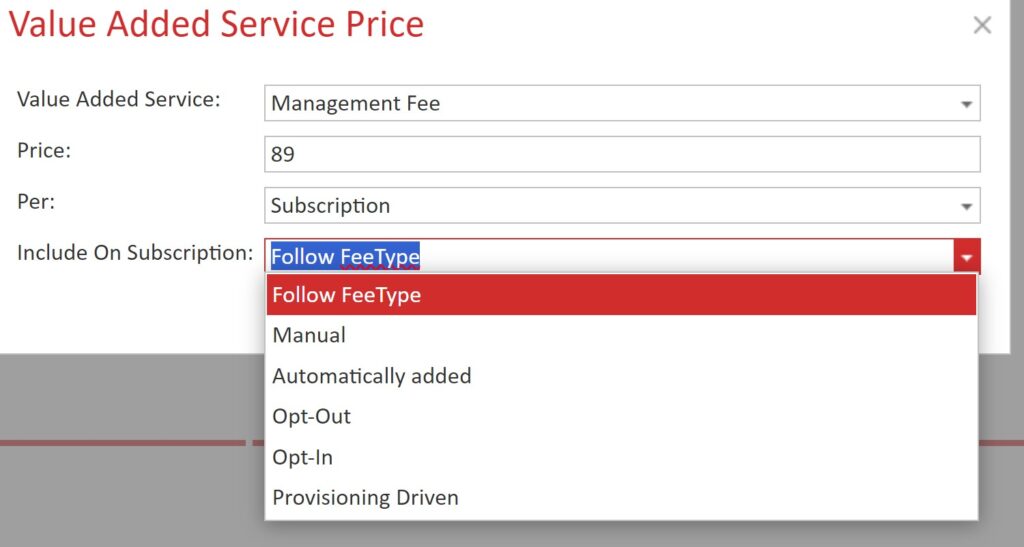
Value Added Service: Select the Fee Type
Price: Enter the price
Per: Defines whether the fee should be applied per device (card), or per subscription.
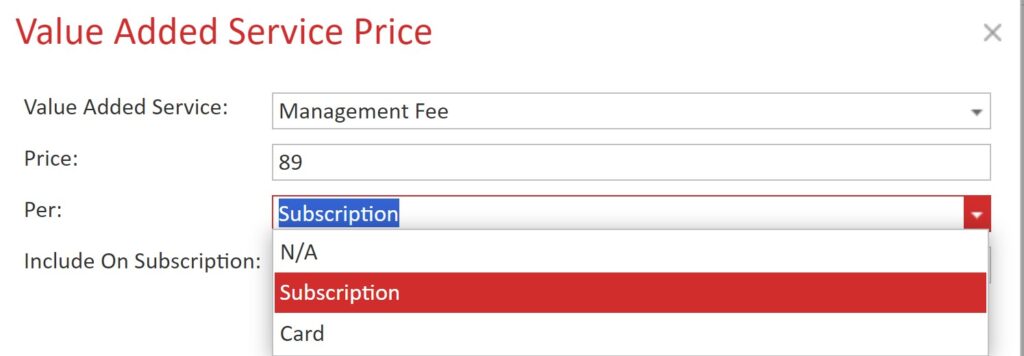
Note: ‘N/A’ should be applied to provisioning driven fee types, as these are neither applied per device, not per subscription, but per enabled service. For instance, a Certus device can have up to three Plus One numbers enabled.
Include on subscription: In addition, on the Price Plan you can also override the default fee type behaviour for this price plan.
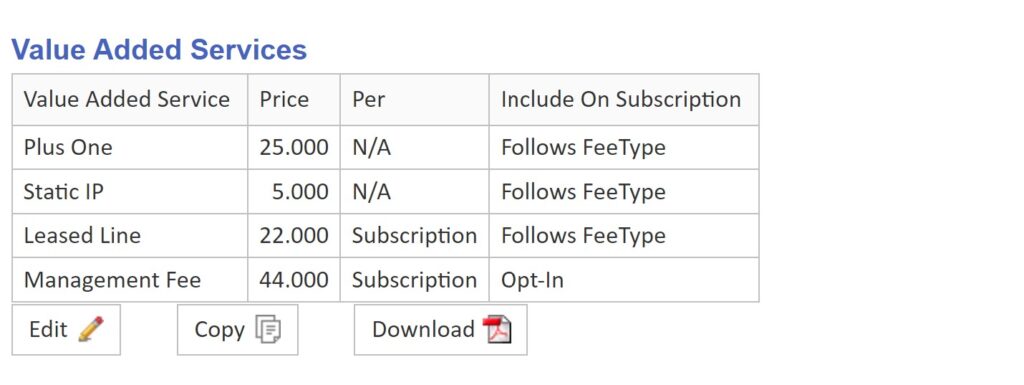
Activation example
EXAMPLE: Certus Price Plan, which accommodates for Plus One, Static IP, a mandatory ‘Leased Line’ and an optional Management Fee:
And this is how it shows on the activation wizard, with a local number and static IP enabled:
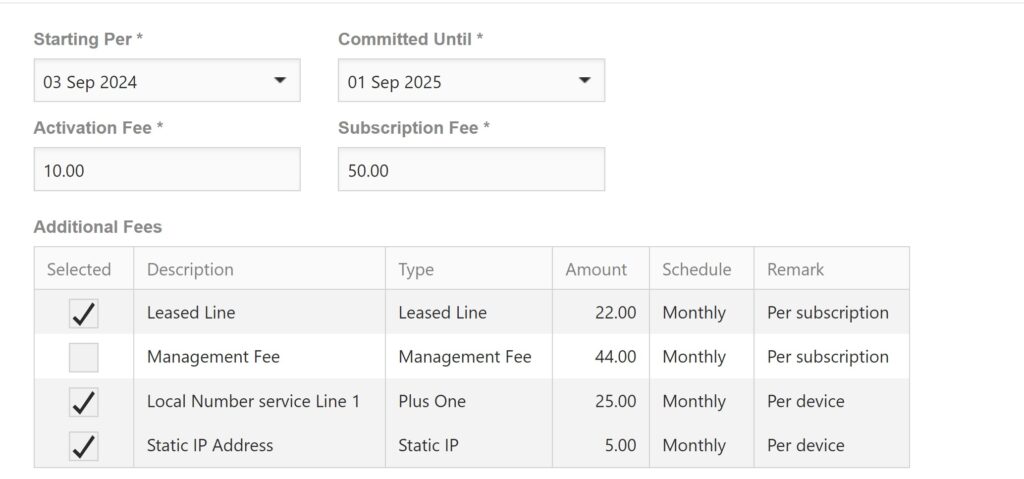
As you can see, all fees are checked, except the Management fee. That was defined as Opt-In on the Price Plan. If the service is required, this is actively selected during activation.
Billing only activation
When a billing only activation is started, all fees do show up again. That is because services might have been enabled outside of IBIS. It will show only one fee of each, so if you have three voice lines with Plus One, then you should add the missing fees in retrospect to the subscription:
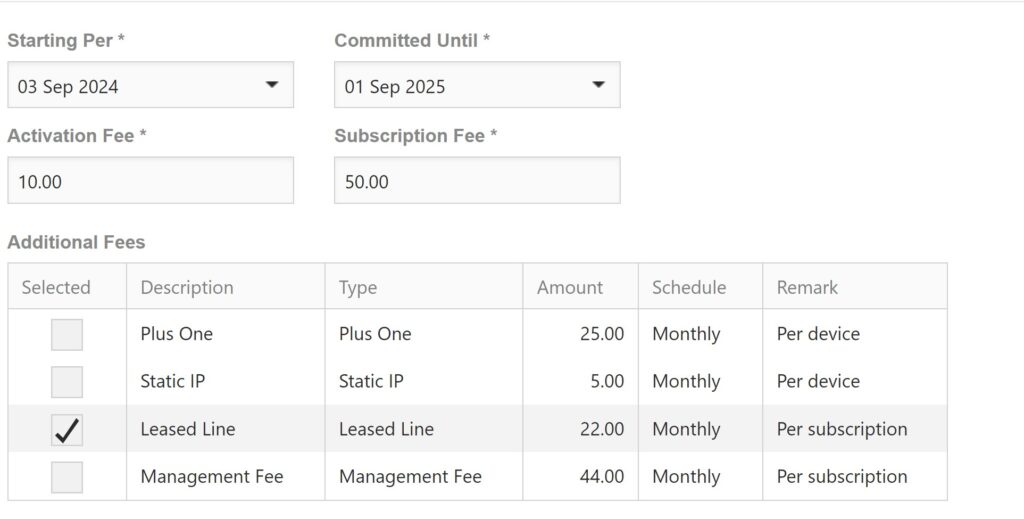
Note: End users are not able to check/uncheck mandatory/provisioning driven fees, nor can they do a billing only activation.
NOTE: VAS fees not linked to a provisioning action (like a prepay top up) will follow the subscription recurrence. VAS fees should not be used for One Off fees for billing only.