

Invoice template in the above example is BillingPeriod_CustID
The standard options for invoice numbering are:
[BillingPeriod] 202501
[BillingPeriodShort] 2501
with the addition:
[CustID] unique IBIS customer ID
or
[InvoiceID] every invoice in IBIS has a unique Invoice ID
When there is only one invoice per customer per billing period, the above setting is sufficient. When the option Interim Invoices is enabled, one of the below settings is required:
[SequenceNr] 1 = 1st generated invoice for a customer in a billing period, 2= 2nd generated invoice for a customer in a billing period
[SequenceNrOptional] sequence nr (2) is added to invoice nr only when there is more than one invoice in a billing period
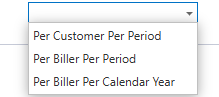
If it is required to change the behavior of the sequence numbering, these are the options to select from:
Invoice filename template
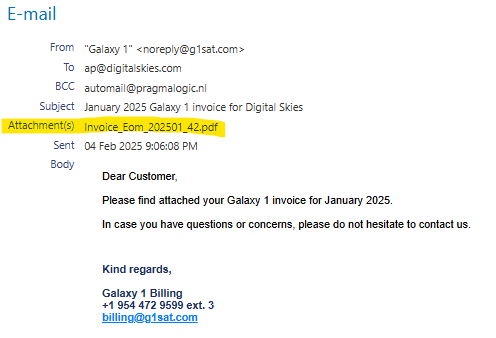
Available options to select for a Invoice filename template are: [InvoiceNr], [InvoiceID], [Status], [SequenceNr], [BillingPeriod], [BillerEntity], [CustomerID], [ARCode], [CustomerCode], [DeliveryMode], [Type], [EOMCloseGroupCode].
In the above example the template is Invoice_Type_InvoiceNr.pdf
>> Make sure to include enough fields to make the invoice filename unique. <<