
This process is for activating a SIM card in the EM PIP for Synergy . The Synergy plan consists of a satellite SIM card and a Cellular SIM card (either physical or e-SIM).
Prerequisites:
- SIM card details meet all criteria (note: satellite SIM card must be for the Synergy product, if not, edit the SIM card and change to Synergy)
- The customer to activate the device for has been created. If not, go to customer creation
- The price plan to activate the device on has been created and is made available to this customer.
- The default firewall settings for the customer are known and set up, if not, go to Create Firewall Rules.
To activate a sim card, go to the Installed Base either from the main menu or the customer page. Tick the “Inactive cards” box. From the list, select which satellite SIM card to activate by clicking on the ICCID from the list. This opens the SIM Card details screen.
At the bottom of the screen select [activate], which will start the provisioning wizard:
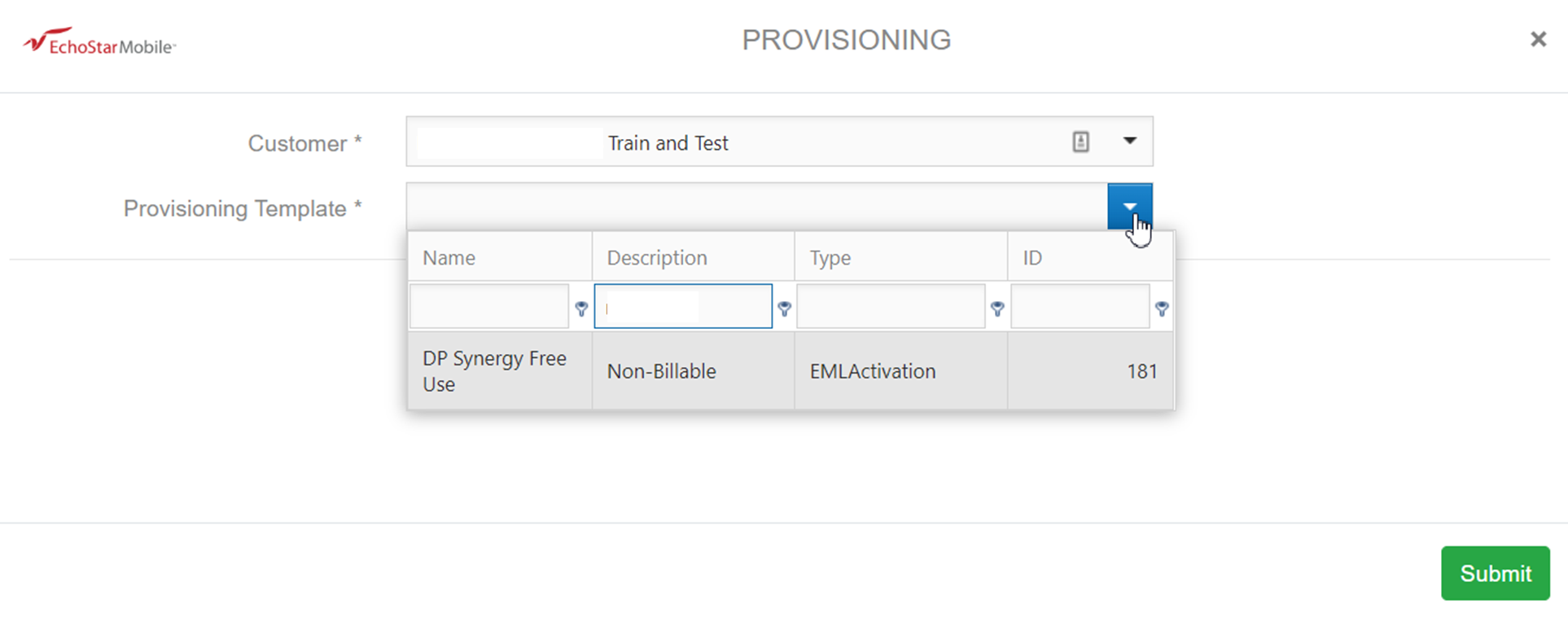
Select the price plan to activate on and click [submit] to open the next part of the wizard.
The next step is to select the cellular SIM card from the drop down box which is available next to the satellite SIM card. Please note that a Synergy activation always requires both a satellite and a cellular ICCID/
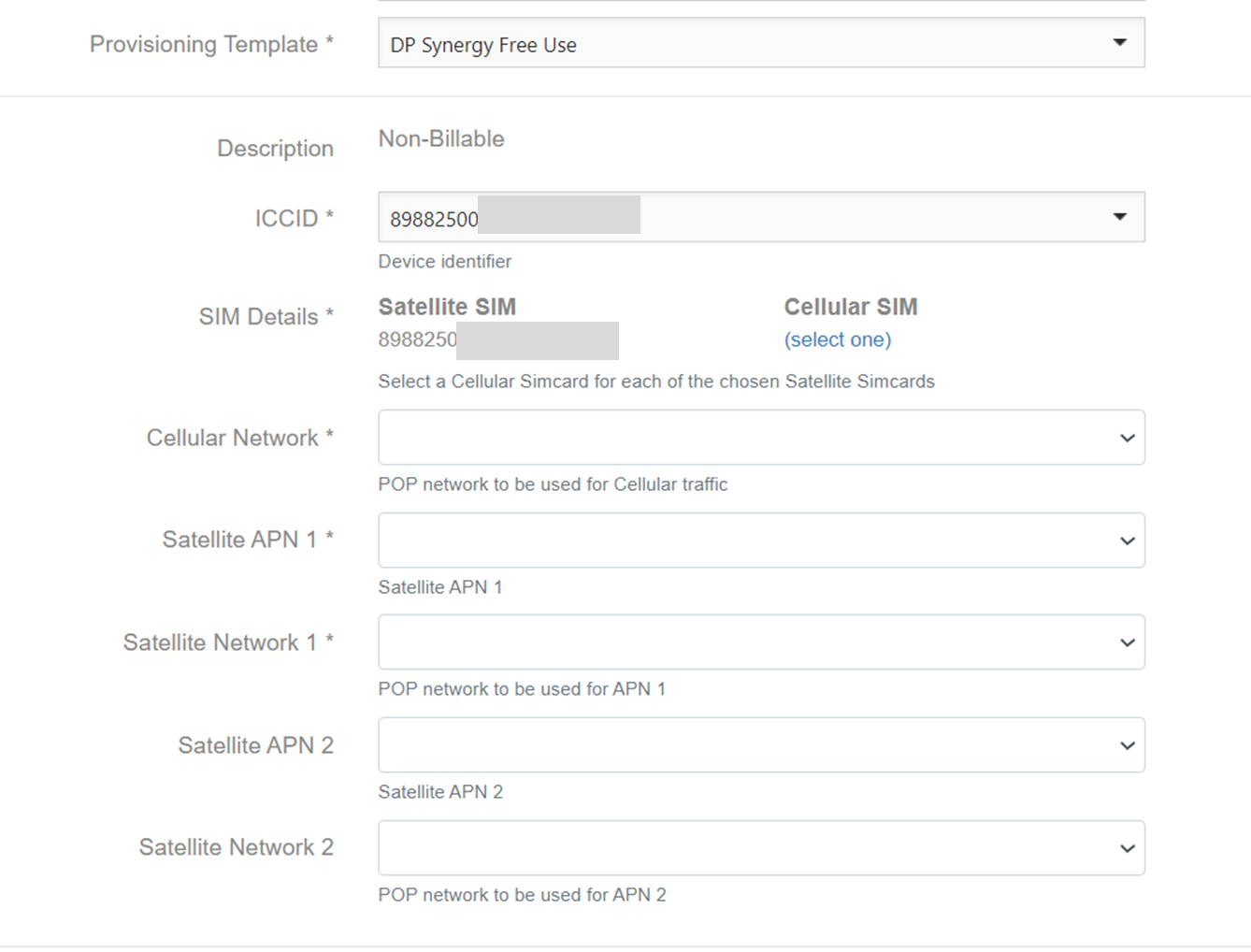
Then populate the remaining fields such as the APN URL, Radius Network, and if applicable also the Firewall ruleset by using the drop down lists against each field.
Click ‘Submit’ at the bottom of the screen to start processing the order.
Swapping a cellular SIM card
It is possible to swap the cellular SIM card in a Synergy plan. The steps for this are:
- Select the cellular SIM card that needs to be replaced and open the SIM card details page
- Click the [More subscription details] link on the SIM card details page. This will open the subscription, where two SIM cards are displayed.
- Select [edit] on the bottom of the subscription screen.
- On the details screen under the two SIM cards in the subscription, you will now see a [swap] button.
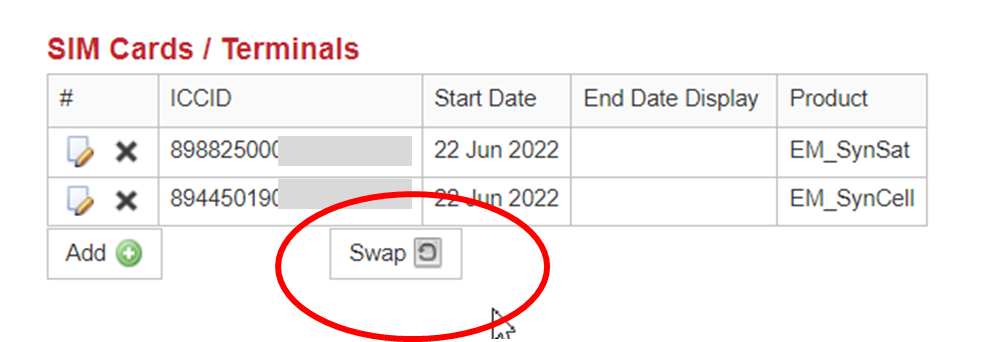
- Clicking this [swap] button will bring up a pop-up box where a different cellular SIM card can be selected.
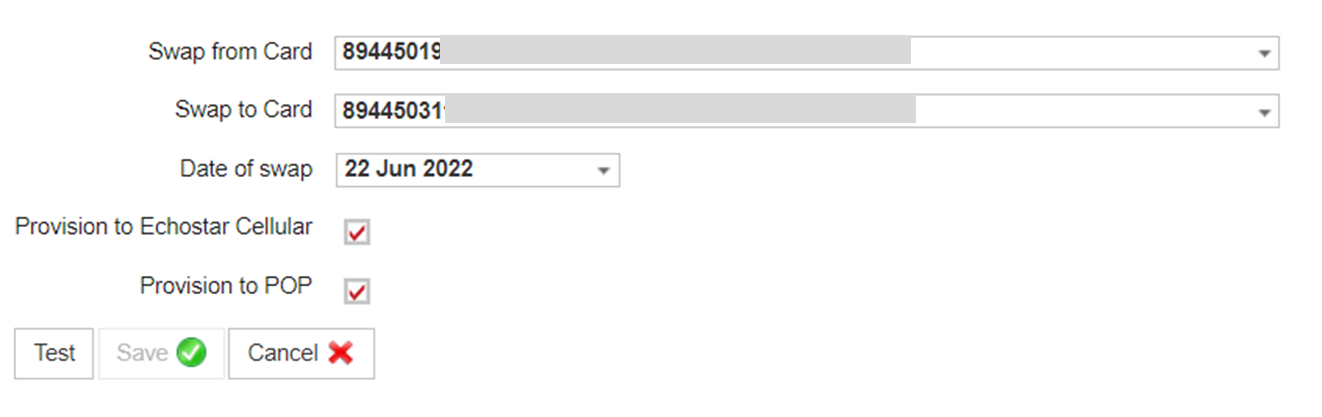
First test the swap with the [test] button. If everything checks out, the [save] button will now become available. Press [save] in order to finalise the swap,