
*Vessels registered at Iridium are not product specific, a Vessel created in this menu can be used for activating legacy Iridium GMDSS services.
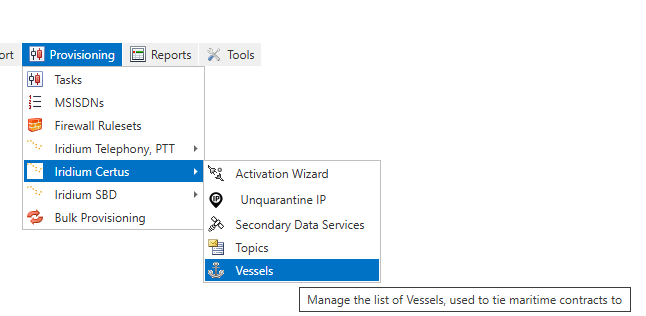
A vessel can be registered before starting an activation in IBIS through the Iridium Provisioning link:
This page shows an overview of created vessels with details of customer, IMO, MMSI, activated SIM cards, etc.
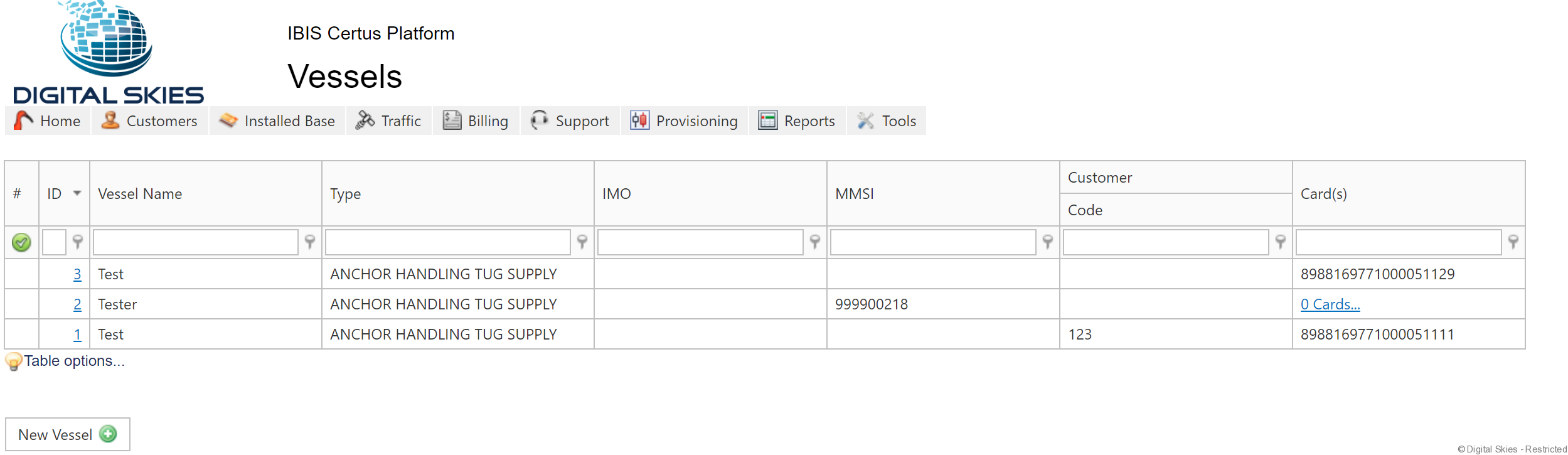
Select New Vessel to start Vessel creation and registration at SPnet.
Or look at the service configuration in the SIM card details screen where you can see the Vessel the SIM is registered against.
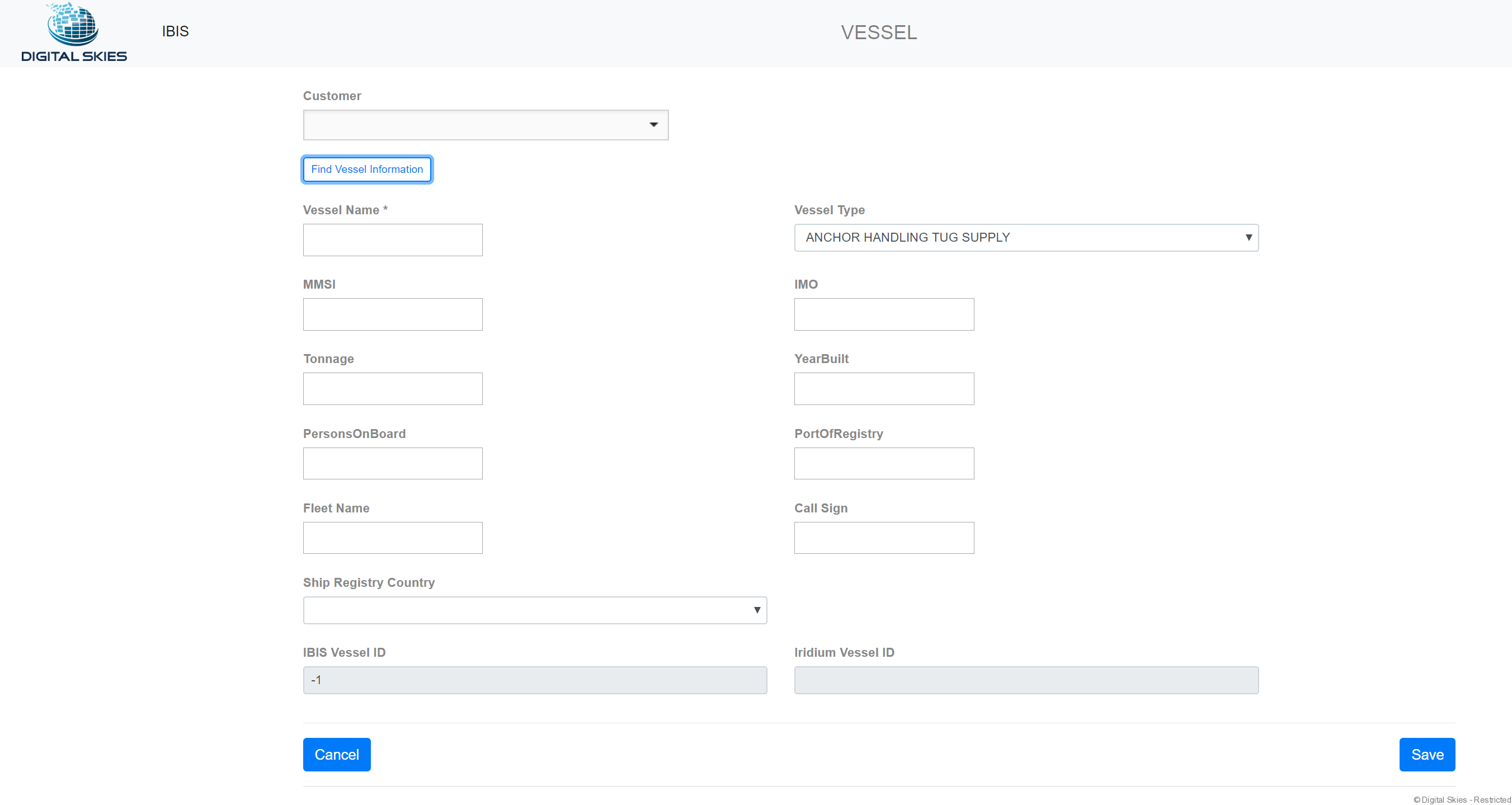
To accommodate the search and input of Vessel information, IBIS has a feature implemented with public data from shared AIS information. The accurate data input remains the responsibility of the SP.

Please take note of the pop up text for the MMSI field:
- Leave MMSI blank for activation on a vessel of which MMSI is unknown. Iridium will generate an MMSI with prefix U.
- Leave MMSI blank for activation on a vessel type Fixed or Test (for demo/test purposes). Iridium will generate an MMSI with prefix T.
Further Iridium information regarding MMSI:
- required value for all vessel entries
- unique across full system (Iridium)
- 9 digit number
- To accommodate use cases that do not have a valid MMSI, Iridium as two flags (isTestVessel and isUnknownMMSI) to generate non-blocking MMSI values
- Test/Fixed Vessels for any contract that requires a vessel link (Certus Maritime), but does not have a valid MMSI assigned. This could be for fixed/demo units at corporate offices and not on actual vessels, or on vessels which do not meet MMSI requirements.
- MMSI will be a unique system generated number with a T prefix
- Unknown MMSI for any contract that requires a vessel link (Certus Maritime), but the MMSI is unknown at time of provisioning.
- MMSI will be a unique system generated number with a U prefix
- Test/Fixed Vessels for any contract that requires a vessel link (Certus Maritime), but does not have a valid MMSI assigned. This could be for fixed/demo units at corporate offices and not on actual vessels, or on vessels which do not meet MMSI requirements.
- Test and unknown vessels will not be eligible for assignment to safety contracts
- Best Practice Recommendation
- Test/fixed vessel should enter location of terminal in port of registry field to distinguish different units
When Vessel information is complete, select  . This will prompt a provisioning order, which can be monitored as provisioning task Create Vessel, seeMonitor Provisioning Tasks
A created Vessel can be edited in IBIS which will create and send a provisioning order Change Vessel to SPNet.
Update Vessel details or retry failed Vessel creation order
Note: when Vessel creation provisioning order fails because of incompatible entry validations per IWS Iridium, look up the Vessel details in IBIS as they will be saved there. Update the fields and then hit Save. It will send a new provisioning order to Iridium. Do not Synch the Vessel as it will automatically end date the Vessel (Iridium doesn’t recognize the Vessel and can’t synch).