
This page shows how to delete a subscription.
When is it required to delete a subscription?:
- the provisioning to the satellite operator is correct but the incorrect customer price plan has been selected. The created subscription needs to be deleted and a new subscription (billing only) created.
- the provisioning to the satellite provider failed, causing the activation to be delayed as such that the provisioning task needs to be deleted. A new provisioning/activation task needs to be initiated. Before this can be done, the subscription created at the first provisioning task needs to be deleted.
NOTE: it is advised to delete a subscription only when a subscription has not yet been invoiced.
When the billing error is discovered after the billing run has been completed and the subscription has been invoiced, it is advised to credit/debit the customer according to the correct price plan and start a new subscription. The commitment period of the new subscription might need to be adjusted to reflect the commitment period as of the initial activation of the device.
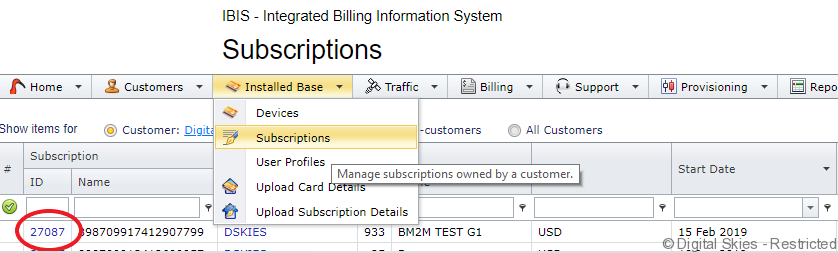
Look up Subscription, and open subscription details.
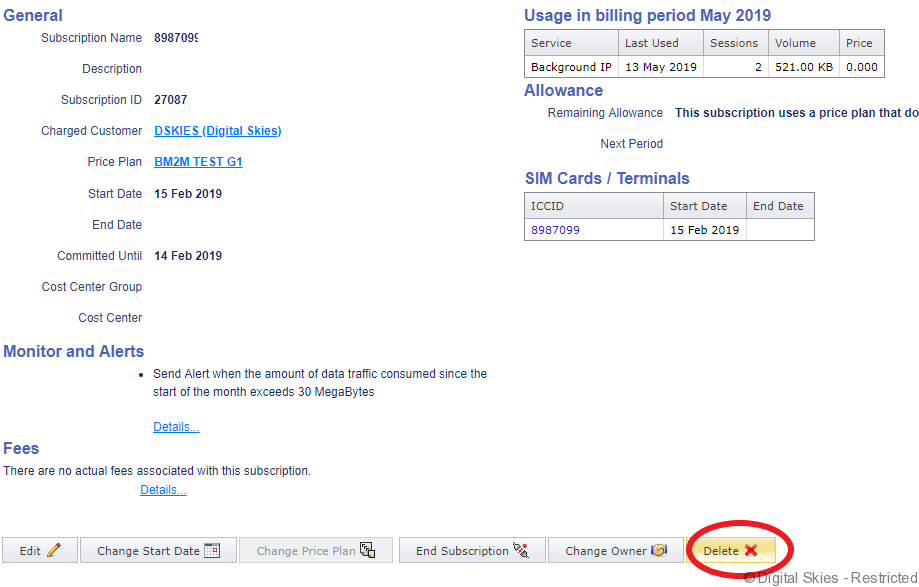
The following warning will appear:
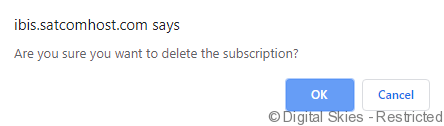
This action will only delete the subscription, it will NOT send a deactivation provisioning order to the satellite operator.
If there are rated CDRs, in the subscription these CDRs will be unrated and end up in the error list as there is no subscription where these CDRs belong to.
The status of the device will change from Activated to Activated (No Subscription).
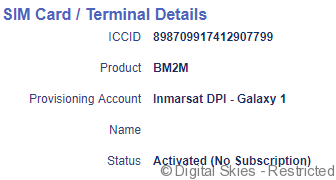
The next step is to create a subscription for billing only, activate the device without provisioning to the satellite operator.