On the CDR details page, information can be found if and how a CDR is rated in the Rating Analysis section. Please note this is only visible for user accounts with permission to view Rating Analysis (usually Billingadmin).
The CDR Details Page can be viewed by selecting the CDR ID.

When a call record is being rated, validating the device and subscription, IBIS will find the right price plan, and evaluate these pricing rules top-down. The first pricing rule that matches the properties of the Call Detail Record is then used to rate it. For reference to pricing rules see Creating Price Plans
Rating Analysis
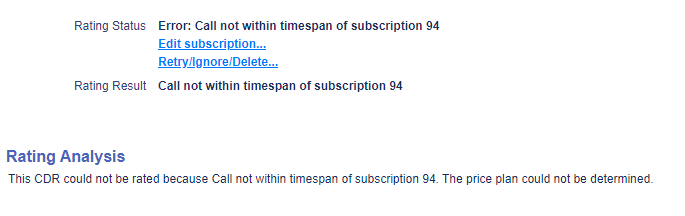
Example 1: Unrated CDR
CDR could not be rated because the timestamp of the CDR doesn’t match an active subscription of the device the CDR belongs to. As there is no active subscription, there is no price plan to rate the CDR against. Solution is to check the subscription and adjust the end date/time or start date/time so it aligns with the CDR. This scenario is a result when the provisioning is not in synch with the subscription (billing) of the SIM card.
Example 2. Rated CDRs with expected result
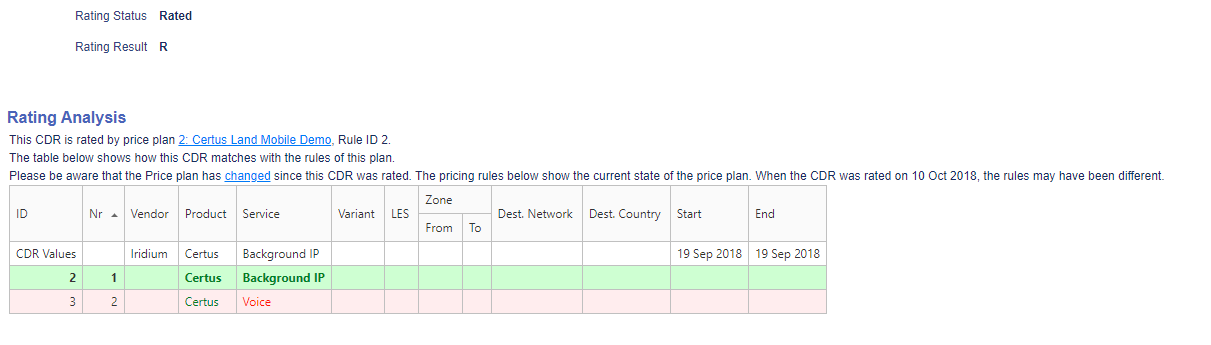
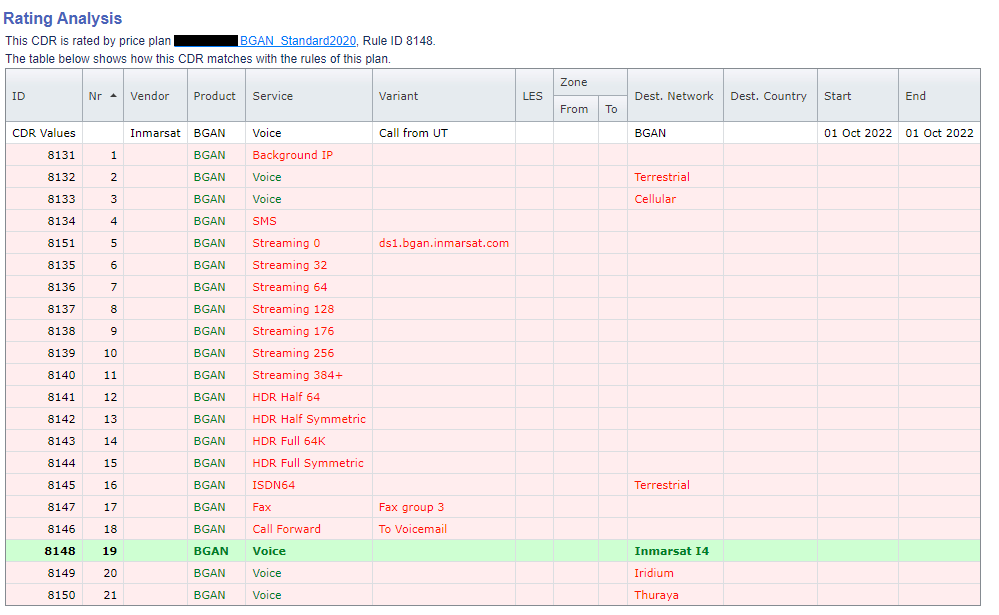
The top line is the CDR with all details interpreted from the raw CDRs. The green highlighted shows which pricing rule matches the information in the CDR.
Example 3. Rated CDR with ‘unintended’ result
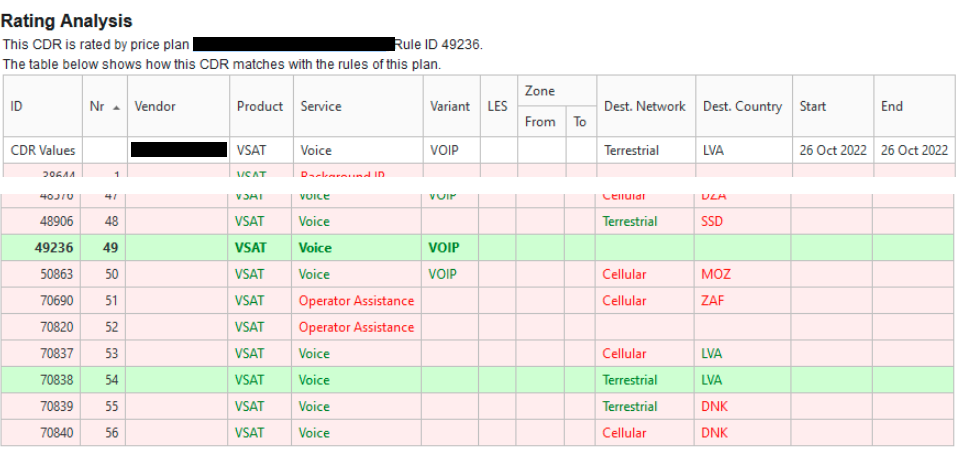
The CDR shows values for Product, Service, Variant, Destination Network and Country.
The CDR is rated by pricing rule 49236 as it is the first pricing rule that has matching values. The more specific pricing rule 70838, with destination network and country is the second rule that has matching values. If pricing rule 70838 is preferred, the biller needs to lower the hierarchy of pricing rule 49236 below 70838 and add variant VOIP to pricing rule 70838.
Pricing rule 49236 is too generic and might be deleted completed or should be set below all other more specific pricing rules as a ‘catch all’ pricing rule in case no other pricing rule matches the CDR values for service variant VOIP.