
In order to create Service Notifications, this module has to be enabled in IBIS. If this is not the case, please contact your Digital Skies account manager for this.
Before sending out a notification please check the following:
- The category of the notification is clear, and is available for selection
- The type of notification is clear, and is available for selection
- The customers that need to receive the notification have an email address populared in the customer details screen, and the correct category added to their notification settings.
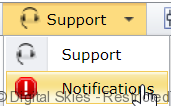
Go to the [Support] part of the menu and click [Notifications]
An overview of notifications is shown. Go to the bottom of the page and click [New Notification], which opens up the new screen
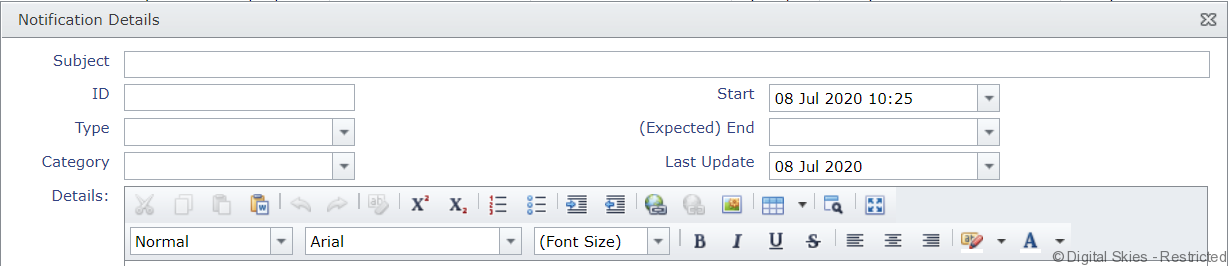
- Subject: This can be any text, and this will show as part of the email header that is sent out.
- ID: This is automatically generated by IBIS and will give the notification a sequential number.
- Type: see Type
- Category: see Category
- Start: fill out the start date of the occurrence. This can be a future date or a date in the past.
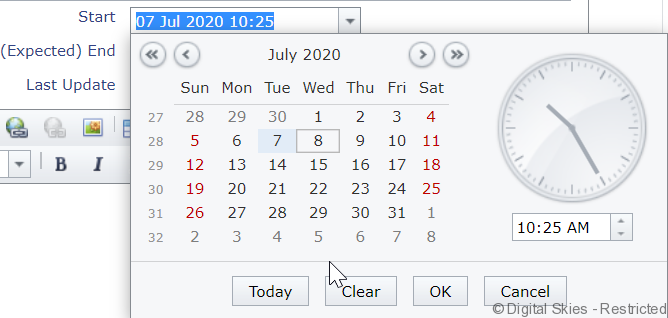
- (Expected) end : fill out the start date of the occurrence. This can be a future date or a date in the past. For any unplanned events, this can also be left blank
- Last update: this is automatically populated by the system.
In the blank text box add the details of the service notification. An HTML editor is included should it be required.
When the text is complete, press OK to save the notification and send it out, please note that this is one single action.
Updating a notification:
Click the edit icon (the paper and pencil) in front of the ID number of the notification that needs to be updated.

The notification will open up and can be edited as required, for example by adding an end date or an explanation. It is possible to either leave the original content in the notification and add new information above, or clean it up. Press [OK] to send out the updated notification.