Customer pricing agreements are typically in IBIS implemented in Price Plans. A Price Plan can be set up to be available for all customers or for a customer (group/category) only.
Sometimes price agreements change and new Price Plans need to be created. In some cases it is easier and more efficient to keep the Price Plan and apply changes only on a Customer level. The history of the Price Plan is maintained and it prevents unnecessary plan change orders.
A biller can also opt to work with retail Price Plans and set up discounts per Customer. This prevents creating numerous private or bespoke Price Plans.
To accommodate the above scenarios the concept of Discount Rules is introduced in IBIS.
Discount Rules are not enabled by default. Any Biller who would like to view and implement the Discount Rules option, please request this by Billing Support ticket.
Manage Discount Rules
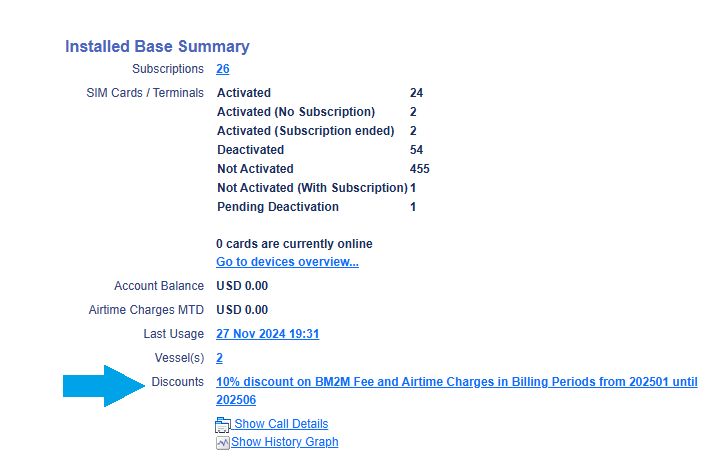
On the Customer Details page it is visible if there is a Discount rule defined:
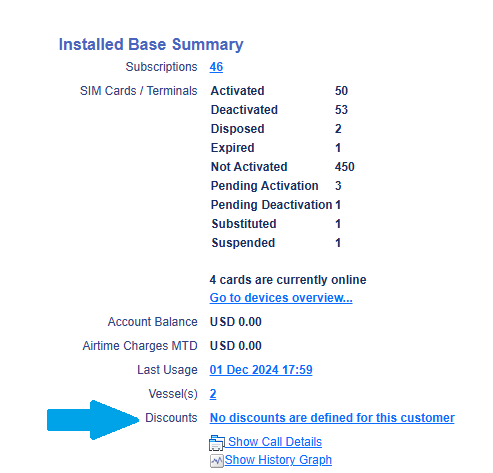
When clicking the hyperlink and

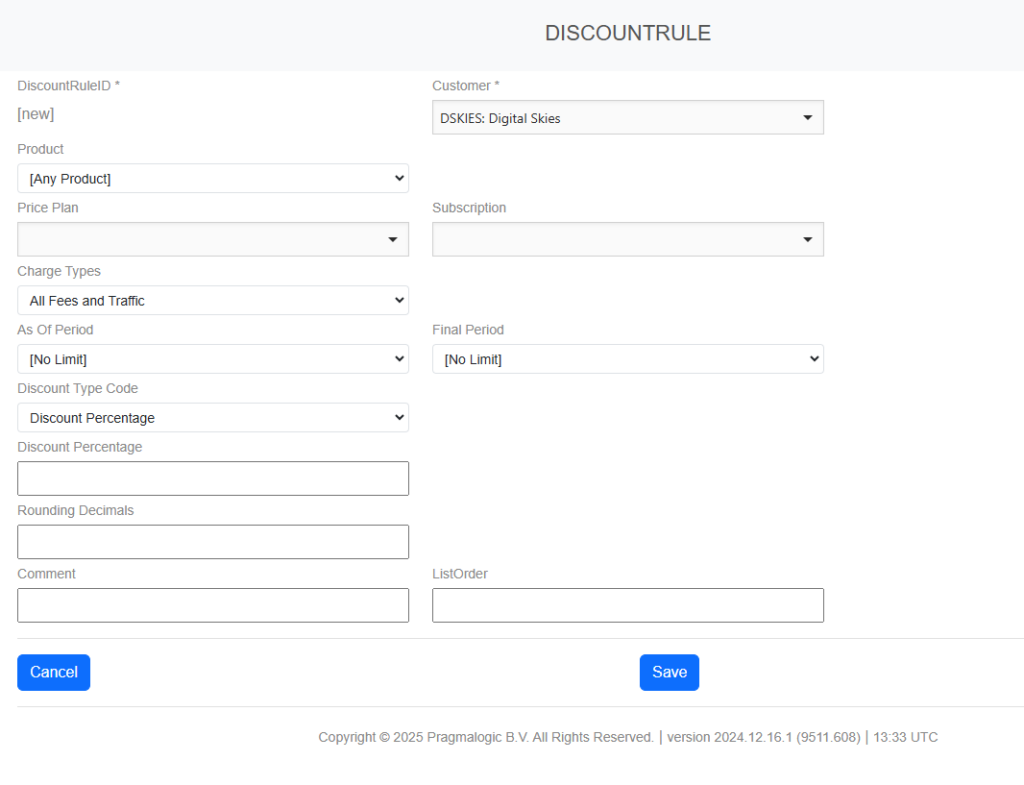
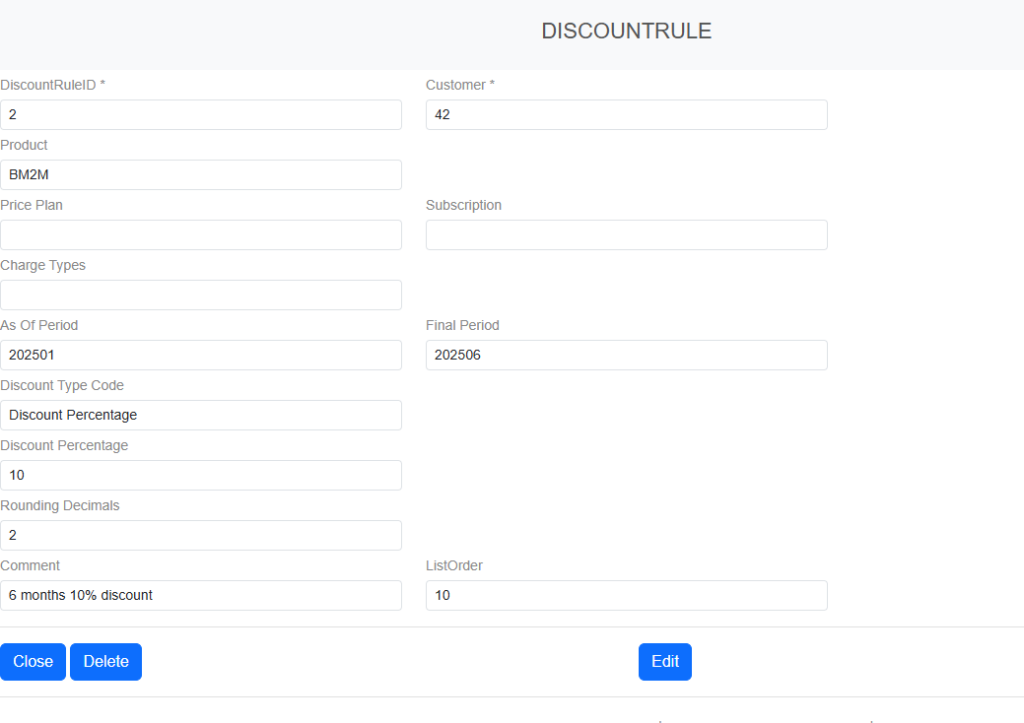
the following page pops up:
Discount rules are used by the End Of Month process when it generates Invoice Charges. Whenever a Charge is generated, IBIS calculates the Charge amount. For Airtime charges, this is the sum of the out-of-bundle price of a group of CDRs that belong to the same device and subscription, and which are for the same Service, and have the same tax regime applied. For Fees, the charge is calculated based upon the settings of the Fee and its associated price plan, and it includes specifics like pro-rating. In both cases, a currency conversion can be included from the price plan’s currency to the customer’s currency.
The discount structure will add to this logic the following steps:
- The non-discounted amount is calculated according to the existing steps that are summarized above.
- The discount rules for the associated Customer and Subscription are looked up, and sorted in order of precedence. Subscription-specific discounts have precedence over customer-level discounts; within each set, the biller can explicitly define the precedence.
- One by one, the discount rules are evaluated. The first discount rule that matches the characteristics of the Charge (if any), is the rule that will be applied (so discounts do not accumulate).
A discount rule has a number of matching criteria, and a discount type.
Discount Type
A Discount Rule can be set up as a percentage, a monetary discount or fixed price
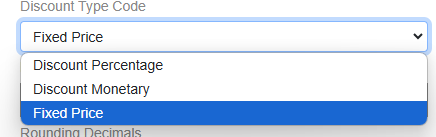
With a fixed price a discounted price is set regardless of the rates in a price plan. Both discounted percentage and monetary discount are referring to existing rates where a discount is applied to.
Example Price plan A has a subscription fee of $200. With discounted percentage of 10% the subscription fee charge is $180. It is also possible to set a discounted monetary value of $20. When the Price Plan A increase, the 10% discounted percentage will adjust, the discounted monetary value won’t change.
Discount matching criteria
The matching criteria are used to determine if the discount rule is applicable to a Charge. The following Criteria are available:
- Customer: If set, the rule only applies to charges for this customer.
- Subscription: if set, the rule only applies to charges for this subscription.
(Either Customer or Subscription must be specified, so a discount rule can never exceed the scope of a single customer.). - Charge Type: if set, specifies the type of charges that the rule is applicable to. Possible values : Airtime, Fees.
- Product: If set, the rule is only applicable to the specified product(s).
- Price Plan: If set, the rule is only applicable to subscriptions of the indicated price plan; this option is only available for discount rules with a Customer scope; rule with a Subscription scope are already implicitly restricted to a single price plan.
- Service: if set, the rule is only applicable to the specified Service(s); this option is only available for discount rules on Airtime Charges.
- Fee Type: if set, the rule is only applicable to the specified Fee Type(s); this option is only available for discount rules on Fee Charges.
- As Of Billing Period: if set, the discount is only applicable on invoices as of the indicated billing period.
Matching criteria that are not specified, imply that the rule is indifferent to this characteristic. So, a single discount rule that just specifies a percentage and a customer, would apply a discount of that percentage to every charge of that customer.
NOTE: When Discount Rules are enabled on in IBIS, they are only applicable to public Price Plans. The reasoning behind this is that private Price Plans already have bespoke and discounted rates for a specific (group of) Customer(s). A biller can request to enable Discount Rules to all Price Plans. In both scenarios can Discount Rules be applied to any subscriptions of a Customer.
An example of applying a discount of 10% on all charges related to one specific product for a specific period:
The Discount Rule is visible on the Customer Details in the section Installed Base:
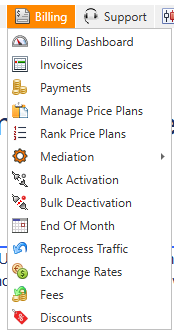
Whenever the first discount rule has been created, the Discounts menu icon will appear in the Billing Menu:
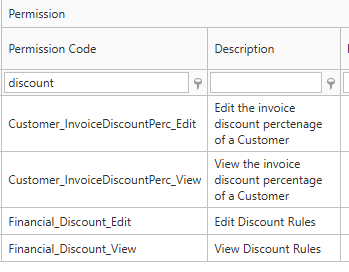
Permissions:
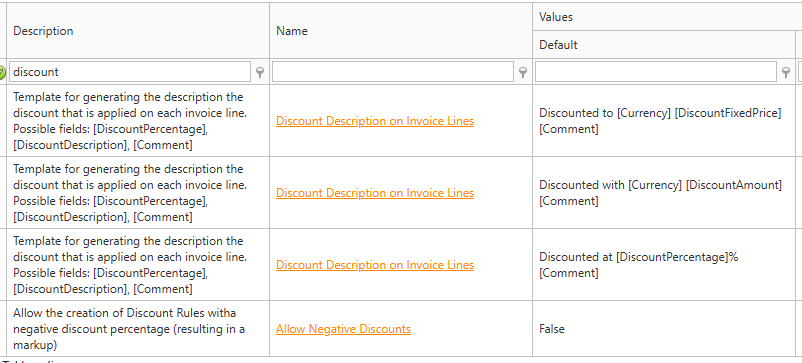
Settings: