
IBIS provides the option to add a name to a SIM card or device by default. This can be changed on the SIM card details screen. Next to this, it is possible to add up to 8 custom defined card fields to the installed base screen. (Please note that the ability to changes the set up of these card field labels depends on your IBIS role).
Naming the custom defined card fields, thereby making them available on the card details screen
As not everyone needs to use these card details, by default the option to show custom defined card fields is disabled. To make the fields available, all that is required is to update the name of the field.
Under [Tools] [Settings] there is a list of settings that can be updated. Search for “card field” and change the different fields that can be edited will be displayed.
Select the card field label and click [edit] to change the [Config Value] from the system value to a custom value

In the example below, the custom value is “Region”. Save your settings.
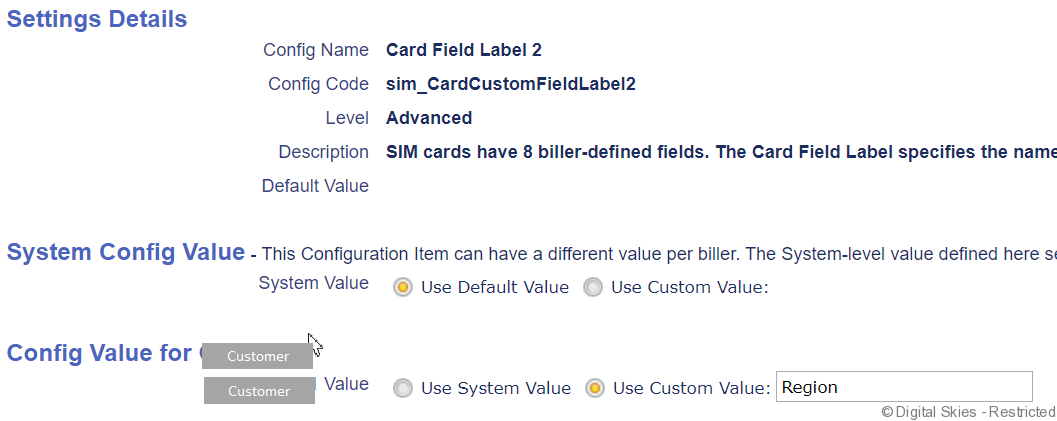
From now on, when updating the card details screen, a [Region] text field is available where the region name can be entered. This is a free text field.
Creating custom defined card fields lists, thereby requiring the user to select from a pre-defined list.
To ensure no random texts are entered in the card fields label, it is possible to define 8 lists for the 8 labels.
Under [Tools] [Settings] there is a list of settings that can be updated. Search for “card field” and the different fields that can be edited will be displayed, next to the card field labels there are also card field label lists available. Click on the card field label to update and click [edit] to change the [Config Value] from the system value to a custom value. The different values in the list must be separated by a comma.
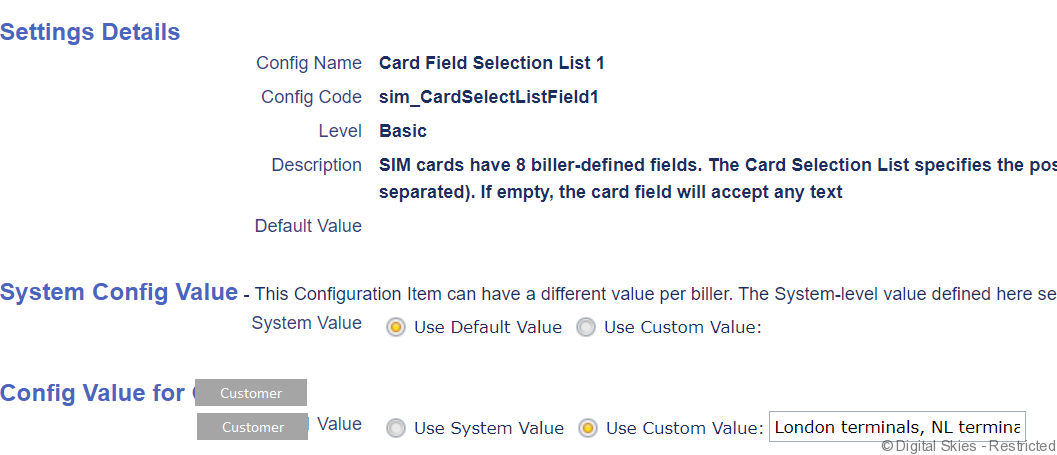
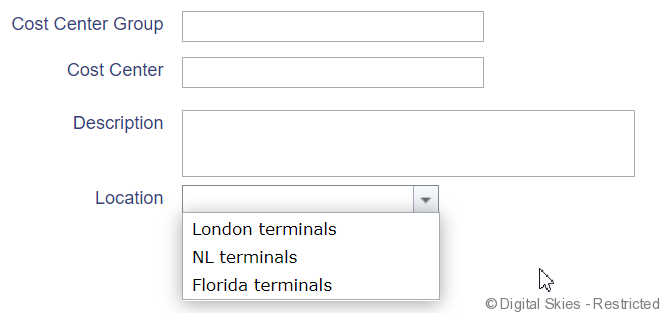
Once these settings are saved, in the card details screen as well as during activations, a drop down field will appear. In the example below, three possible locations are available in the drop down field. Free text is no longer available in this case.
In the SIM card / terminal details screen example below, both types of card field entries are displayed: Location is a drop down list, and region is a free text field.
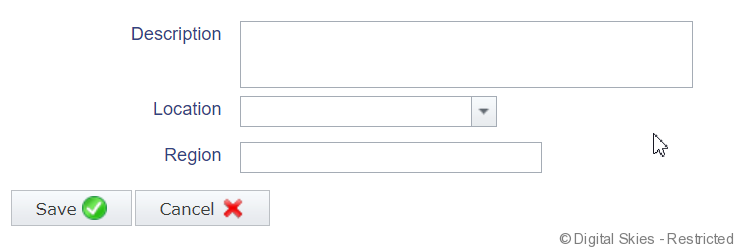
Once these card fields have been set up, any user with the privilege to edit SIM card / device details or activate SIM cards / devices can populate these fields.