
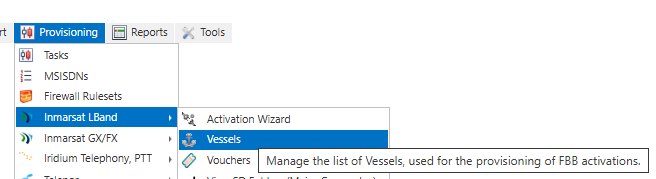
- Navigate to the vessels screen in IBIS via [Provisioning] menu, scroll down to [Inmarsat LBand] and [Vessels]
- To register a new vessel click [New Vessel]

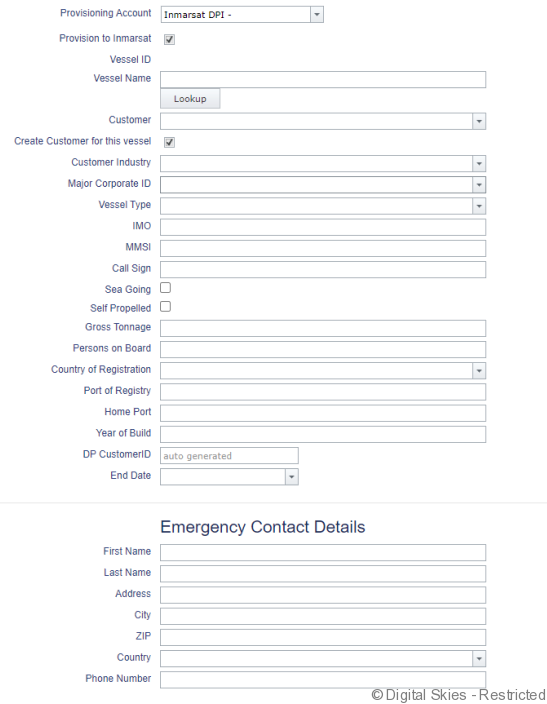
- Enter in the vessel information to provision the vessel
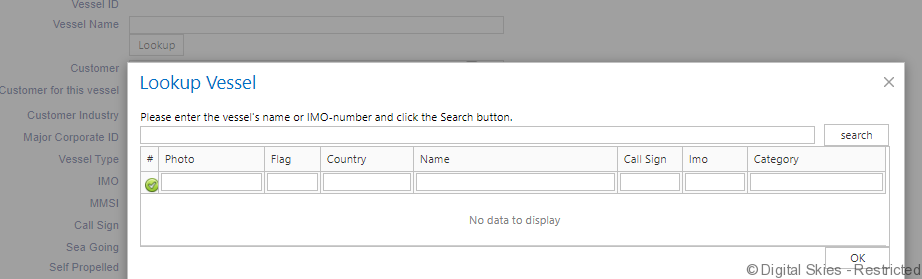
- Use [Lookup] to pull public data on vessels from shared AIS information. The accuracy of the data remains the responsibility of the DP.
- Ensure [Provision to Inmarsat] is selected and click save when you want to provision the vessel to Inmarsat BSS.

- If any required fields are missing, you will get an error asking to complete the field

- The Major Corporate ID is the default MC linked to the root customer of the DP. If the SIMs on this vessel will be activated on a SCAP package, the Vessel needs to be linked to the MC created for that SCAP, see Register Major Corporate.

- Check the provisioning tasks to ensure the vessel has provisioned into the BSS successfully, for more information see [Monitoring provisioning tasks]
—
- Users can import the vessels in bulk via [Inmarsat Provisioning – SDP synchronization]
