There are several features in IBIS that can be used to process a price change. Depending on the scope and the intended result of the price change a biller can select one of the below methods.
Price changes on Price plan level:
Subscription fee / Vas fee change
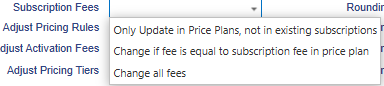
When the prices of the subscription fees of the existing subscriptions on a Price plan need to be adjusted, the following tick boxes need to be selected (and saved) BEFORE the subscription fee amount is changed.

The change is immediate. When a price increase is applicable per the 1st of the month, the EOM for the previous month, with the applicable old prices needs to be completed before the new amount is applied to the subscription fee.
Subscription fee and Allowance (bundle) change
When there is not only a subscription fee increase but also a change in allowance (free or bundle usage), the preferred way is to create a new price plan with new subscription fee and allowance and create new subscriptions.
- For billing only change: Process bulk deactivation and reactivation and deselect provisioning. Make sure the commitment date is according to the (original) commitment agreement with the customer.
- For billing & provisioning change, the device is provisioned to another vendor plan, a full (bulk) deactivation and (bulk) reactivation is required or a change plan order (which can only be processed per device).
For yearly subscriptions with money allowance it is possible to update the subscription fee and allowance on the price plan for the renewal period, as long as the change is done in the month prior to the new subscription period.
Rate per MB/Min change
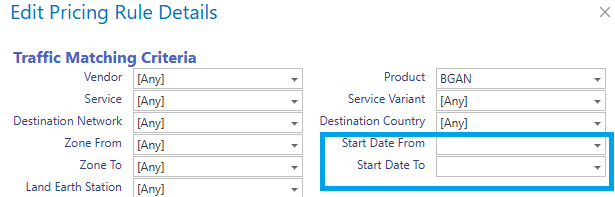
Start date From/To: Here you can define that a pricing rule is applicable as of and till a specific date. The Start Date from/to criteria can be used to implement a price change that will happen in the future.
- Create a new pricing rule with the same traffic matching criteria as an existing rule, but different price.
- On the old rule, set the “Start Date To” to the date of the price change.
- On the new rule, set the “Start Date From” to the date of the price change.
If a pricing rule is back dated in a billing period that is not yet invoiced, and the customer billing setting is .
Price change to multiple Price Plans
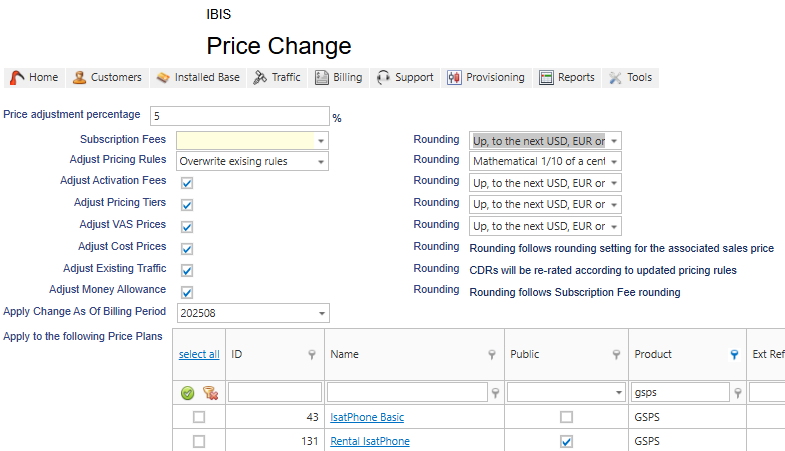
Price Change feature (visible in Price Plan overview)
NOTE: the use of this feature requires assistance of Digital Skies Billing support. Please contact support for more information.
Price change per fee:
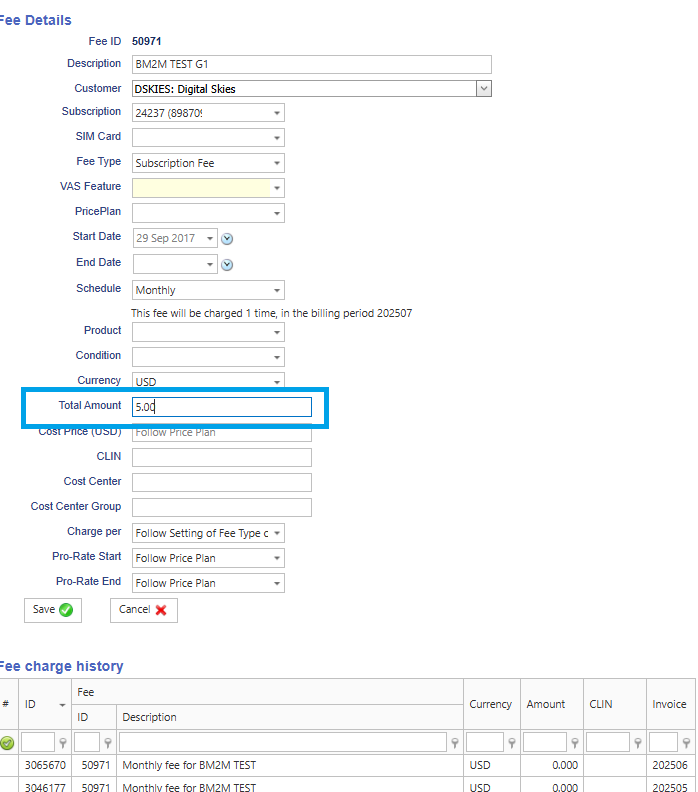
If required a fee can be adjusted. Look up the details of a subscription and look up the fee that needs to be adjusted.
In the fee history you can see the fee amount charged in previous billing periods.