It is possible for EM to update the provisioning templates themselves, this may for example be required for specific customers. Please note that a template is linked to a price plan. If the price plan is available for a customer, so are the templates that are linked to this price plan. For a template that can be used only by a subset of customers, specific price plans need to be created.
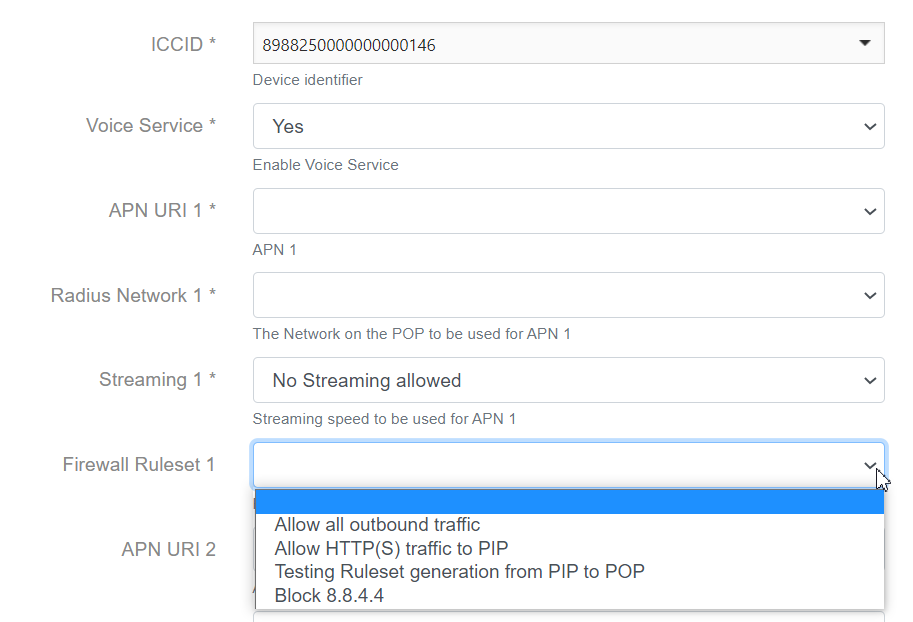
In the example below, a field is added to the template that allows the user to select a firewall ruleset at the moment of activation. This is not part of the standard template as most DPs do not use the firewall functionality.
A copy is made of an existing template that does not have firewall rule sets included. The name is updated to reflect that this template does include firewall rules
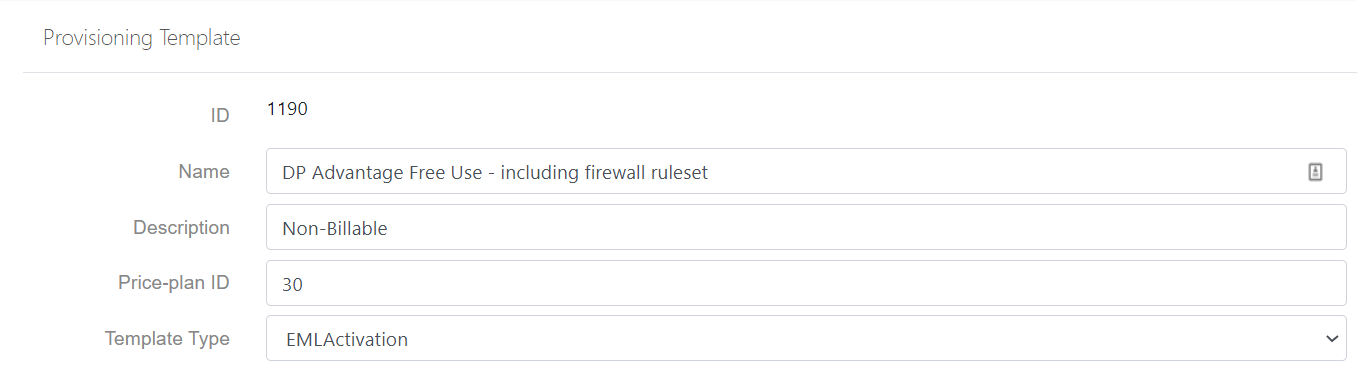
No other changes are made to the header.
In the JSON body text on parameters (after “ParameterDefinitions”), the following code is added. Please note that the place where it is put in the code, determines the place on the screen. If you want it to appear under the streaming box, you copy it under the part of the code covering the streaming.
{
“ParameterCode”: “UserProfile.RuleSetCode_1”,
“Name”: “Firewall Ruleset 1”,
“Description”: “Firewall Ruleset to be used on APN 1”,
“Type”: “string”,
“SelectionItems”: null,
“Required”: false,
“DefaultValue”: null,
“ValidationRegularExpression”: null,
“ValidationErrorMessage”: null
},
Place this code directly under the APN details. For additional firewall ruleset selection boxes, repeat but with the following parameter codes:
“ParameterCode”: “UserProfile.RuleSetCode_2” for the second APN
“ParameterCode”: “UserProfile.RuleSetCode_Cell” for the cellular APN, in case of a Synergy plan.
Save the template. When selected, the firewall ruleset box will now appear: