
In order to provision IoT Nano (IDP/OGx) devices, the following details are required:
- ICCID – This is the terminal number in IBIS – please note that as there are no SIM cards, the terminal identifier is used to populate the ICCID field.
- Mailbox ID required to activate on the terminal. This is the location where the messages from the terminal will be sent.
IoT Nano terminals can be uploaded into IBIS individually or in bulk with a spreadsheet with the terminal details, similar to uploading SIM cards, please see Upload SIM Card Details.
In addition, the following needs to be in place:
- The customer is set up correctly, if not, go to the customers page and set up the customer
- Confirmation of the end user of the requested price plan to activate on.
- Price plan set up and available for that customer.
- Information on any monitoring required
- Optional: Name or cost center of the terminal
- Optional: Email address for notification of the end user
Activating the IoT Nano device
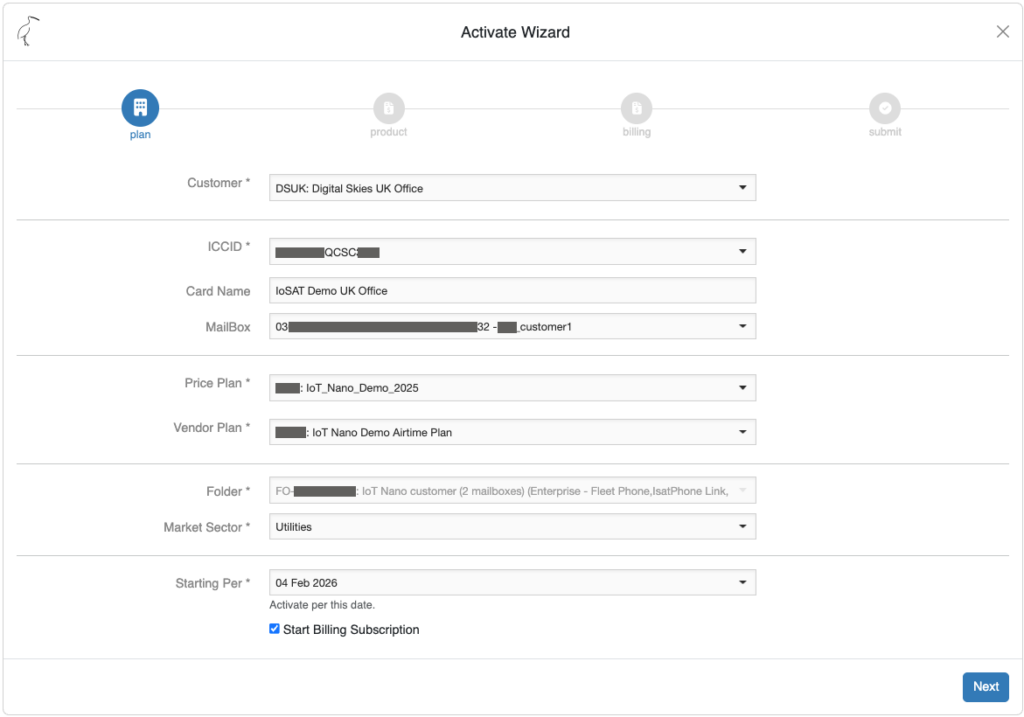
Go to the terminal details screen and at the bottom of the page, select [Activate]. This will bring up the activation wizard. Mandatory fields that need to be populated during the activation process are:
- Customer
- ICCID
- Mailbox
- Price plan
- Vendor Plan (automatically populated when the price plan is selected, this field is not visible for end-users)
- Market Sector (mandatory field for all Viasat activations)
- Starting Per (the start date can be changed to a future date if required).
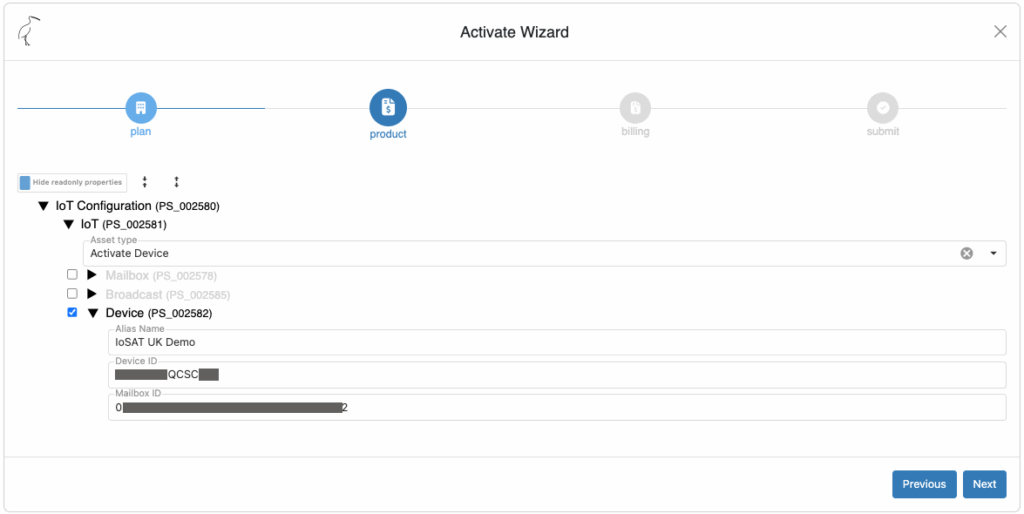
If desired, enter an Alias Name to help identify the device later in SDP.
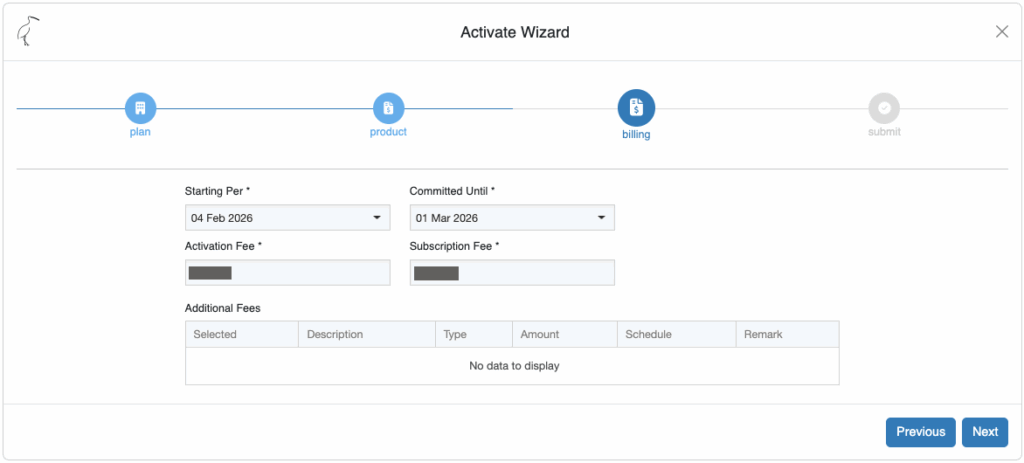
Check the billing information.
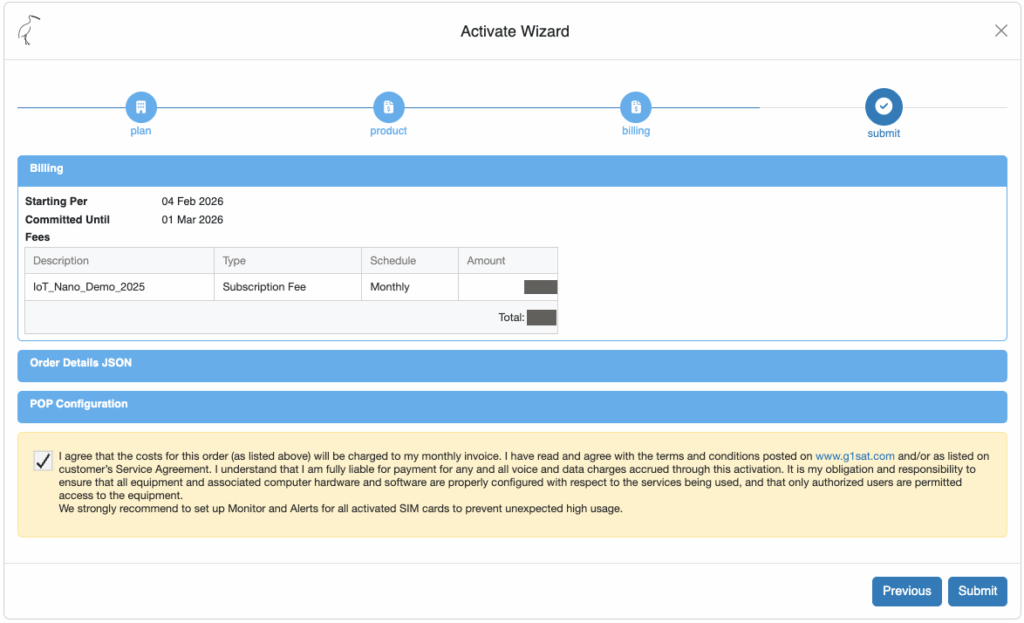
Agree to the costs and [Submit] the activation.
It is possible to activate more than one IOT Nano terminal at a time. In that case, a provisioning template must be linked to the customer.
The terminal will be activated in approximately 10 minutes.
After provisioning, do not forget to put any monitoring setting required on the terminal. Please refer to Create and edit traffic monitors. For monitoring of IOT Nano, select monitoring in KB rather than MB.

Please note that suspend and resume is not available for IOT Nano. Instead, it is possible to mute the terminal, but this is a terminal functionality and not SDP functionality.