
Navigate to menu item Installed Base and look up the ICCID that requires a change plan. In the bottom section on this page are 2 options to start a change plan order:


Both will bring up the Change Plan Wizard:
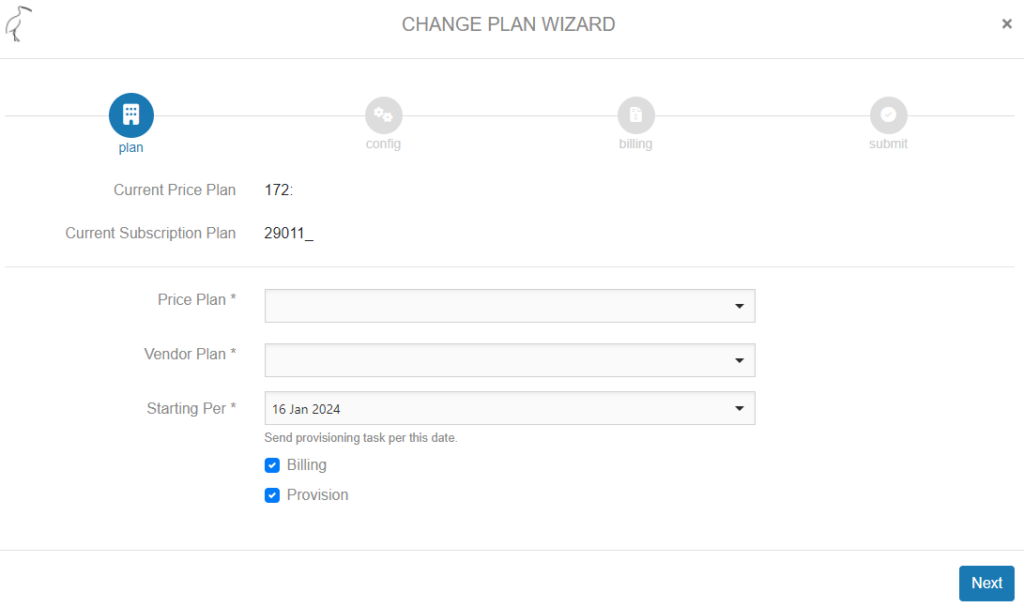
The current (customer)plan with refence to the underlying SDP Subscription plan will show and the open fields with dropdown selection will allow to search and select the price plans that are available to the customer to which the ICCID belongs.
The Vendor Plan (here: SDP Subscription Plan) will automatically appear, as it is linked to the Price Plan, see create price plan. If the SDP subscription plan doesn’t automatically appear in the Vendor Plan field, please check the Price Plan. It is possible to overwrite the linked plan and select another.
The wizard allows to opt out of a Billing or Provisioning component of a change plan order. This would only be used in exceptional cases where the provisioning is changed but the Billing (=subscription) stays the same. Or when there is a subscription change but the provisioning to the provider doesn’t change.
When change plan order is set to a future date, please see Future dated Viasat SDP order