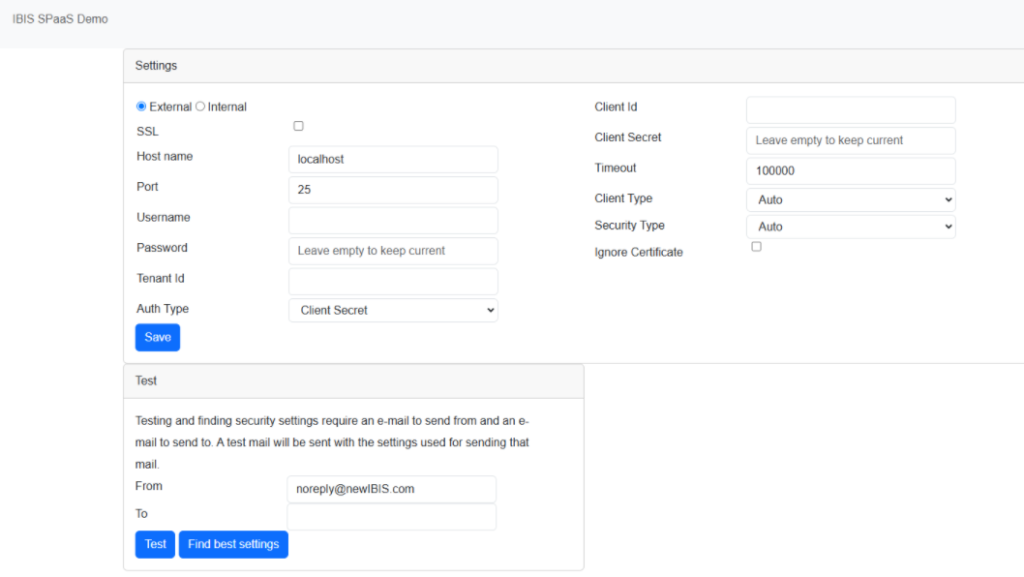
There are different ways to integrate email into IBIS. Outbound email is used for confirmations and notifications, traffic alerts, health checks etc. The email integration determines what the sender address is of these emails. This allows the DP/SP to configure IBIS in such a way that the emails to their customers are sent with the DP/SP email address.
| E-mail delivery mechanism | Sender e-mail address | Sender friendly name | requirements from DP/SP | pro | con |
| email delivered to internet from IBIS server | noreply@pragmalogic.nl | DP/SP specific | none | no setup required for DP/SP | email is not recognizable from DP/SP |
| email delivered to internet from IBIS server | DP/SP specific | DP/SP specific | include the IBIS server’s IP address in SPF record of the DP/SP domain in DNS | email is recognizable from DP/SP | requires DNS editing by DP/SP; spam filters may reject the email. |
| email delivered by IBIS to SMTP server of the DP/SP | DP/SP specific | DP/SP specific | provide connection details and credentials for mailbox on the DP/SP’s SMTP server and keep these up to date. | most robust solution; clear separation of responsibility | requires proper SMTP server that can handle reasonable volumes of emails |
(Note: noreply@pragmalogic.nl is the server email address)
Please contact Digital Skies support in case you want to make any changes to the email delivery in your IBIS.
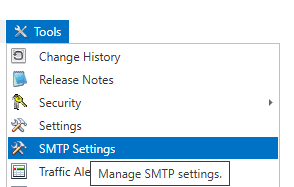
The menu in IBIS for SMTP settings is under Tools: