
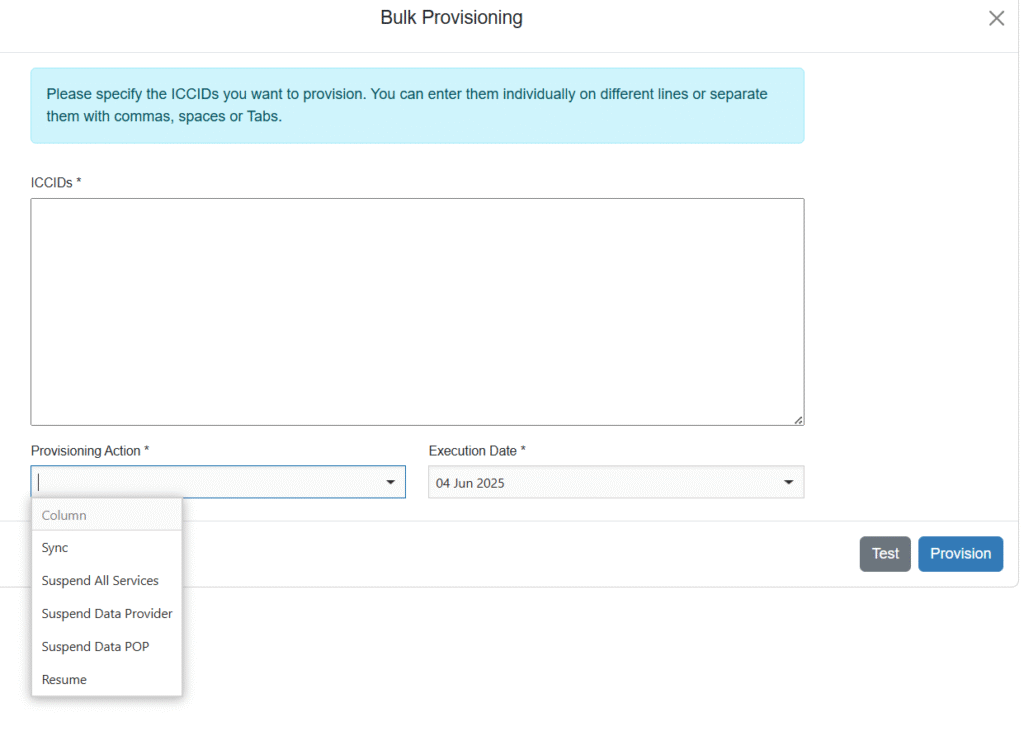
This feature enables the bulk order for certain provisioning actions for multiple devices at once. This might be helpful when services for a group of devices need to be temporarily suspended. The orders will still be processed one by one, per the provisioning capabilities of the satellite operator. The progress and completion of the provisioning orders can be monitored in the Provisioning Tasks overview, see Monitor Provisioning Tasks
NOTE: these tasks will not result in any billing changes, unlike Bulk Deactivation.

The Bulk provisioning menu will bring up the below page:
User role permission: Provisioning_BatchProvisioning
Bulk Deactivation
When deactivating multiple devices at once, use Bulk Deactivation in the Provisioning menu.

Check the options carefully before proceeding. For complete cancellation of service: Deactivate Airtime provider and POP should be selected. End Billing, VAS Fees and ETF are the billing components of a deactivation.
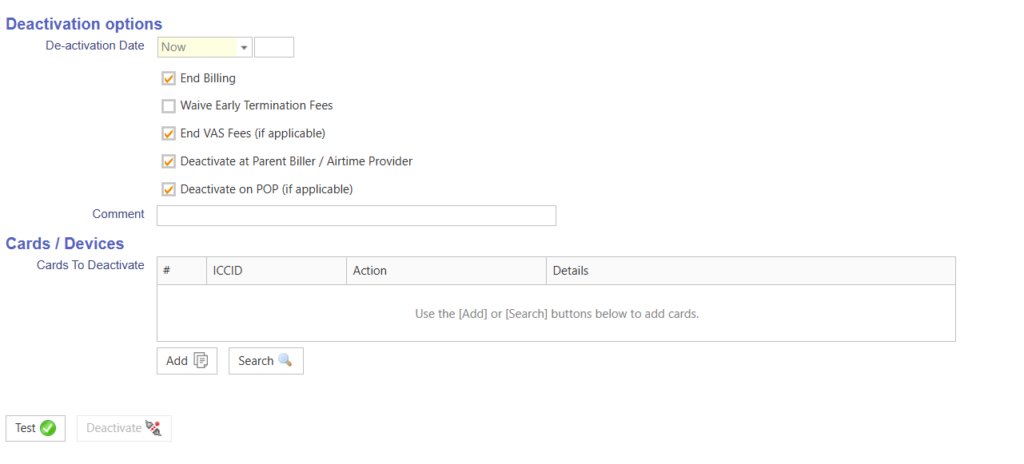
Bulk Deactivation used to be in the Billing menu, this feature could be used to deactivate services in bulk at the provider and/or process a billing deactivation, to end one or more subscriptions. The new Billing menu will feature Activate and Deactivate (Billing Only), see Activation and Deactivation (billing-only). This is to prevent confusion about the actual process, if there is a provisioning and/or a billing component in the order.
NEW Bulk Deactivation Screen (configurable setting Bulk UI v2)
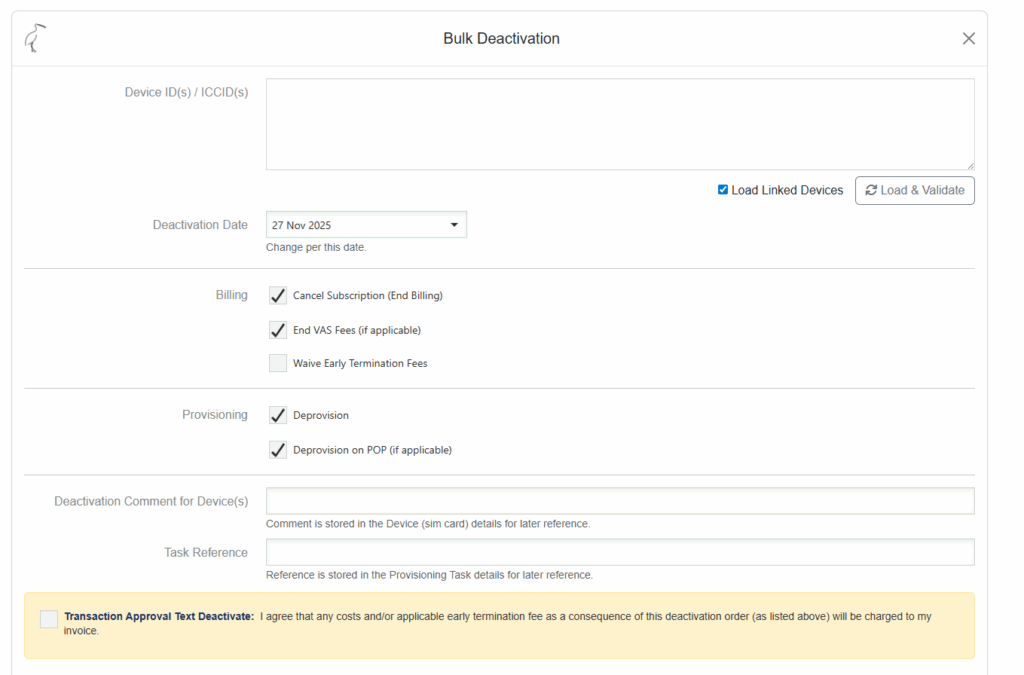
(The Transaction Approval Text is optional see, Transaction approval text – terms & conditions of provisioning and billing)
Please note the Linked Devices for coupled devices as in Hybrid subscriptions (former Deactivation Scope).
For further instructions on validations and approvals before a Deactivation order can be processed, please see Deactivation of service