
In case an active SIM is changing Vessel, the change customer order needs to be processed in Inmarsat BSS (follow instructions Nebula).
The (new) Vessel should be registered upfront in IBIS, see Register a Vessel.
After completion of the change Customer order, the service configuration of that SIM card is synchronized in IBIS.
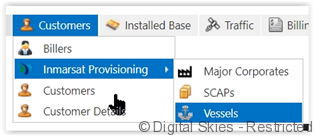
- Navigate to the Vessels screen in IBIS via [Customers] menu, scroll down to [Inmarsat provisioning] and [Vessels]
- Take note of the ID of the new vessel you would like to register the card against.

- In the SIM card details screen find the Service Configuration in the bottom left of the screen. Click [Retrieve card status and configuration from InmarsatI4]
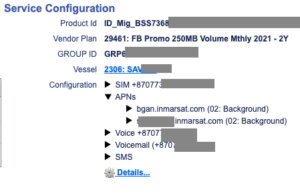
- Change the DP-Customer ID to V and the vessel ID (example: V9) and click [OK]

- Check the provisioning tasks to ensure the vessel change has provisioned in the Inmarsat BSS correctly, for more information see [Monitoring provisioning tasks]