For generic information regarding price plan creation, please refer to this page.
For EM PIP, there is an additional element of creating a price plan template.
Price plan creation
Create a price plan from scratch as per the instructions, or copy an existing price plan and make any changes required. After saving the price plan, on the bottom of the page a button [generate template] will appear:

Click this buttom to generate the template. This completes the creation of the price plan.
Editing price plan templates
The price plan template settings are taken from the price plan screen, but it is possible to edit them later. To do this go to Provisioning -> Template Based Provisioning -> Provisioning Templates. All templates available are listed there.
After the name of the template there are links to edit, copy or delete it. Selecting [edit] give the option to change the header elements or the JSON body of the template.
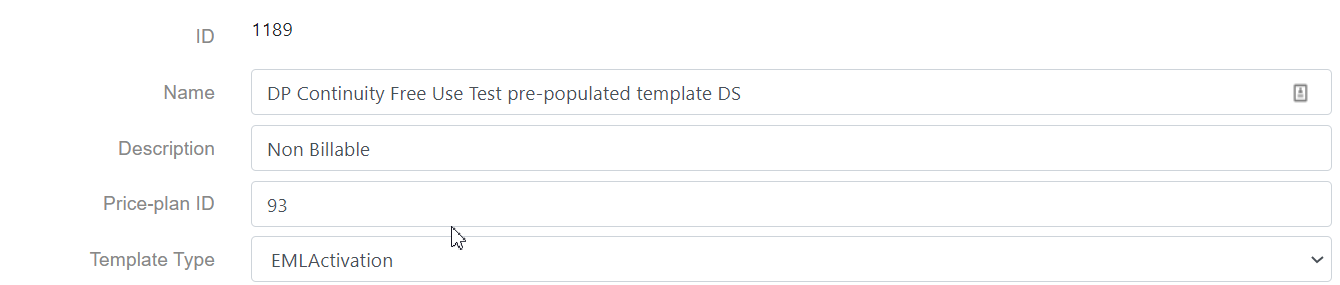
Changing header elements
It is possible to change the name, the description and the price plan ID. This can for example be the case if you want to list the price plan template as billable, non-billable or internal. This description is available only in the template and not in the price plan screen itself.
Changing the body of the template
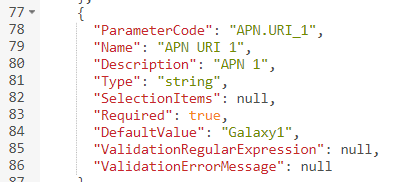
The body of the template is in JSON (JavaScript Object Notation), which is relatively easy to read and change. However please only make any changes once you fully understand the structure of the template and know what to populate where.
In the example below, a template for a standard Continuity plan is copied and changed to pre-populate the APN for Digital Skies when this template is used for activation.