
NOTE: Starlink Topups can not be provisioned on a Starlink pool product. It is possible to do a billing only top up for subscriptions linked to a Starlink pool product.
Starlink Top UP provisioning and billing is set up as follows:
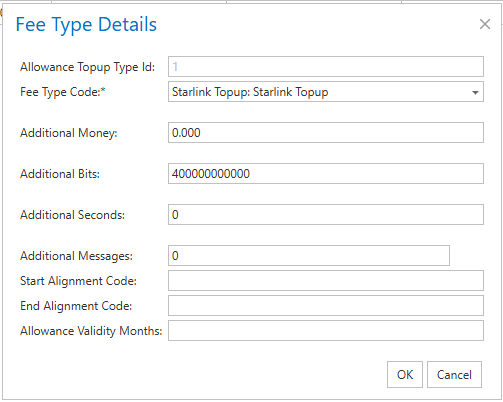
1. Manage Allowance Topup Types (Menu Tools >> Reference Tables >> Topup Types)
Create Allowance Topup Fee type
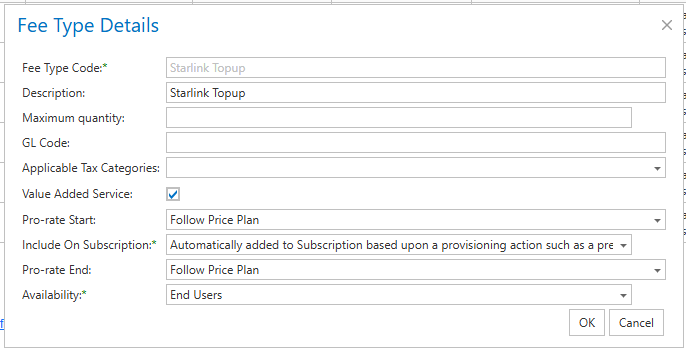
2. Manage Fee types (Menu Tools >> Reference Tables >> Fee Types)
Create the Starlink Topup fee type
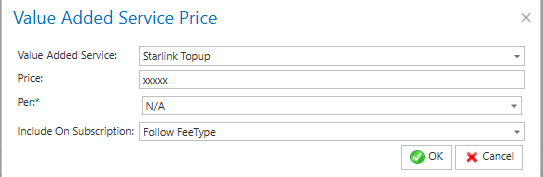
3. Manage Price Plans
Add the Topup fee in the VAS section of a Starlink Price plan
4. Manage allowance of subscription
Go to the Subscription page of the Starlink KIT and select Top Up
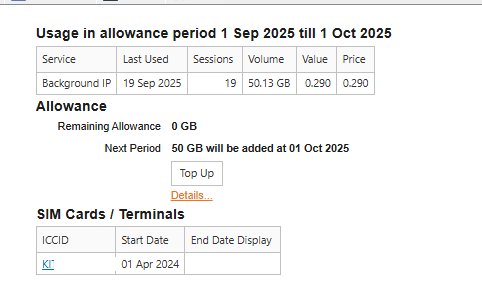
5. Enter number of Top Up blocks (50GB)
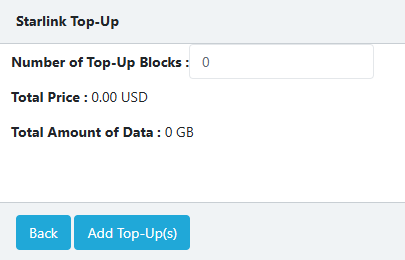
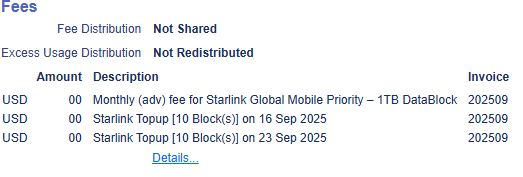
6. Provisioning task for Top Up will be created and One off fee will be created:

Permission: Allowance_TopUp