
A biller can add fee types as required for any services that need to be billed. Each platform comes with a default set of Fee types, like Subscription Fee, Activation Fee, Early Termination Fee. Depending on the services provided, Prepay voucher, Static IP and customer service fee types can be added.
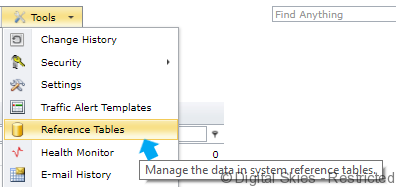
Create a new Fee Type

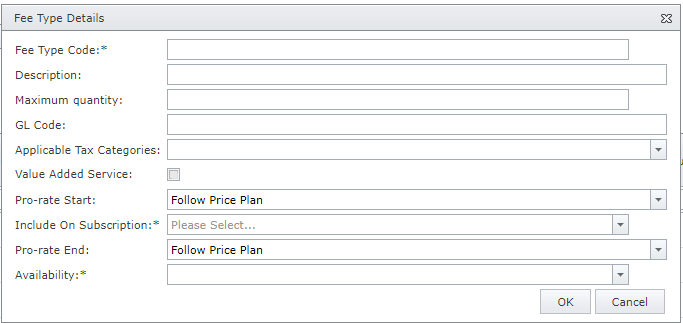
Fee Type Code: the code or reference to the fee (for example Static IP, VC_STND_300 (Iridium prepay 300 minute voucher) )
Description: description as it appears on the invoice charge
Maximum quantity: when set, this threshold will prevent ‘abnormal’ charges
GL Code: reference to General Ledger code for AR export purpose
Applicable Tax Categories: select applicable tax for tax calculations. Default is All, when left empty.
Value Added Service: Additional fees types can be defined against a price plan to capture services that are provided for each subscription. The behaviour of these fee types can be configured for pro-rating and for applicability.
Pro-rate Start/End: Pro-rating can be set to the fee itself or follow the pro-rating of the price plan to which it belongs.
Include on Subscription: specify the default applicability behaviour of the fee in the subscription
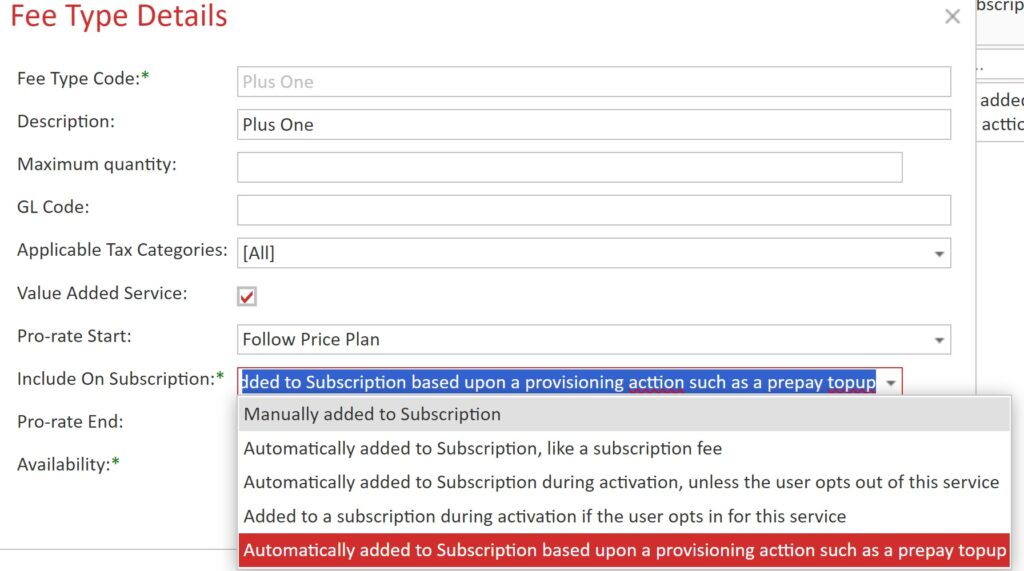
- Manually added to subscription – requires the fee to be set against a subscription by the user. (manual)
- Automatically added to subscription, like a subscription fee – used for mandatory fees. This fee will always be added to the subscription. (mandatory)
- Automatically added to subscription during activation, unless the user opts out of this service. (opt-out)
- Added to a subscription during activation if the user opts in for this service. (opt in)
- Automatically added to subscription based upon a provisioning action such as a prepay topup. (for built-in PoP provisioned services)
NOTE: Manual, mandatory, opt-out and opt-in fees only set the fee up against the subscription. There is no automation associated with these fees. Therefore, the user must take appropriate action to ensure the customer gets the value added service(s) they are being charged for. Where the user is allowed to self-select opt-in and opt-out fee types, this should be carefully managed to ensure the value added service is provided or not provided as appropriate.
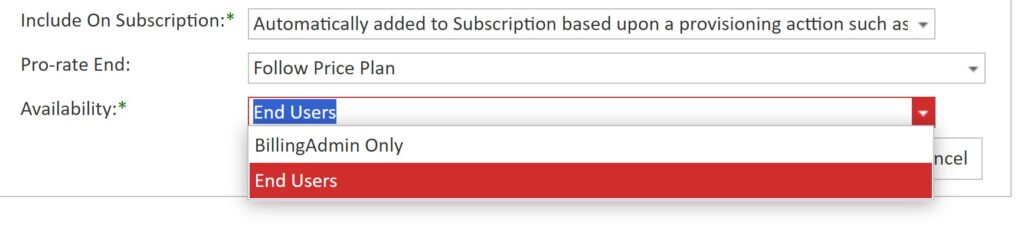
Availability: this defines who (role defined) can change opt-in/opt-out status of a fee during activation. Only users with this role can change the opt-in/opt-out status. The permission ‘Provisioning_ApplyInternalFeeType’ against the user role provides the ability to self-select opt-in/out fees.
Available per September 2025: Fee Calculation Types. There are two calculation types possible for a Fee type: Monetary (default) or Percentage Markup. Fees with a percentage markup type do not specify a monetary amount, but produce an invoice line that is calculated as a markup over the other invoice lines. The Percentage Markup calculation is rarely used and only for specific billing requirements. For more information, please contact DS support.