
For Iridium prepay top up provisioning and billing, the following should be configured in IBIS
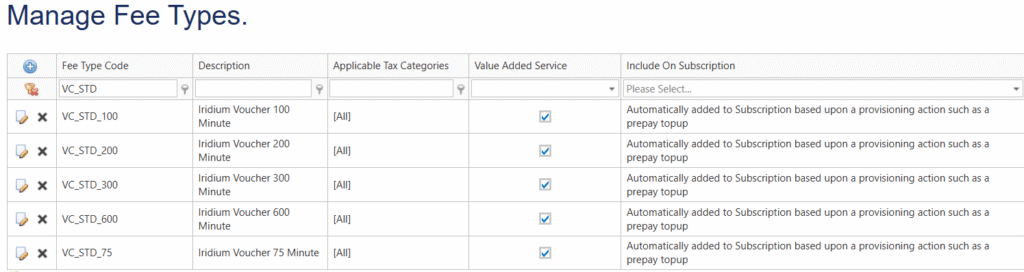
- Create Iridium Voucher Fee types (one time)



Below screenshot shows a selection of standard Iridium prepay vouchers set up in Fees:
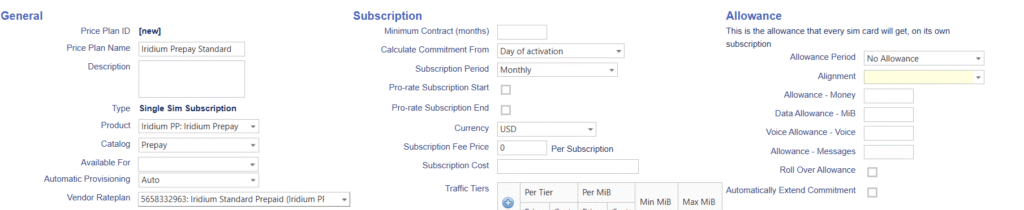
- Create an Iridium Prepay price plan
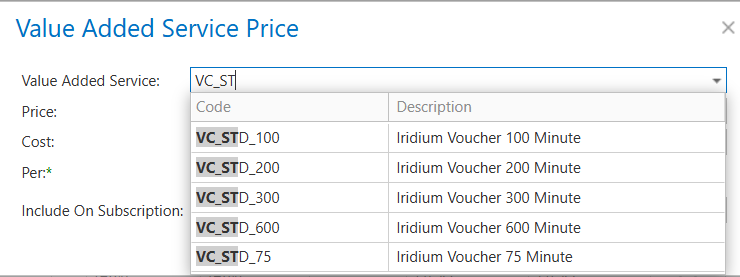
A prepay price plan has by definition a zero rated subscription and zero rated pricing rules, an activation fee is of course an option to charge. The voucher rates are set up in the Value Added Service section of the price plan. A prepay device requires a subscription on a prepay price plan to link CDRs to the device.

- Activate an Iridium Prepay SIM card
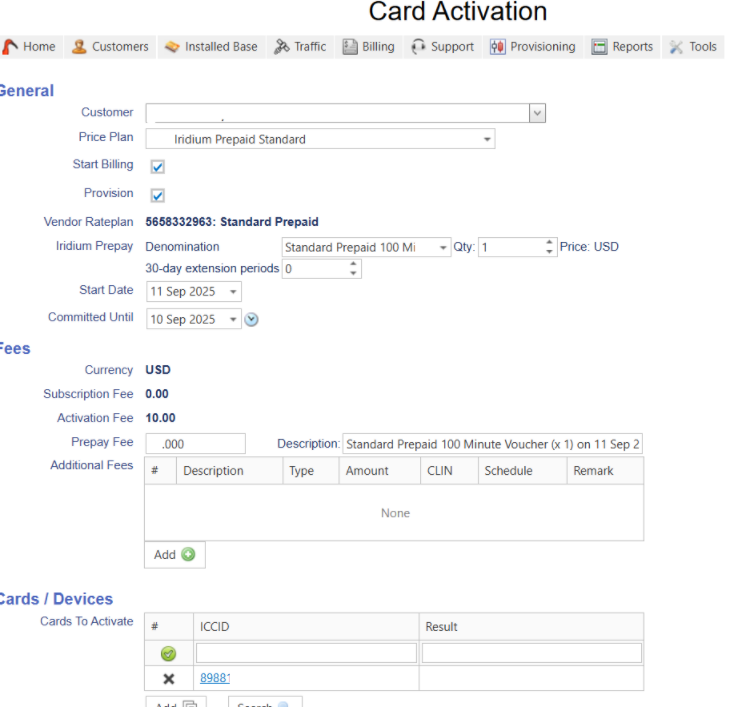
When activating an Iridium Prepay device it will pull the following screen for activation and billing charge, depending on the selected denomination of the voucher:
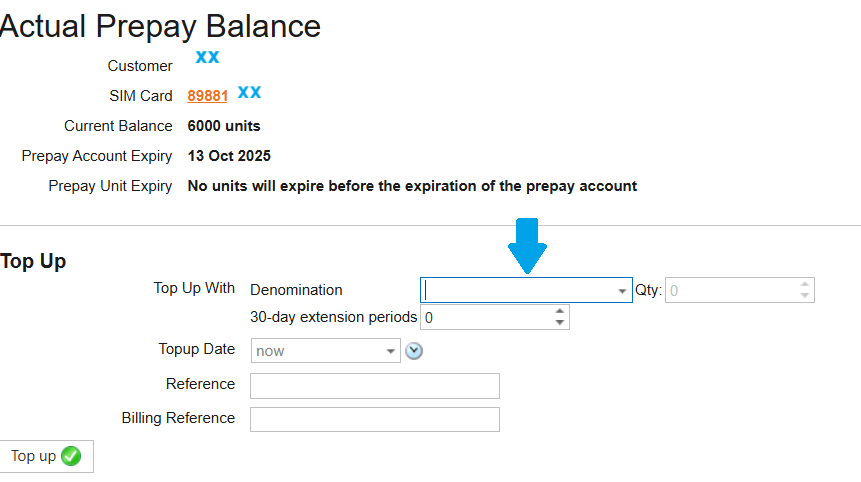
- Top-up an Iridium Prepay SIM card
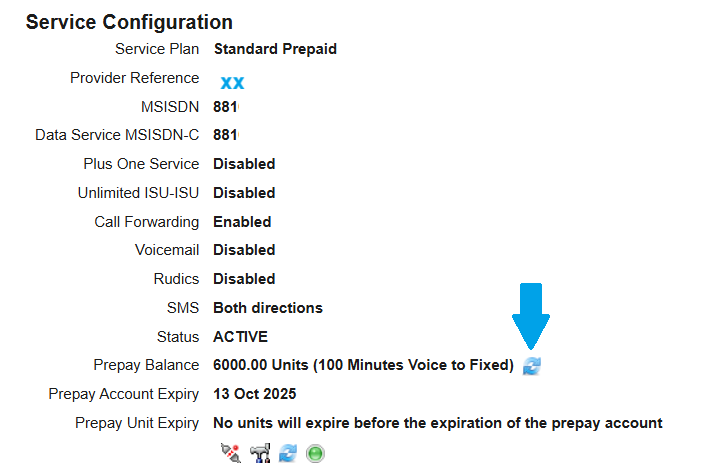
To process a top-up, this is done in the Service Configuration, where the Prepay Balance is showing:
- Monitor Prepay balance
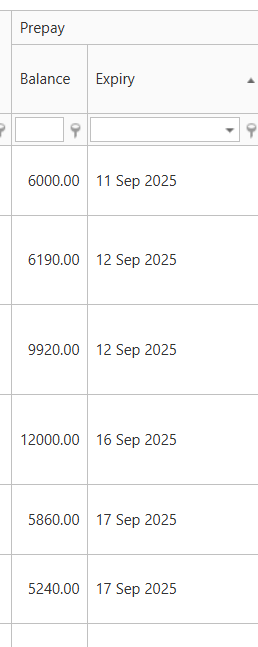
In the devices overview go to the Prepay column. When selecting the Expiry column it will bring up the list with the nearest date on top.
Monitors can be set up for prepay balance alerts:
