
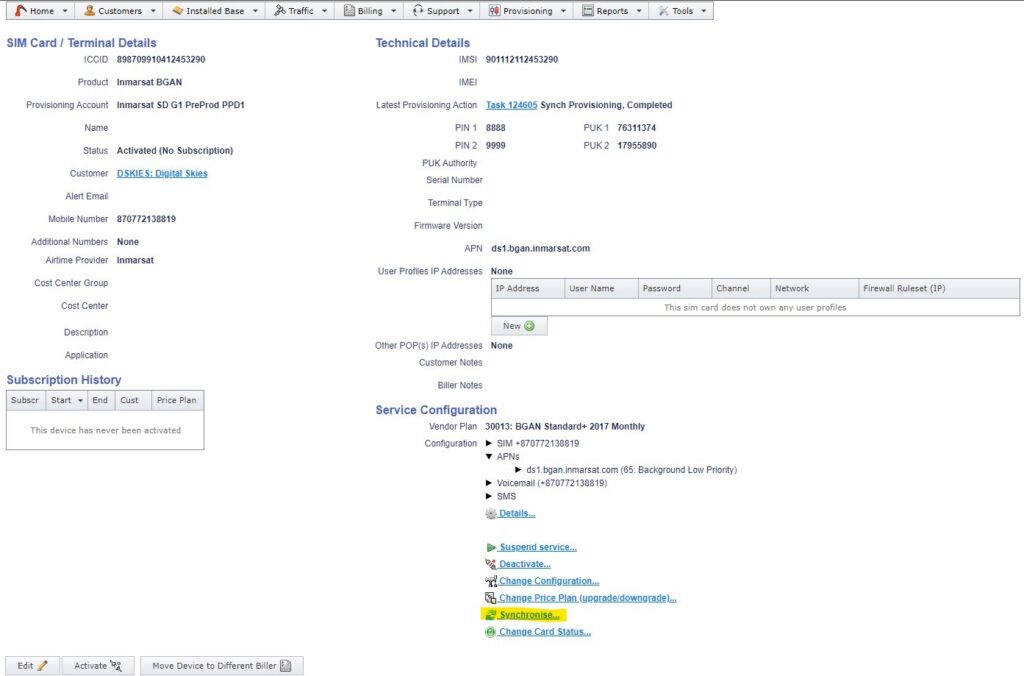
1. Go to Card Details in IBIS. In Service Configuration section click on “Synchronise…”.
2. Paste Product ID from SDP
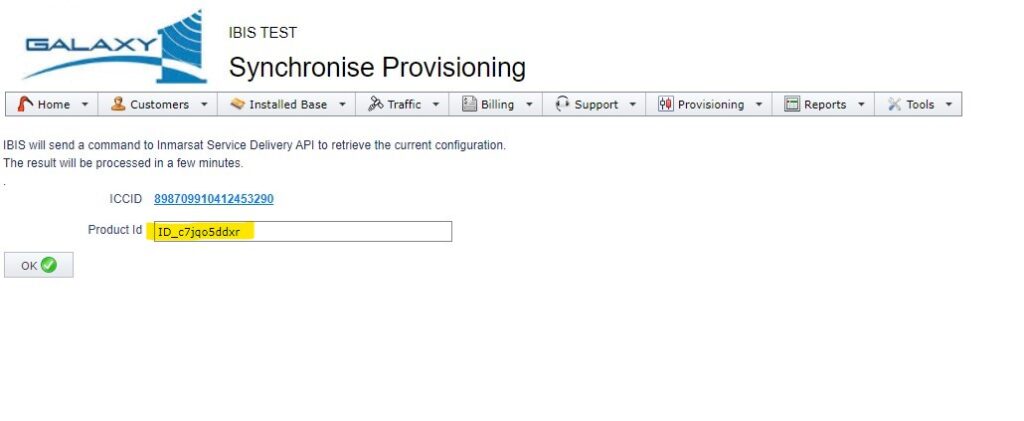
3. Click “OK”
To look up the “Product ID” in SDP.
Log into the SDP site and click on “FIND MY PRODUCT”.
In “Search” bar paste ICCID and click on “FILTER”
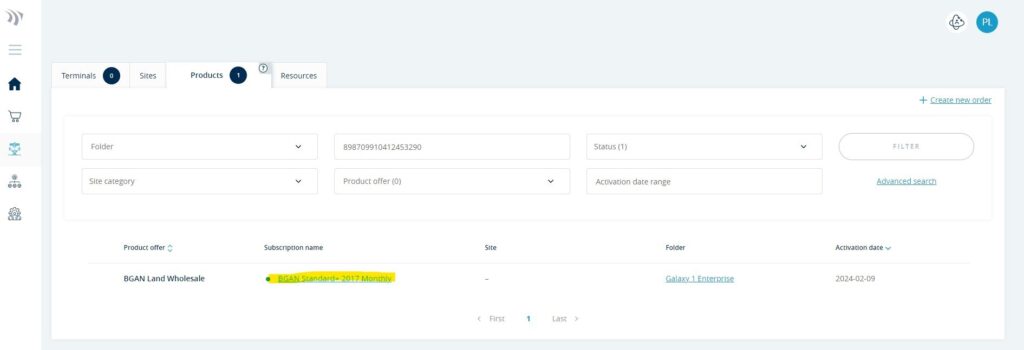
Click on “Subscription name” link
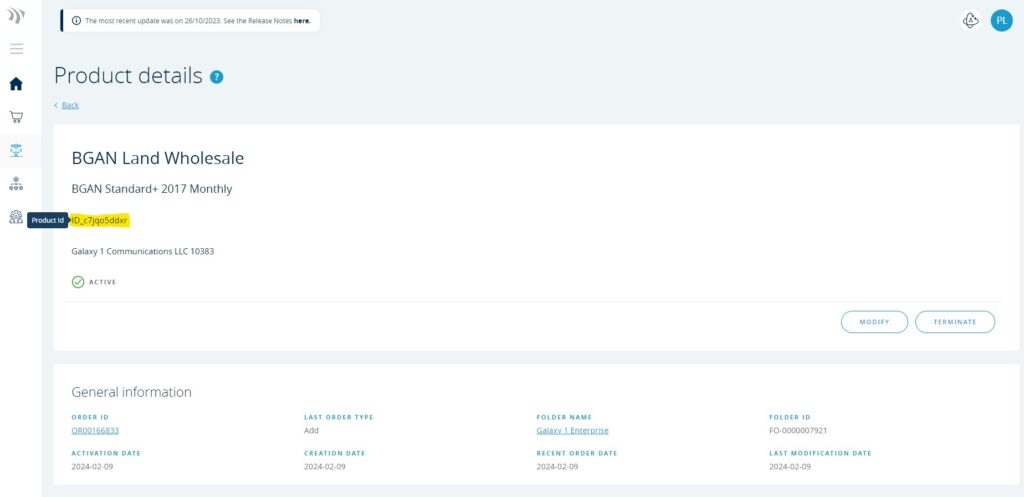
Copy “Product ID”