
Inmarsat has introduced specific FX plans with a top-up of allowances.
- The permission to add a FX top-up has to be enabled for a user role for this functionality to become available in IBIS: [PermissionCode.Allowance_TopUp]
- This is available only on certain Inmarsat Vendor Rate Plans. Please check with Inmarsat which plans are available to you.
In order to be able to add a top-up to an active GX terminal, the fee type will have to be created and the top-up will need to be added to the price plan.
Fee type creation
Go to [Tools] [Reference tables] and select [Fee types]. On top of the page, select the [+] sign to add a new fee. This has to be done for every type of top-up.
IMPORTANT: The fee type code must be exactly the same as listed by Inmarsat.
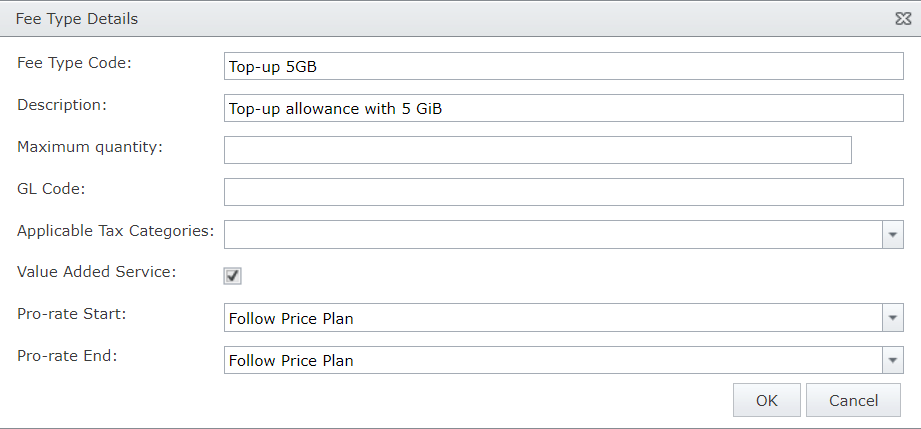
Please ensure the [Value Added Service] box is ticked, as this will be required for the next steps.
Adding the fee to the price plan
Once the fee has been created, it needs to be added to any price plans that allow top-ups. Please refer to the information from Inmarsat to determine which plans these are.
Go to [Billing] [Manage Price Plans] and select the price plan to add the top-up fees to. On the bottom of the page, select the [+] sign in the VAS Fees box.
From the drop-down menu, select the top-up that was created in the previous step.
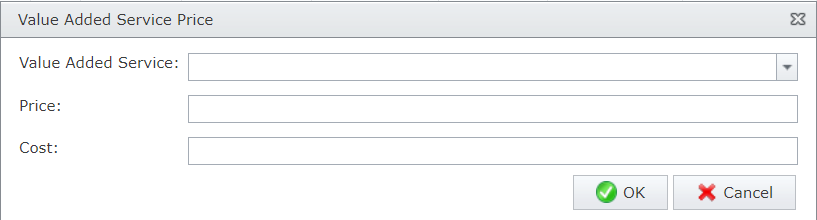
Press [OK] to complete the VAS fee and save the price plan.
Adding the top-up to the active GX terminal
Go the terminal details page in IBIS, on the bottom right side of the menu the option [Allowance Top Up] has been added
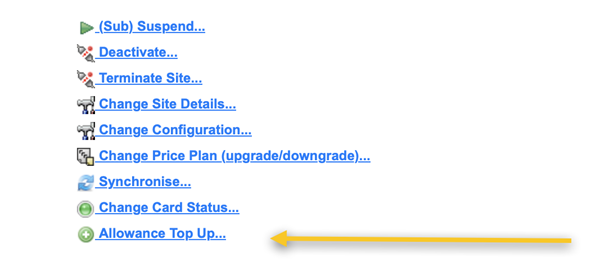
Select this option, a pop-up screen will appear prompting the selection of a top-up quantity:
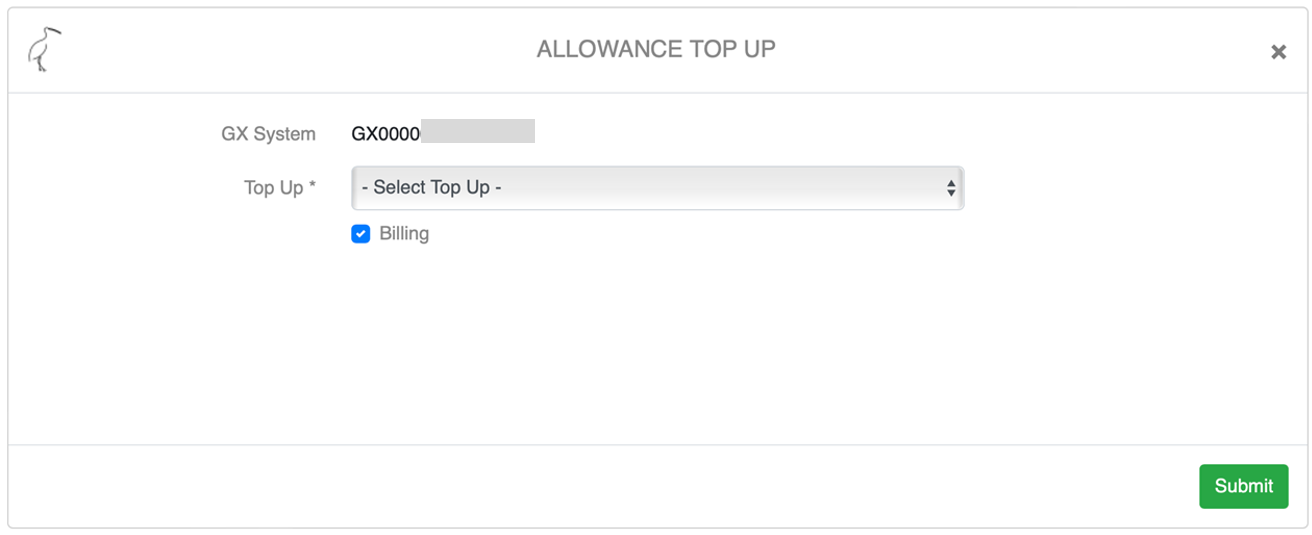
The box [billing] needs to be ticket to add the top-up to the monthly invoice (only available with the IBIS Billing Module).
Press [Submit] to send the order to Inmarsat. The status of the order can be tracked in the [Provisioning] [Tasks] menu.
Usage information
Once the top-up has been added, the progress of the usage can be tracked in [service configuration] [statistics] on the terminal details page.

(Please note: top-up functionality is currently only available on FX product offerings, once this becomes available on LX this will be included in IBIS as well).