
The [Upload Card Details] feature can be used to add, update or amend details for multiple SIMs. For the EM PIP it is important to keep to the correct sequence of columns due to a validation step that takes place in the back-end.
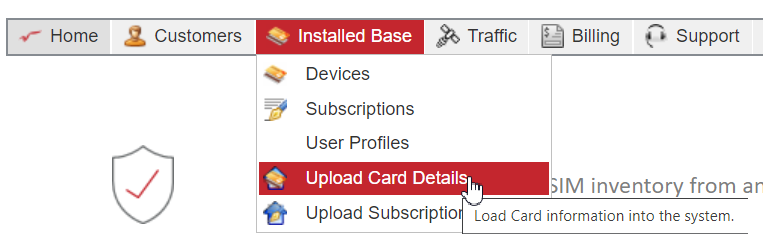
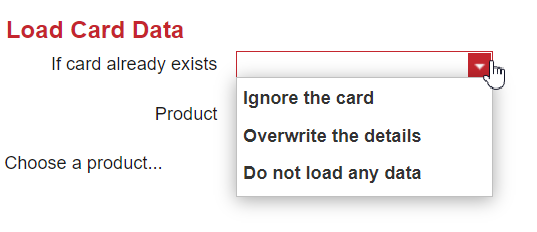
It will first validate what action should be taken if a SIM card already exists in the system:
Then the Product is selected from the drop down menu:
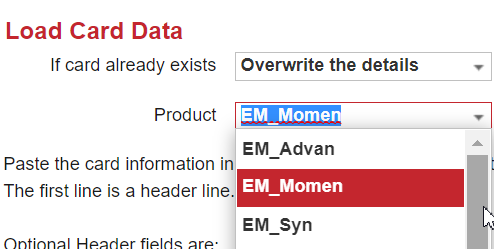
*If the product is not available in drop down menu, teh product should be added in reference table Products (ADMIN only).
Instructions are given on the screen on how to upload data in the system. A helpful tool is to use the Excel download with the existing card details.
IMPORTANT; For EchoStar Mobile SIM cards, in the columns the sequence should always be that the provisioning account comes after the MSISDN. This is different from what is in the instructions on the screen. Without this, the upload will give an error message.

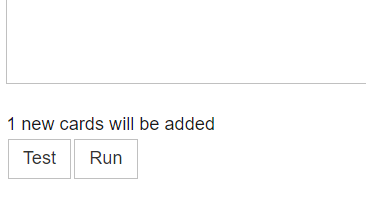
It is advised to test the upload with the [test] button to check if the card can be uploaded correctly. If this is the case, the message “x new cards will be added” is displayed and [run] can be selected.
It is recommended to include all details such as provisioning account, PIN and PUK codes to the SIM card details in the upload process. If this is not possible, additional SIM card details can be updated at a later stage in the same way as the upload took place:
- Download the list of existing SIM cards and remove SIM cards that do not require updating, or copy and past the ICCIDs into the empty Excel template
- Populate the columns with the required data
- Ensure the option “override the details” is selected, as the SIM card is already known in the system.