
Template based provisioning is used to simplify the provisioning process as it will use a pre-defined provisioning configurations that can be applicable to all devices or a sub-set of devices of a customer. The template can hold both SDP and POP provisioning parameters.
Activate multiple SIM in bulk – When a customer requests to activate multiple devices at once, this can be processed via batch provisioning in the template provisioning wizard.
For simple provisioning orders, like suspend and resume services, these can be executed in bulk via the bulk provisioning tool.
Creating a Provisioning Template
A Provisioning Template is created from a completed provisioning order. Go to menu tab Provisioning, sub menu Tasks. Look up the task that holds the provisioning order that will be used as the pattern for the template.
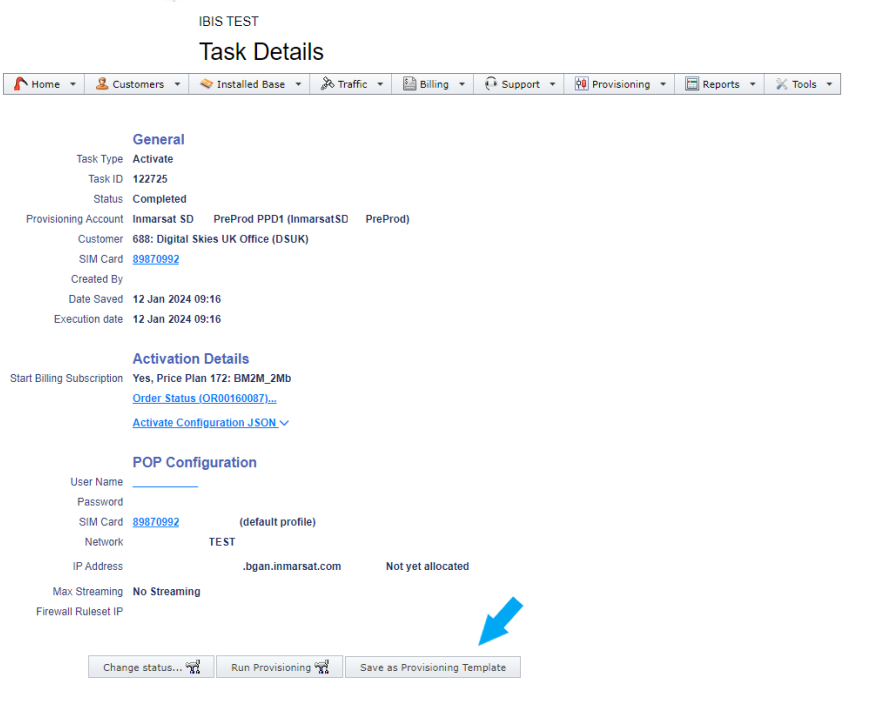
Then go to the following menu:

The Template will appear there with a generic name, only referring to Inmarsat SD activation. Select Edit to rename the template.


The template shows the reference to the price and the JSON script for SDP provisioning. Custom fields can be ignored as they are for external API user only.
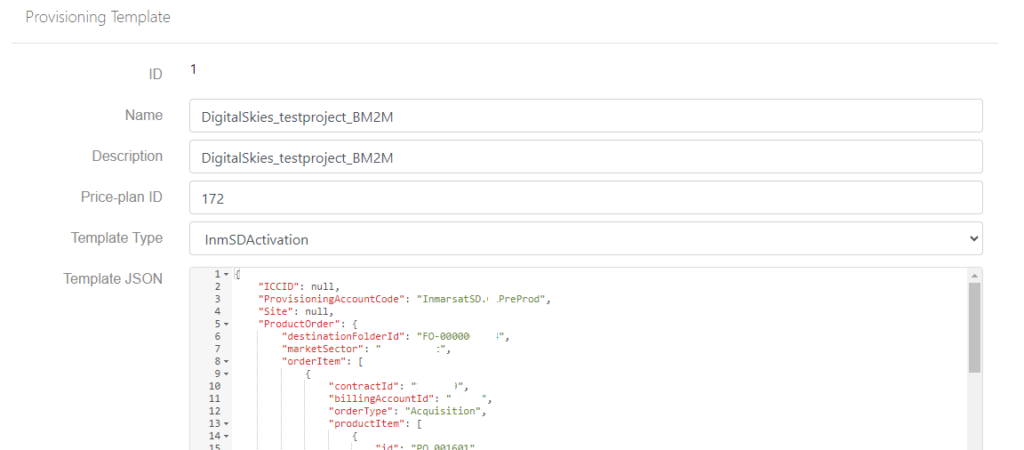
The Provisioning Template is now identified by its name and ready for use.

Template Based Provisioning
To start the provisioning, go to menu:

Please be advised that any user that has the permission Device_Activate, will also be able to use Template Base provisioning.
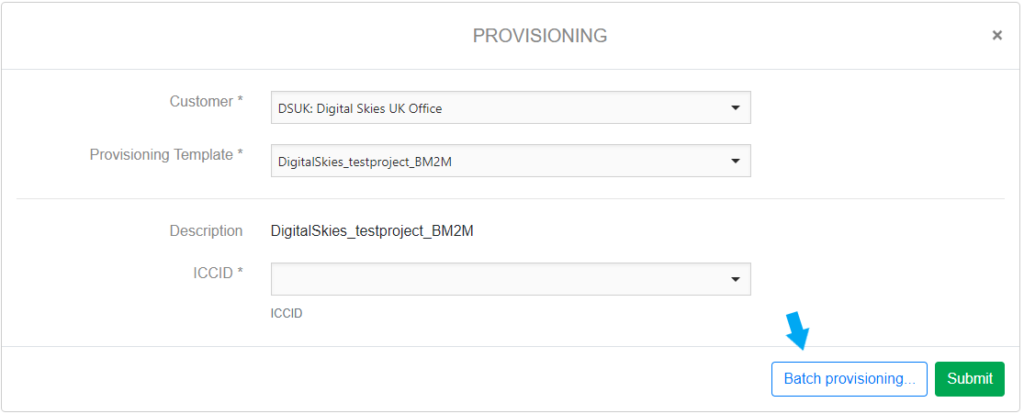
In the provisioning wizard, select customer and template and add the ICCID.
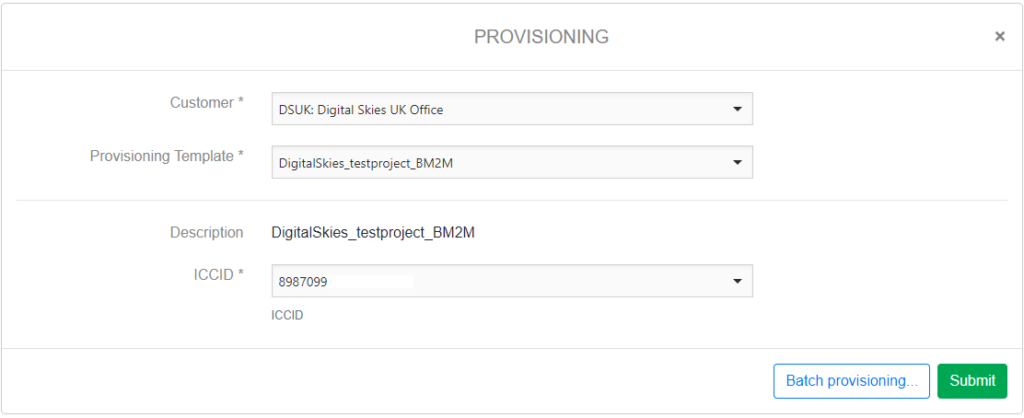
Then click [submit], which will create a provisioning task and order to SDP.
Batch Provisioning – provisioning multiple devices at once
Please note that user needs to have the permission enabled: Provisioning_BatchProvisioning
First select the devices in the customer account:
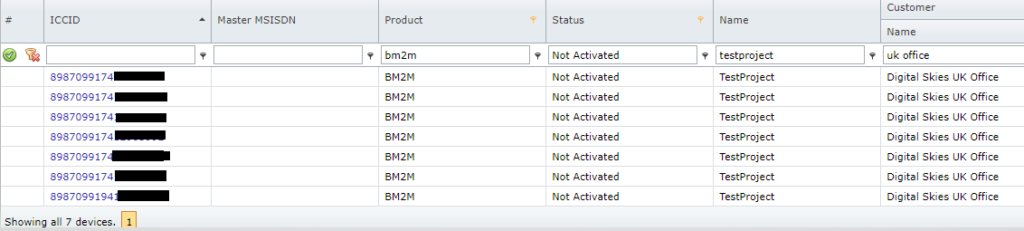
In Table Options, this data can be downloaded in Excel.
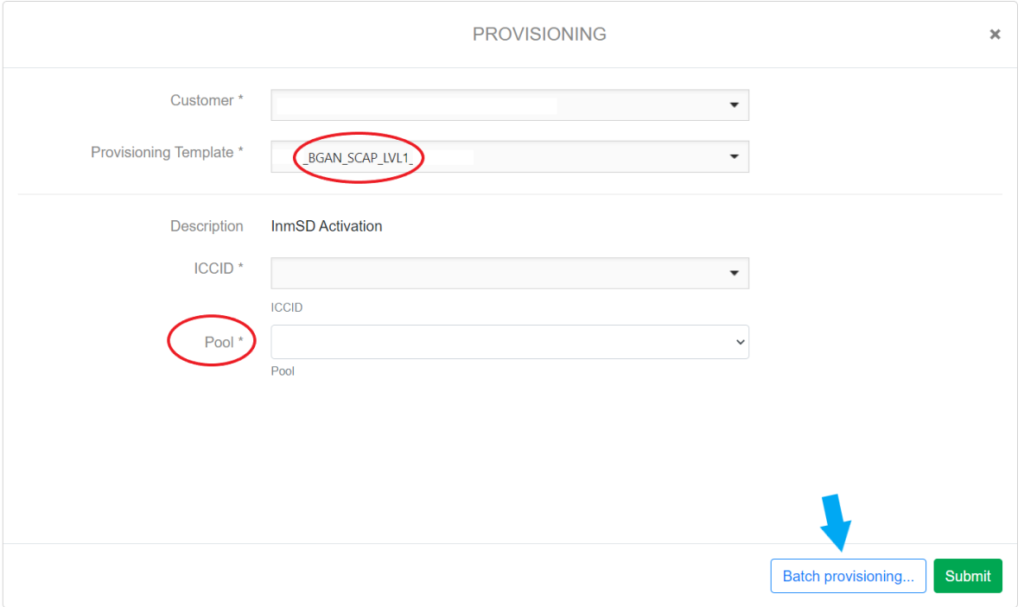
Go to the template based provisioning via menu and click [Batch Provisioning]:
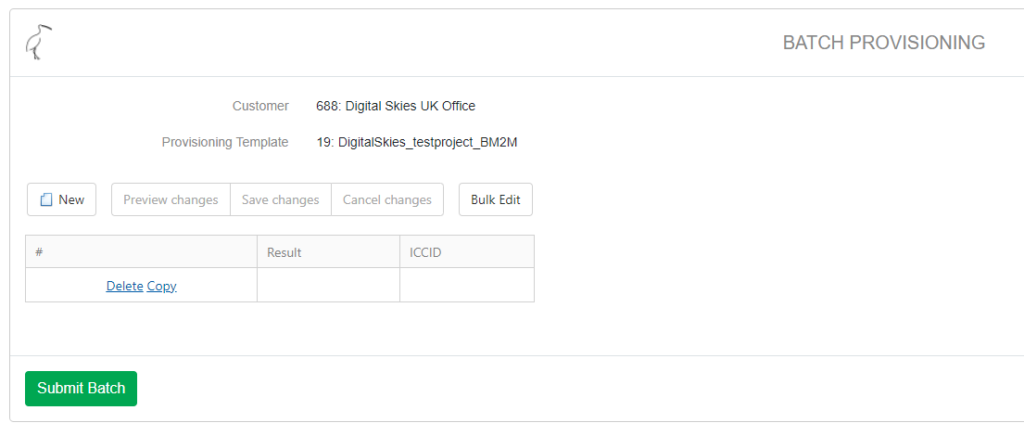
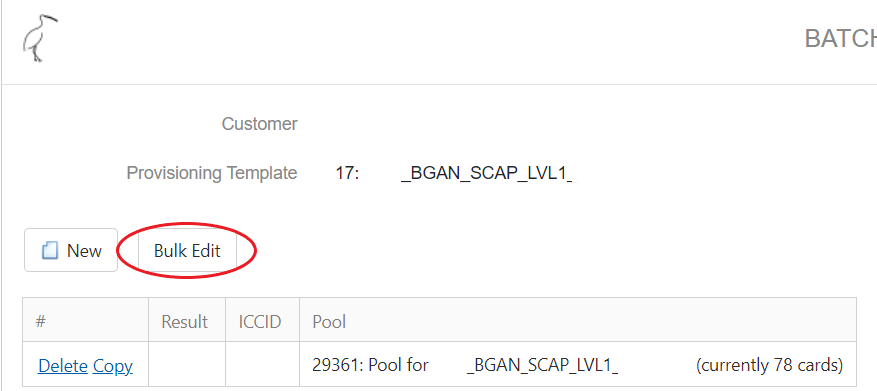
Use [Bulk Edit] and copy the ICCIDs from the excel:
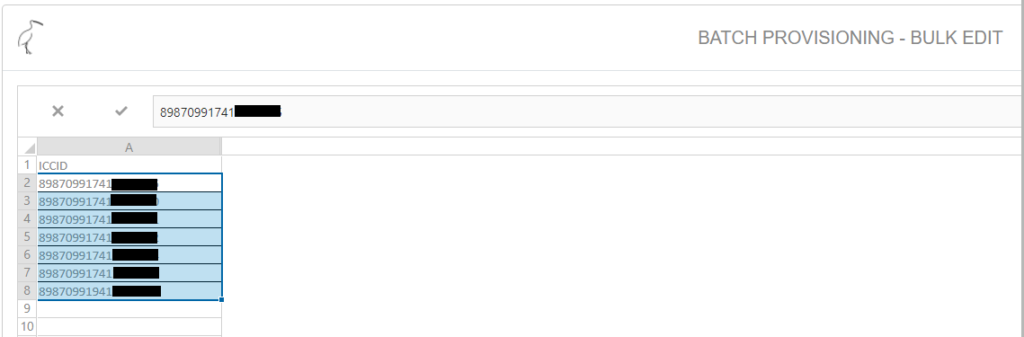
Click [Save], review and [Submit Batch]:
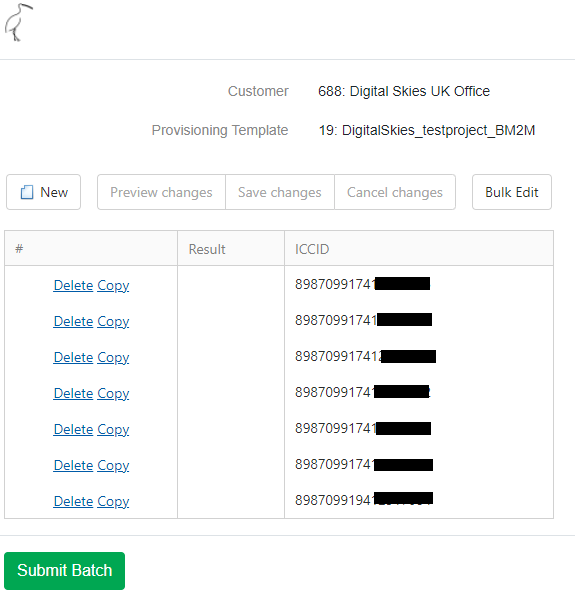
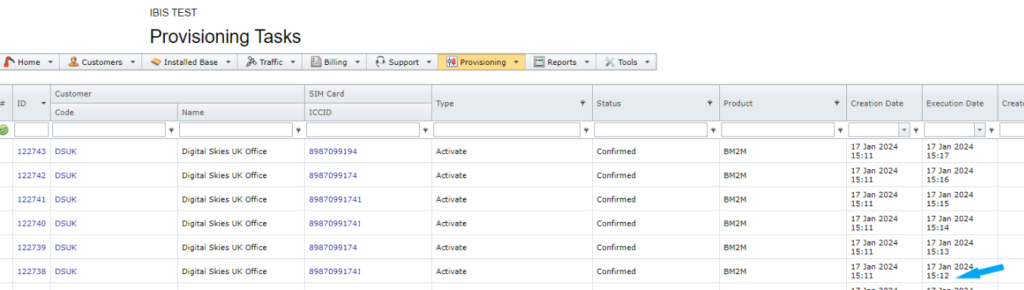
After submittal, provisioning tasks for each device will be generated. The orders are placed in a one minute processing time for each order, accommodating the time limitation process in SDP. The example above where 7 BGAN M2M devices are placed in a batch provisioning will take 7 minutes to be processed.
NOTE: When activating devices in bulk and adding to a pooled subscription, select the subscription ID in de batch provisioning for all devices.

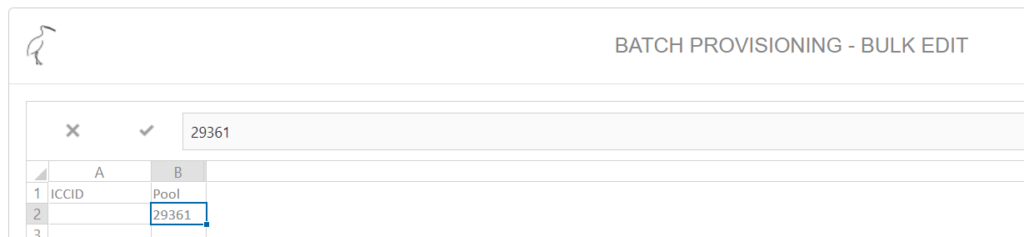
When adding ICCIDs in the bulk edit field, copy paste the pool subscription ID for each ICCID.