
IMT Topics are created by IMT Application Providers, which may be an SP as well. Topics are created in AWS and made available to SPs in a special menu item of SPNet that is only accessible by Application Providers. As an Iridium SP, Application Providers may make topics available to you as an SP.
Please be aware this is a 2 steps process: 1. Create Topic and 2. Topic made available to the SP. IBIS will only show the Topic when it is made available to the SP.
Topics overview
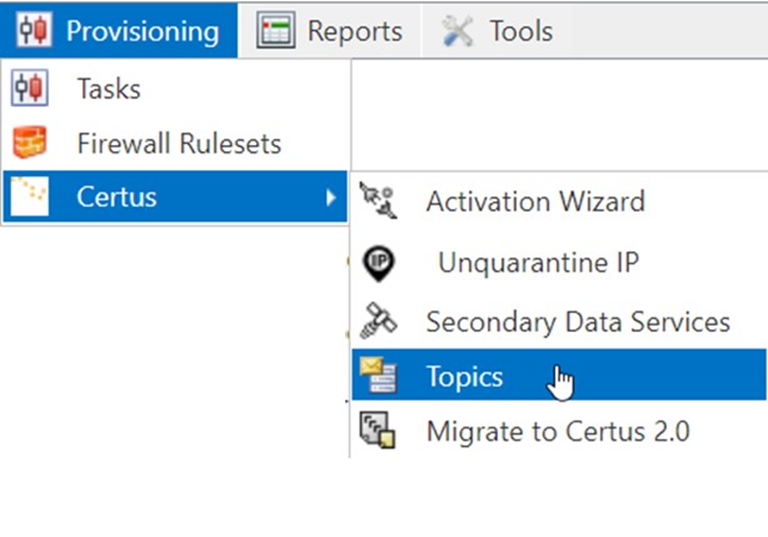
All topics are available in the [Provisioning] menu under [Certus] [Topics]
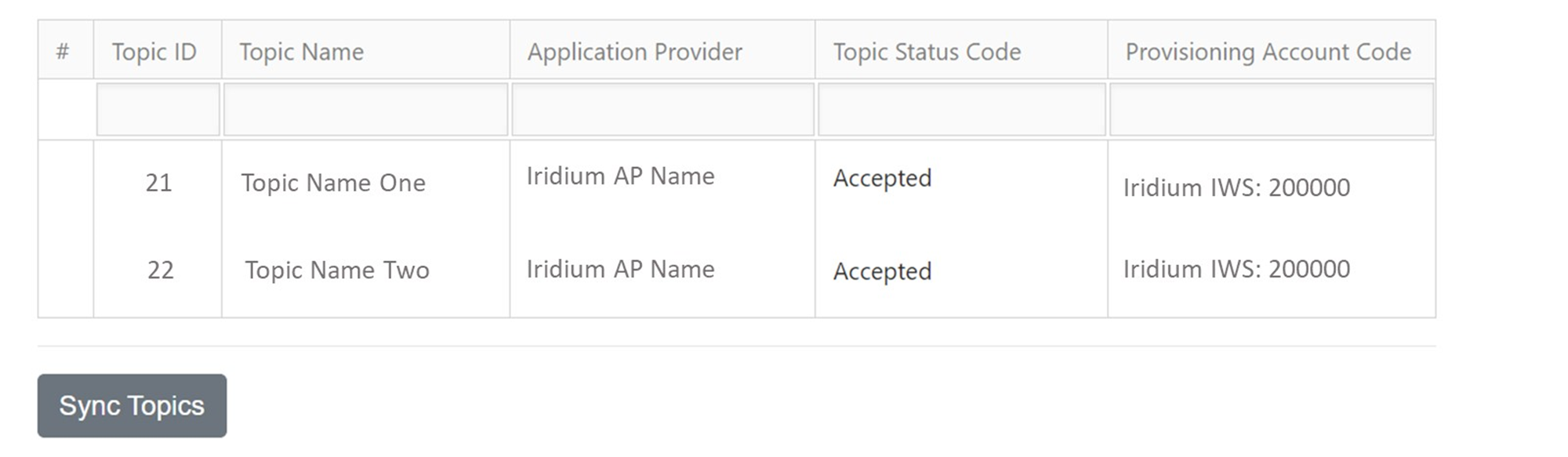
The topics overview consists of the following information:
- Topic ID – the number of the topic, this is a unique identifier
- Topic name – the name the Application Provider has given the topic. May include information about what the topic is used for, for example AP name weather
- Application Provider: the name of the Iridium Application Provider that has made the topic available
- Topic status code: whether the Iridium SP has accepted the topic or not. If topics are accepted, they can be added to IMT capable terminals for this SP
- Provisioning account code: This is the Iridium account code that the topic is available for. Please note that one IBIS may contain multiple Iridium SP account codes.
To check if any new topics have been made available, select [Sync Topics]. New topics will be listed, with the option to accept them.
Accepting or rejecting topics
Accepting or rejecting topics can be done in IBIS after synchronisation. A topic that is not accepted when it is first synchronised, can be accepted at a later stage. If a topic has been accepted, it is not possible to reject it from IBIS at the moment, this has to be done in SPNet and then the list of topics in IBIS is to be synchronised again.