
As of November 2022, the option to add a NATted public static IP address to an Iridium Certus Private IP address has been simplified. Please note that this functionality has to be enabled for you should you want to make use of this. Public Static IP addresses are a paid service, please contact your account manager for details.
Adding a public static IP address
Go to the User Profile that requires the public static IP address.
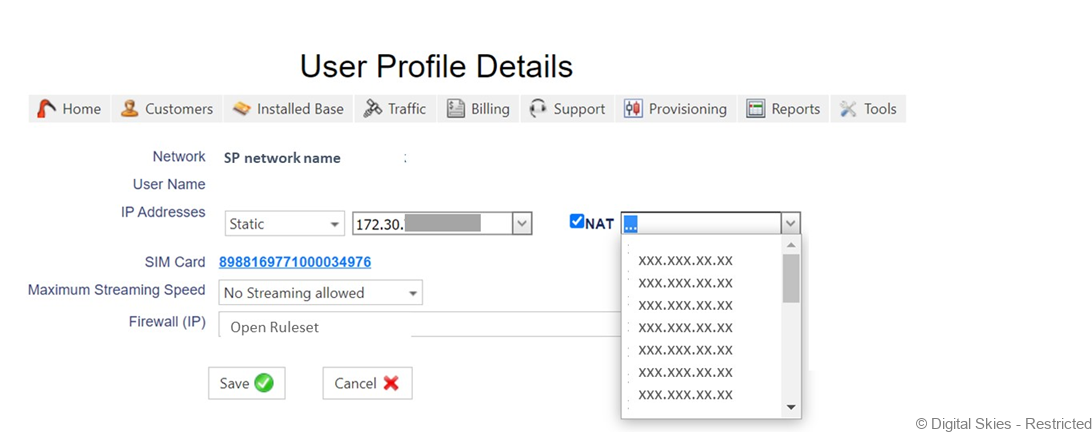
On the profile, tick the box labelled [NAT]. The default option is to have a public static IP address automatically assigned, however it is also possible to select one from the drop-down box,
Save the User Profile.
Removing the public static IP address
In order to remove the public static IP address, untick the box labelled [NAT] and save the User Profile.