
IBIS billing includes a feature to create an interim invoice, separate from End of Month billing. This feature is not available by default but can be requested by starting a [Billing Support] ticket.
IBIS billing is typically used for monthly billing cycles. In an EOM billing cycle all subscription fees, airtime usage charges and any other recurring or one off charges are combined in one invoice per customer.
However, in some cases the biller and/or the customer requires that charges are invoiced immediately without having to wait until the end of the month. Certain one off charges, like prepay top ups can require a instant invoice separate from the end of month billing cycle.
NOTE: The interim invoice can also be used for credit notes, the selected fee is Credit.
In order to create an Interim invoice, go to the Customer details page and select Create Invoice at the bottom of the page.
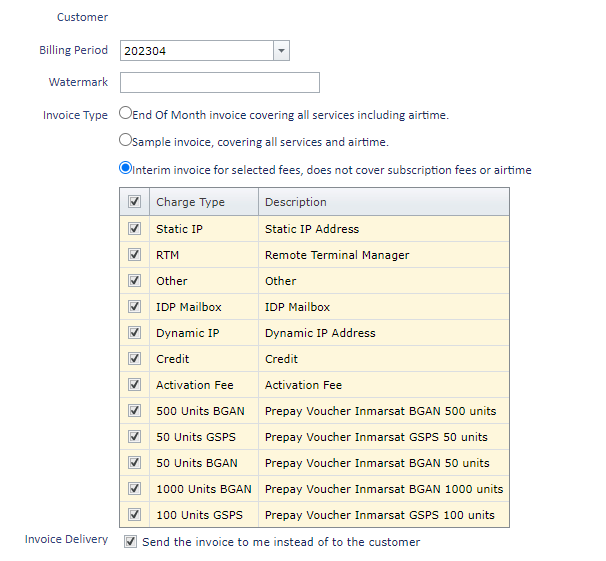
Select the charge types to be included in the interim invoice, then select

A draft Interim invoice will be generated. The review and approval of an interim invoice is the same as for an EOM invoice.
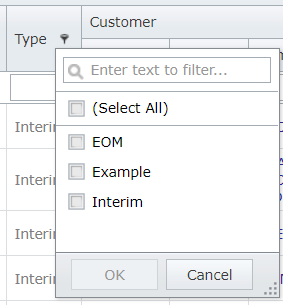
In the invoices report these invoice are recognized as Interim invoice Type
NOTE: The invoice date will be the date of invoice creation except when System Configuration Setting Use Month End As Invoice Date has been set to True.