Activating a Push To Talk service in IBIS is a 3 stage process :
- Create Subscriber Organisation
A ‘Subscriber Organisation’ needs to be created first. This is the organisation which is going to use the PTT and to whom the Talkgroups and Devices will belong, for instance the Paris Fire Department.
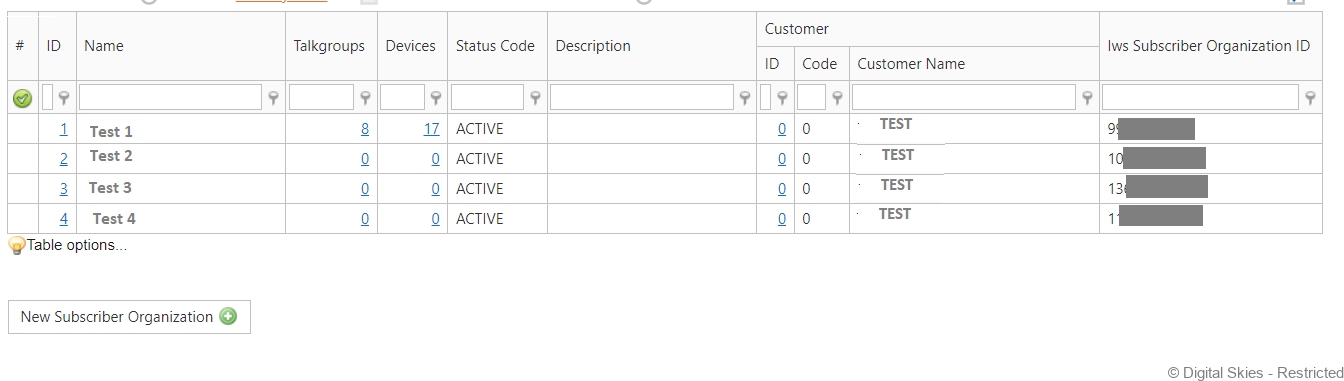
You will find these Subscriber Organisations under Customers – Iridium Provisioning – Subscriber Organisations.

This an administrative action: no Price Plans are needed for this step. Existing Subscriber Organisation can be imported from SPNet by DS developers. This should only be done in the startup phase, since these imported organisations do have to be manually tied to a customer by the SP.
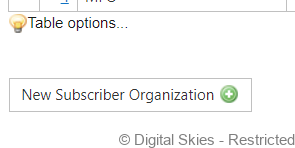
At the bottom of the page, [click] ‘New Subscriber Organisation’
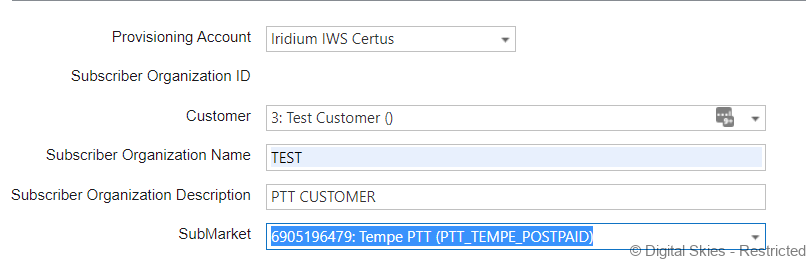
Complete the required fields.
- Provisioning Account: Iridium IWS Certus
- Customer: Link it to the correct customer in IBIS
- Subscriber Organisation Name & Description: Give these appropriate names required
- SubMarket: This should Auto populate, if not select the TEMP POSTPAID
In the IWS Subscriber Organisation ID: This is generated by Iridium, Leave it blank for new subscriber organisations.
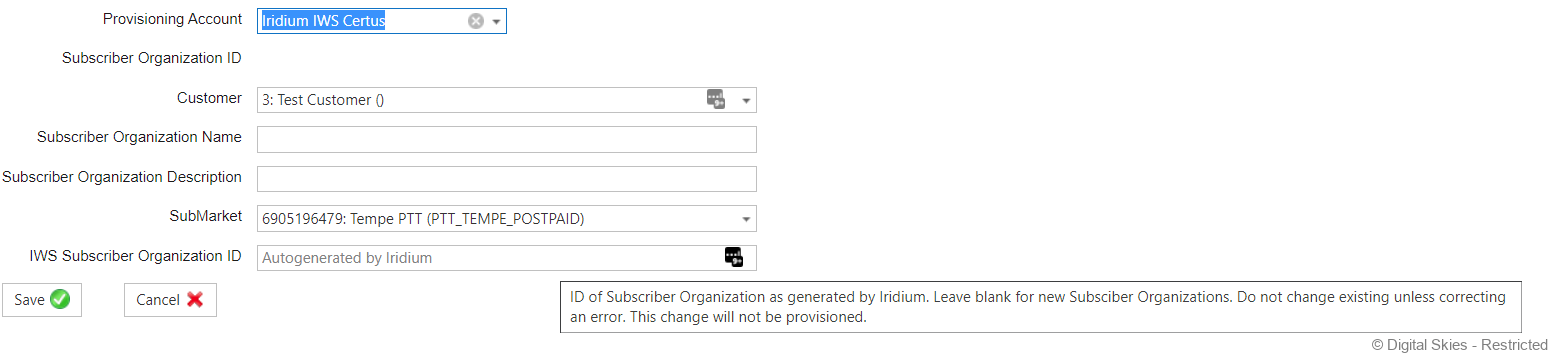
[Click] Save
Once a subscriber organisation is in place and tied to a customer, you can activate PTT Talkgroups and PTT devices for that customer
- PTT Talkgroups
A PTT Talkgroup is a slightly different from the standard SIM card activation, It is not a physical object (SIM), but a service. Therefore it is not possible to upload a not-activated Talkgroup into IBIS and activate it in the usual way.
Activating a new Talkgroup:
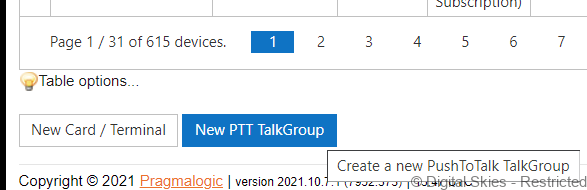
At the bottom of the Device Overview page, [Click] ‘New PTT Talkgroup’.
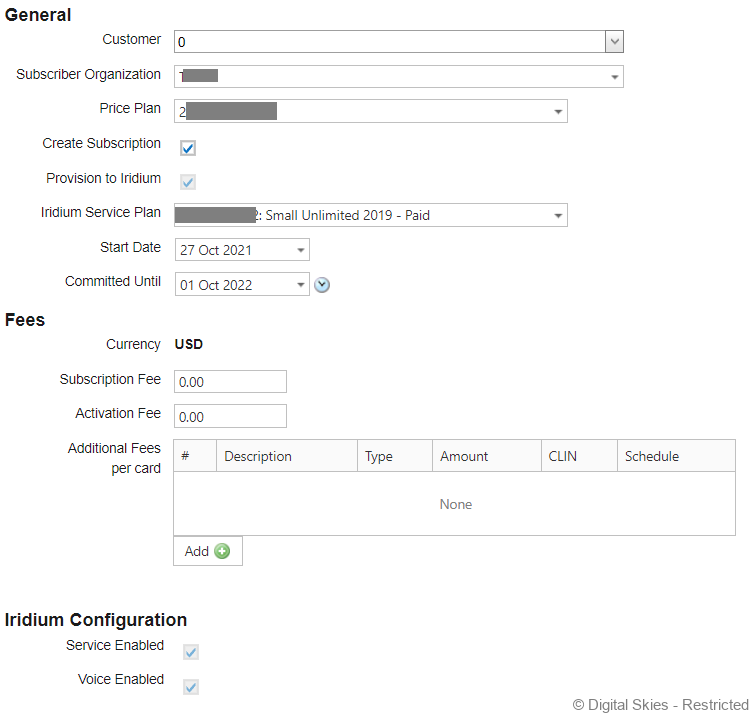
Select the required Subscriber Organisation & Price Plan. The Iridium Service Plan should automatically populate from the price plan selected.
Next [Click] Confirm
After activating a new PTT Talkgroup, it will be reflected in IBIS as a fake virtual Simcard, with productcode PTT Group and it will have the usual functionality (such as deactivation/synching).
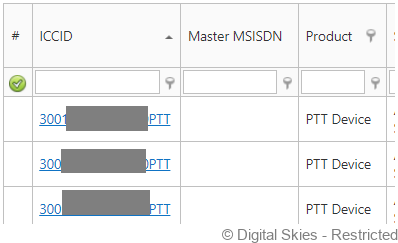
PTT Talkgroup is the actual service, and this will generate the traffic. So your Price Plans for the product ‘PTT Group’ should contain the PrincingRules defining the rate for the PTT Talkgroup CDR’s (which will have the productcode ‘PTT Group’).
The Talkgroup Number (found on the card details after activation) will be the identifier on the CDR.
The ICCID is the unique identifier in IBIS and consist of ‘TG_{TalkgrouNumber}_{TaskId}’. That is to ensure the ICCID is unique. Do not reuse a deactivated Talkgroup number once it has been deactivated. Always create a new Talkgroup.
- PTT Devices
Last is to attend to the actual PTT devices (handhelds). These are ordinary IMEI devices of product ‘PTT Device’ and they need to be activated as normal devices (ICCID=IMEI). On their Price Plan, you only need to define the activation and subscription fees: PTT devices themselves will not be associated with traffic, so they do not need Pricing Rules.
If a physical terminal is both used for SBD and PTT, that terminal needs to be uploaded twice in IBIS, once as a SBD terminal and once as a PTT Device. To make the ICCID unique, the PTT Devices contracts the prefix PTT. This behaviour is controlled through a setting.
Iridium PTT Command Center
After activating PTT in IBIS (or SPNET), the SP (or Customer) can go to the Iridium PTT Command Center Portal. There they will find the Subscriber Organisations, and for each organisation the associated Talkgroups and Devices.
The selected Talkgroup bundle reflects both the bundle size, as well as the maximum physical area covered by the bundle. That is the area in which the devices can communicate with each other.
In the Command Center, the customer can draw one or more circles/rectangles on a map, defining the area where the devices will work.
To enable devices for a certain Talkgroup, the customer ties these devices to a particular talkgroup in the Command Center. This association is not reflected in IBIS, nor in SPNet. So IBIS does not know which device is active in which talkgroup. IBIS only knows which devices and talkgroups belong to which Subscriber Organisation.
Change PTT subscriber organization of an active PTT subscription
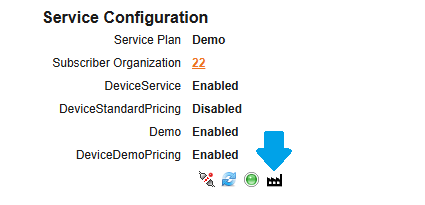
In the service configuration of an active PTT device the below icon will guide to the change configuration page where a PTT subscriber organization can be selected.