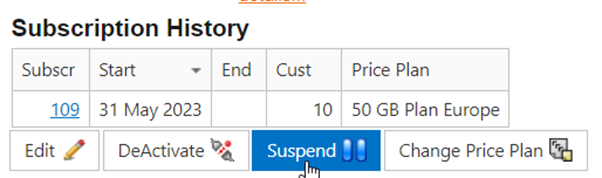
This instruction explains how to activate an iVent SIM card in MySIM Retail. (MySIM Retail will provision to iVent MySIM via APIs).
Prerequisites:
- The customer to activate the device for has been created. If not, go to customer creation
- SIM card details meet all criteria, including product type, provisioning account and customer.
- The priceplan to activate the device on has been created and is made available to this customer. If not, go to price plan creation.
Instructions:
Find the device in [Installed Base] and click hyperlink of the ICCID. Please note that the ICCID in MySIM Retail is the iVent EID. This will open Open SIM card/Terminal Details screen, click [Activate] on the bottom of the page
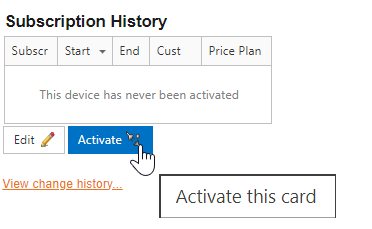
The [Activate] button will open the activation screen:
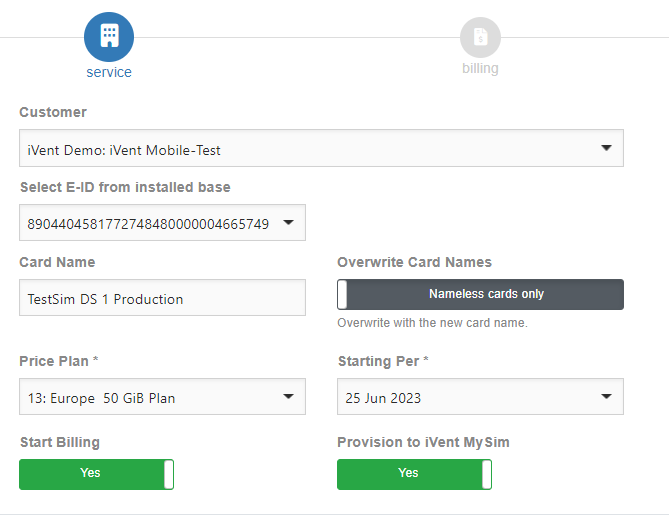
The Customer, Product and ICCID will auto populate. Check these are correct before proceeding. It is possible to overwrite the name of the SIM Card as part of the activation, if this is required, toggle the [nameless cards only] button. Select the price plan required from the drop down menu.
For a standard activation you will leave the options to start billing and to provision to iVent as ‘Yes’.
- Start Billing creates the subscription in MySIM Retail
- Provision to iVent sends a provisioning task to MySIM via API
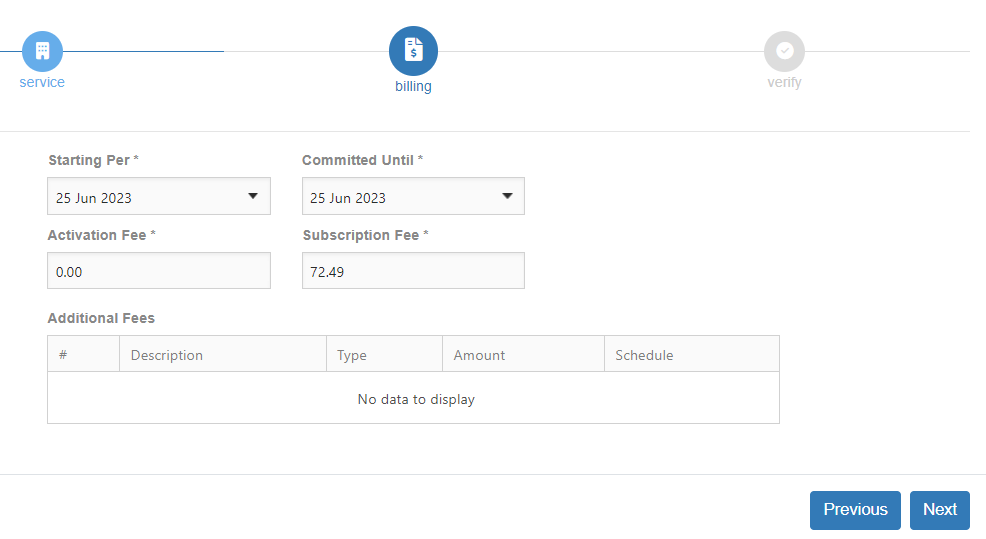
The next page is for the user to confirm the start & commitment date is correct, and if done by an iVent Billing Administrator, to update any fees that may be applicable.
The last page is a confirmation page for the user to check everything is correct.
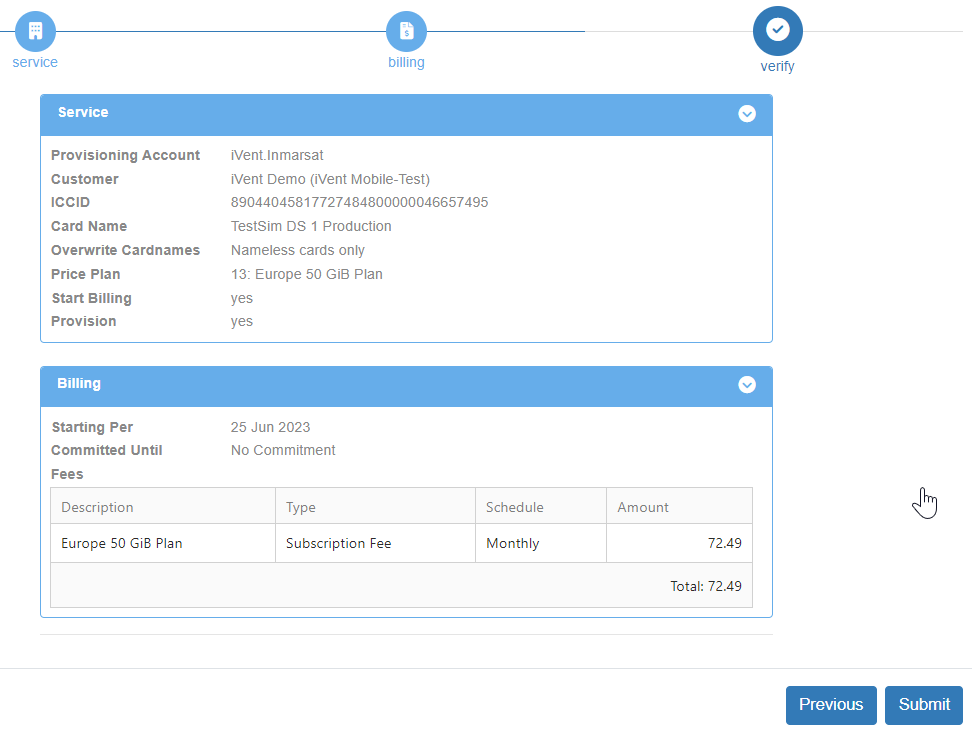
To be added: The user will be prompted to read and agree with the Terms & Conditions of the activation request before proceeding. Tick the agreement box before clicking [Finish]
The user will receive an emailed provisioning task creation confirmation and can monitor the task through to completion via the provisioning task menu.
Suspending and resuming
Important: the status of the iVent SIM cards in MySIM is always “suspended” when not activated. This is the case if the SIM card has the status “suspended” in MySIM Retail, but also if the SIM card has the status “deactivated” or “not activated” in MySIM Retail.
Suspending, resuming and deactivating is done from the SIM card details page.
Suspend: the terminal can’t do traffic but the billing subscription continues
Deactivate: the terminal can’t do traffic and the billing subscription is ended