IBIS offers the option to integrate with Authorize.net, enabling the automatic credit card payment at the approval of invoices in IBIS (End of Month billing cycle or ad hoc interim invoices).
Authorize.net is a US-based payment gateway service provider allowing merchants to accept credit card payments via their platform, providing an API to plug in.
Since Authorize.net offers the service of CIM (Customer Information Manager), there is no need to enter and hold (encrypted) credit card information in IBIS. This simplifies the PCI DSS compliance.
With the service of CIM the customer and credit card details are saved in Authorzie.net servers with the creation of customer and payment profiles. Accessing the Authorize.net API will enable IBIS to make use of the customer and payment profiles and credit card payment orders can be processed.
To make use of this solution the merchant, cq IBIS biller, needs to have an account with Authorize.net and CIM enabled.
Please contact your Digital Skies account manager if you are interested to add this module to your IBIS platform.
Set up Credit Card payment module
To integrate this credit card payment solution in IBIS the following is required:
- IBIS biller has an Authorize.net account and has CIM enabled
- Authorize.Net account code and API credentials is shared with the IBIS onboarding team
- IBIS Credit Card Handler is configured to Authorize.net
- API Login and Transaction Key applied
- In billing settings in the Customer account; Credit Terms are set to Credit Card
Import or create Customer & Payment profiles (Authorize.net)
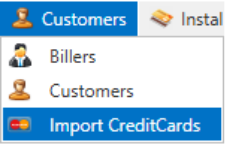
- If the customer account has a customer and payment profile in CIM, their IDs need to be added in the IBIS database to the customer account. The menu item Import Credit Cards need to be enabled to import the masked credit card number, exposing the last 4 digits and expiry date of the credit card.
- If the customer doesn’t have a profile in CIM, credit card details are entered in the associated fields in the customer billing details page. When saved, IBIS will send a request to Authorize.net to create a customer and payment profile. The profiles are then known in IBIS and the returned Authorize.Net data will expose the last 4 digits and expiry date of the credit card. No credit card details are saved in IBIS.
The visibility of the 4 last digits and expiration date is required when the credit card holder needs to be alerted to update credit card details.

Request Update email will be sent to email address entered in Customer details:
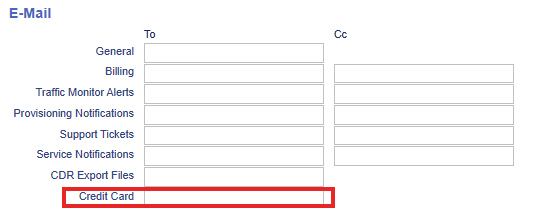
This email field will only appear when the Credit Terms of the account have been set to Credit Card.
EOM process with automated credit card payments
After starting the EOM process, draft invoices for customers with credit card payment term will show the how the invoices will appear when the credit card payment is processed. In the Summary the Credit Card Payment will show the deducted amount, the invoice sum is zero.
When invoices with the terms Credit Card are approved, IBIS will send the payment request to Authorize.Net, after validation of customer and payment ID the return message will either be credit card payment processed or declined. When declined the customer invoice will show unpaid and invoice balance due on receipt. In the CSV download of Authorize.net the processed and declined payments are visible.
The biller then can email the customer via Request Update or via other communications.
IBIS configurable settings:
Credit Card Handler
Authorize.net Credit Card Validation Mode
Credit Card Transaction Description
Credit Card Allowed Currencies
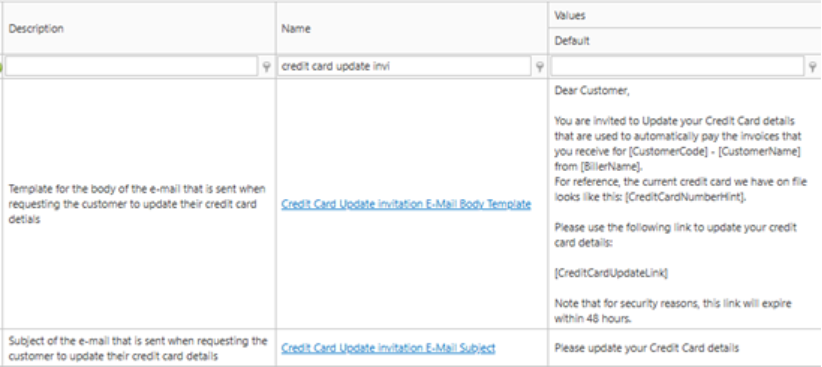
Credit Card Update invitation E-Mail Subject
Credit Card Update Invitation Send to Current User
Credit Card Update invitation E-Mail Body Template
Credit Card Updated Notification Email Address
Create CC Profile in Authorize.net
Authorize.net Credit Card Validation Mode