
A subscription is created when a device is activated on a priceplan.
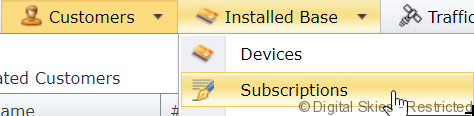
In the subscriptions overview, a list of all activated devices with the active subscription are listed.
One the subscriptions overview, the following columns are available:
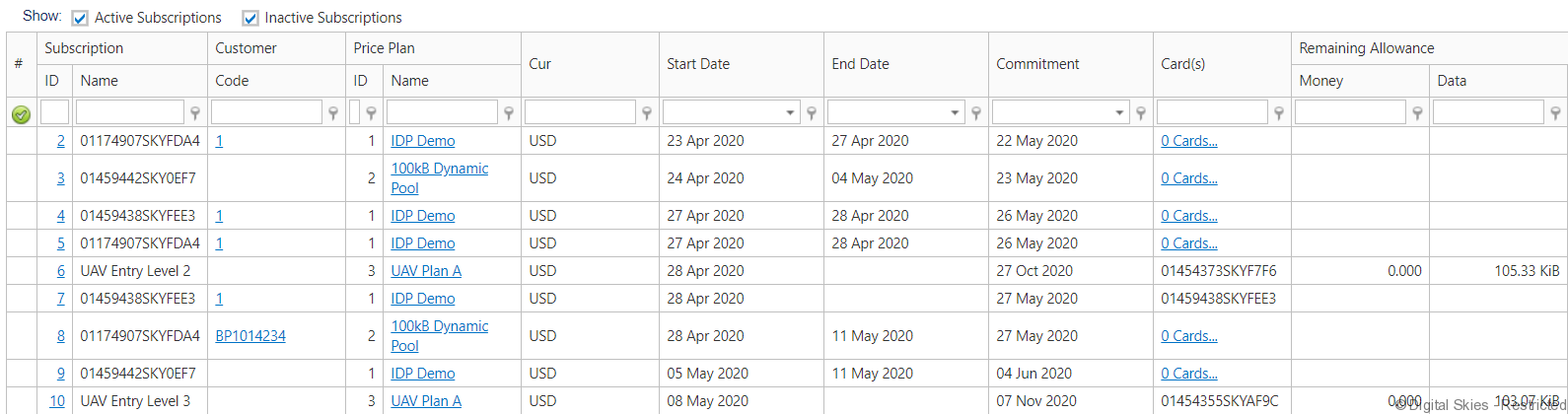
ID – This is the unique ID identifying the subscription. Clicking on this leads to the subscription details page
Name – The identifier of the device that the subscription is on
Code – Shortcode for the customer
Priceplan ID – Unique identifier of the priceplan that this subscription is based on
Priceplan name – the name of the priceplan
Currency – the currency the priceplan is in
Start date – the start date of the subscription, this is usually the date of activation
End date – if no date is listed here, the subscription is still active
Commitment – the minimum commitment date, if deactivated before this date, Early Termination Fees may apply
Cards – The identifier of the device(s) that the subscription is on
Remaining allowance: in case a bundles of traffic is included in the subscription, this shows the remaining allowance for the period
Actions that can be taken from this page:
- Create new subscription – in this case no device is pre-selected, it can be selected from the new subscription screen. Alternatively, a new subscription is started from the SIM card/terminals details screen, in that case, the device is pre-selected