
It is important that the user is fully familiar with the Iridium and hardware provider settings for SDF before setting it up in IBIS.
In IBIS, go to [Provisioning] and select [Certus]
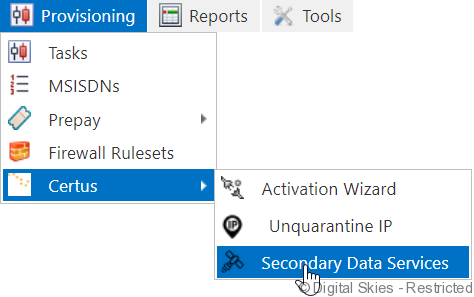
Select [New]
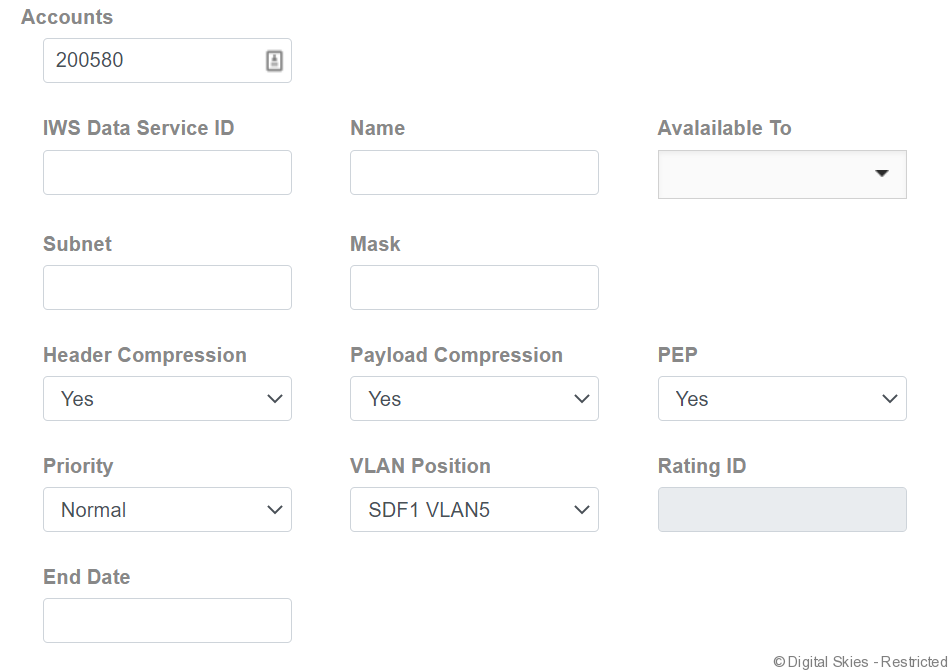
- Leave the IWS Data Service ID empty. This will be populated by Iridium
- Fill out a name of choice
- Select if the SDF should be available to all customers or to a subset
- Fill out the subnet and mask, as well as the VLAN position (this is depending on your technical set-up)
- Unless specifically required, leave all other fields as default.
- The rating ID is assigned by Iridium and included in the CDR. It is added to IBIS as a service variant for billing purposes. For more information please refer to Secondary Data Flow traffic – rating and invoicing
Save the new Secondary Data Flow.
The next step is to add the SDF to a SIM card so that the traffic is routed through it.